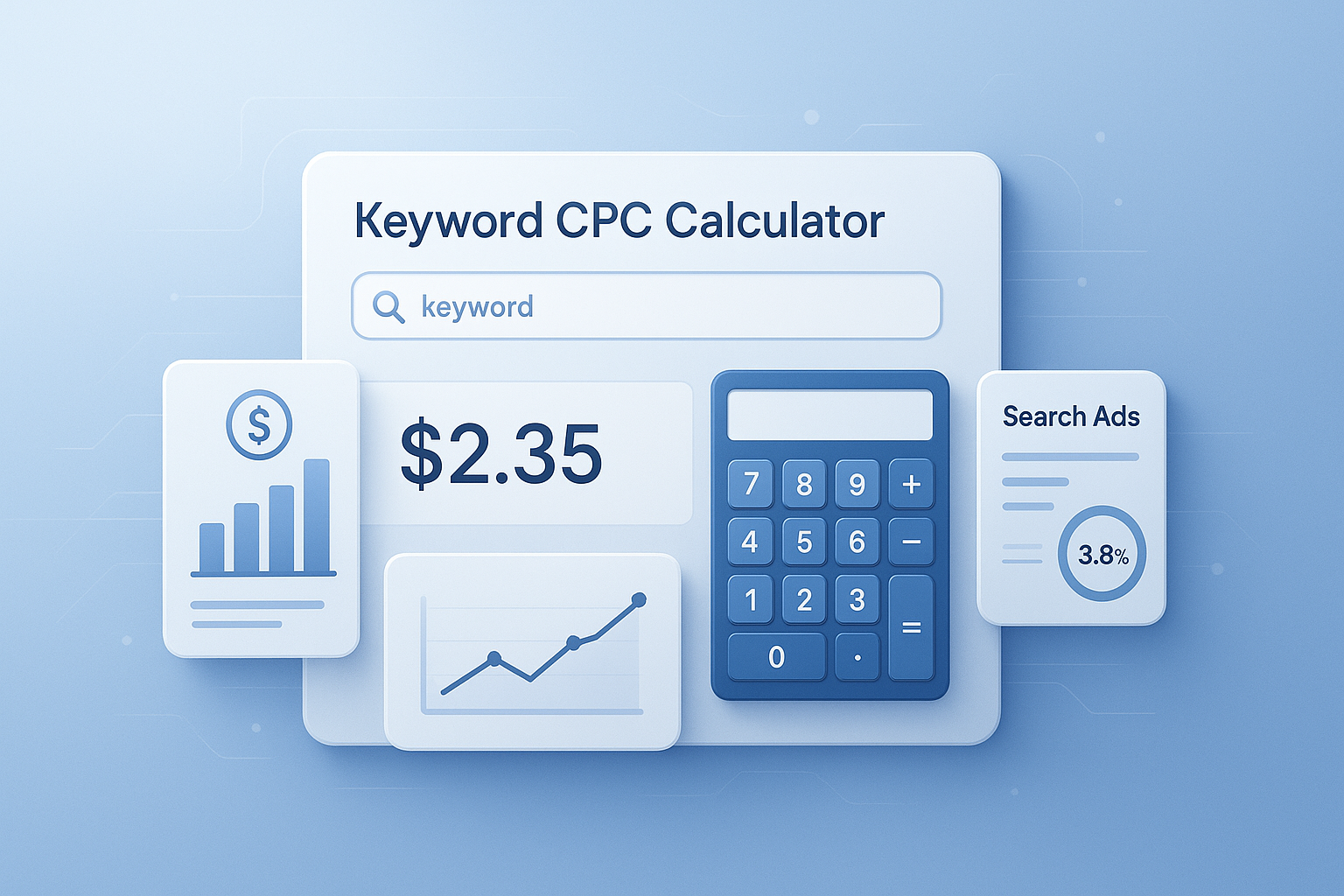
Ever set a PPC budget, launch campaigns, and then realize your clicks cost far more than expected? That happens all the time when marketers rely on guesswork instead of a simple keyword CPC calculator.
A keyword CPC calculator helps you estimate cost-per-click, compare keyword options, and predict how far your budget may go before you spend real money. It won’t replace live platform data, but it gives you a fast planning model that makes campaign decisions much easier.
In this guide, you’ll learn what a keyword CPC calculator does, how to use it properly, what affects CPC, and how to turn rough keyword estimates into smarter ad budgeting. If you also work across channels, tools like a percentage calculator can help you measure changes in bids, conversion rates, and campaign performance more clearly.
Suggested Image: Finance illustration showing ad budget, clicks, and CPC estimate dashboard
What is a keyword CPC calculator?
A keyword CPC calculator is a planning tool that estimates the average cost you may pay per ad click for a keyword or group of keywords. Marketers use it to forecast ad spend, compare search terms, and build PPC budgets before launching campaigns.
At its core, CPC means cost per click. If you know your estimated bid, expected clicks, and available budget, you can model campaign costs quickly. This matters because paid search is an auction, not a fixed-price system. Google explains in its Google Ads cost-per-click documentation that actual CPC often depends on your bid, competition, and ad quality.
A practical calculator helps answer questions like:
- How much might this keyword cost me?
- How many clicks can I afford?
- Which keyword set fits my monthly budget?
- What happens if CPC rises by 10% or 20%?
When you want to test budget ranges quickly, a average calculator is also useful for finding the average CPC across multiple keywords.
Why marketers use a keyword CPC calculator before launching campaigns
Most PPC mistakes start with poor forecasting. A keyword CPC calculator gives you a faster way to test scenarios before you commit spend, which is especially useful for new campaigns, client proposals, and seasonal promotions.
Here’s the problem. Keyword planning tools often show ranges, estimates, or broad averages. That’s useful, but it doesn’t always answer the budget question a marketer actually cares about: “If I target these terms, what could this cost me next month?” A calculator bridges that gap.
- Budget planning: estimate total spend based on likely click volume
- Keyword comparison: identify lower-cost alternatives with similar intent
- Campaign forecasting: estimate traffic potential from a fixed budget
- Client reporting: present clearer assumptions behind PPC projections
- Bid testing: model the effect of bid increases or decreases
If you’re trying to evaluate budget shifts between campaigns, a ROI calculator can help connect CPC estimates to profitability instead of traffic alone.
How CPC is usually calculated
CPC is typically calculated by dividing total ad spend by the number of clicks. For planning, marketers also reverse the formula to estimate spend from a projected CPC and expected click volume.
Let’s break this down with the most useful formulas.
Main CPC formula
- CPC = Total Cost / Total Clicks
Projected ad spend formula
- Total Spend = Estimated CPC × Expected Clicks
Possible clicks from a fixed budget
- Estimated Clicks = Budget / Estimated CPC
Example:
- Estimated CPC: $2.50
- Monthly budget: $1,000
- Estimated clicks: 1,000 / 2.50 = 400 clicks
This is where many people struggle. They focus only on CPC, but CPC alone doesn’t tell you whether a campaign makes sense. You also need to consider conversion rate, average order value, and target cost per acquisition. The Google Ads bidding guide is a useful reference for understanding how bid strategy affects outcomes.
What affects keyword CPC?
Keyword CPC is shaped by auction pressure, commercial intent, ad quality, and user behavior. Two keywords in the same niche can have very different CPCs if one has stronger buyer intent or more aggressive competition.
Now comes the important part. If your calculator estimate looks too high or too low, these are usually the reasons.
- Competition level: more advertisers usually means higher CPCs
- Commercial intent: “buy,” “hire,” and “near me” terms often cost more
- Quality Score: better relevance can lower actual CPC in Google Ads
- Location targeting: CPC can vary widely by country, city, or region
- Device mix: mobile and desktop performance often differ
- Industry: legal, insurance, finance, and SaaS commonly have higher CPCs
- Seasonality: demand spikes can raise auction prices
- Match type: broad match may behave differently from phrase or exact match
Google also notes in its Quality Score overview that relevance, expected click-through rate, and landing page experience influence ad performance and cost efficiency.
Suggested Infographic: Factors that increase or decrease keyword CPC
How to use a keyword CPC calculator step by step
To use a keyword CPC calculator well, start with a realistic CPC estimate, add your target budget or expected clicks, and then test multiple scenarios. The best results come from comparing ranges instead of relying on one perfect number.
- Choose your keyword or keyword group. Avoid modeling a campaign from one keyword if you plan to bid on dozens.
- Find a baseline CPC estimate. Use platform planning tools, historical data, or current account averages.
- Enter expected clicks or monthly budget. Either input can help you forecast the other.
- Run best-case, mid-case, and high-cost scenarios. This gives you a practical budget range.
- Add conversion assumptions. Traffic estimates matter more when tied to business outcomes.
- Compare keyword groups. Look for lower-cost terms with strong intent.
Here’s what experienced professionals do differently. They rarely trust one static number. Instead, they calculate several budget models and compare the impact. A unit price calculator can also help when you want to compare cost efficiency across ad groups, products, or service lines.
Keyword CPC calculator example for campaign planning
A simple example makes the value of a keyword CPC calculator much clearer. Let’s say you’re planning a lead generation campaign for a software product and want to compare three keyword themes.
| Keyword Group | Estimated CPC | Monthly Budget | Estimated Clicks |
|---|---|---|---|
| High-intent software keywords | $6.00 | $1,200 | 200 |
| Comparison keywords | $3.50 | $1,200 | 342 |
| Informational problem-aware keywords | $1.80 | $1,200 | 666 |
At first glance, the cheapest CPC looks best. But that’s not always true. If the $6 terms convert three times better than the $1.80 terms, they may still produce more leads at a better acquisition cost. This small detail changes everything: low CPC is helpful, but profitable CPC is what matters.
To estimate budget percentages between keyword groups, many marketers also use a percentage increase calculator when CPC rises during competitive periods.
How to compare keywords beyond CPC alone
The smartest way to use a keyword CPC calculator is to combine cost estimates with conversion potential, search intent, and expected revenue. CPC is only one part of PPC economics.
Here’s a better comparison framework:
| Metric | Why It Matters | How to Use It |
|---|---|---|
| Estimated CPC | Shows likely click cost | Use for budget forecasting |
| Search intent | Indicates buying readiness | Prioritize transactional terms for direct response |
| Conversion rate | Measures business impact | Estimate leads or sales per click volume |
| Cost per acquisition | Shows actual efficiency | Compare campaign profitability |
| Revenue per conversion | Adds financial context | Avoid low-value traffic even if CPC is cheap |
If you need to benchmark return from estimated ad spend, the Investopedia explanation of cost per click offers a useful foundation for connecting CPC to broader ad metrics.
Common mistakes when estimating CPC
Most bad PPC forecasts come from unrealistic assumptions, not bad math. A keyword CPC calculator is only as useful as the numbers you put into it.
- Using one keyword as the whole market: campaigns usually contain mixed CPC levels
- Ignoring match type: broad, phrase, and exact can behave very differently
- Forgetting geographic differences: national CPC estimates may not fit local campaigns
- Confusing suggested bid with actual CPC: they are related, but not identical
- Leaving out conversion data: cheap clicks are not always valuable clicks
- Skipping scenario planning: costs change over time, especially during peak seasons
- Not accounting for quality improvements: stronger ads and landing pages can reduce effective CPC
If you’re presenting estimated ranges to a team or client, a profit calculator can help show whether projected traffic supports the business goal rather than just the media plan.
Best practices for more accurate CPC estimates in 2026
Accurate CPC forecasting comes from combining calculator logic with current market signals. In 2026, auction volatility, automation, and changing search behavior make flexible forecasting more important than ever.
Use these best practices:
- Work with ranges, not fixed numbers. Build low, medium, and high CPC models.
- Segment by intent. Separate informational, comparison, and purchase-ready keywords.
- Use recent account data when possible. Your own history is usually more useful than broad industry averages.
- Review search term quality. High click volume means little if intent is weak.
- Factor in landing page quality. Better experience can improve efficiency over time.
- Revisit estimates regularly. CPC trends can shift quickly during promotions or competitive changes.
Google’s guidance on creating helpful content is aimed at organic search, but the principle applies here too: relevance matters. In paid search, relevant ads and landing pages often support stronger results and more efficient costs.
Suggested Screenshot: Example keyword CPC planning sheet with budget scenarios
Keyword CPC calculator vs other PPC metrics
A keyword CPC calculator focuses on click cost. It does not replace broader metrics like CPA, ROAS, CTR, or conversion rate. Each metric answers a different planning question.
| Metric | What It Tells You | Best Use Case |
|---|---|---|
| CPC | Cost per click | Traffic cost forecasting |
| CTR | Click-through rate | Ad relevance and engagement |
| CPA | Cost per acquisition | Lead or sale efficiency |
| ROAS | Return on ad spend | Revenue-based performance |
| Conversion rate | Percent of clicks that convert | Landing page and offer quality |
The answer depends on one thing: what decision you’re trying to make. If you want to know whether you can afford the traffic, start with CPC. If you want to know whether that traffic is worth buying, move next to conversion rate and return.
When a keyword CPC calculator is most useful
A keyword CPC calculator is most helpful before campaign launch, during budget planning, and when comparing new keyword opportunities. It’s ideal for quick forecasting, but less reliable as a substitute for live account optimization.
Use it when you need to:
- build a new PPC budget
- compare expensive and lower-cost keyword clusters
- estimate traffic from a fixed spend
- prepare campaign proposals for clients or stakeholders
- test seasonal budget shifts
- evaluate expansion into new markets
For simple forecasting workflows, marketers often combine CPC models with a break-even calculator to understand how many conversions are needed before the campaign pays for itself.
Frequently asked questions
1. Is a keyword CPC calculator accurate?
A keyword CPC calculator is best viewed as a forecasting tool, not a promise of what you will pay. Actual CPC can change due to competition, bid strategy, Quality Score, seasonality, and location targeting. The calculator is most accurate when you use recent campaign data or realistic keyword research inputs and model several scenarios instead of relying on one estimate.
2. What’s the difference between estimated CPC and actual CPC?
Estimated CPC is a planning number based on research, historical data, or average market conditions. Actual CPC is what you truly pay in real ad auctions. In platforms like Google Ads, actual CPC may be lower than your maximum bid if your ad quality and auction conditions work in your favor. That’s why estimates should be treated as directional, not final.
3. Can I use a keyword CPC calculator for Google Ads only?
No. The same logic works for other paid search and advertising platforms, including Microsoft Ads and some marketplace ad systems. The calculation itself is universal: cost divided by clicks. What changes is the auction environment, keyword behavior, and available planning data. Always adjust your assumptions based on the platform you’re using.
4. How do I find a good CPC estimate for a keyword?
Start with keyword planning tools, your own historical campaign data, and industry benchmarks where available. If you already run ads, account-level data is usually your most reliable source. You can also use multiple keyword groups and calculate an average rather than depending on one term. This usually gives a more practical estimate for real campaign planning.
5. Does lower CPC always mean a better keyword?
No. A lower CPC may give you more clicks, but those clicks may convert poorly. A more expensive keyword can still be the better choice if it attracts users who are closer to buying. Experienced marketers compare CPC with intent, conversion rate, and value per conversion. The goal is not the cheapest traffic. The goal is efficient, profitable traffic.
6. How often should I update my CPC estimates?
Update them whenever your market changes or when you start planning a new campaign cycle. For active advertisers, monthly reviews are a good baseline. During promotions, product launches, or highly competitive seasons, it makes sense to review weekly. CPC is not static, so your budget model should stay flexible.
7. Can a keyword CPC calculator help with small budgets?
Yes, and that’s often where it’s most useful. Smaller budgets leave less room for waste, so forecasting matters more. A calculator helps you see whether you can afford high-intent terms, whether you need long-tail alternatives, and how many clicks you might realistically generate. It’s especially valuable when prioritizing which keywords deserve limited spend.
8. What tools should I use alongside a keyword CPC calculator?
Use keyword research tools, PPC platform planners, analytics reports, and conversion modeling tools alongside your calculator. Supporting calculators can also help, such as ROI, break-even, average, and percentage tools. Together, these give you a clearer picture of traffic cost, acquisition efficiency, and profitability instead of looking at CPC in isolation.
Final thoughts
A keyword CPC calculator is one of the simplest ways to make PPC planning more grounded and less reactive. It helps you estimate click costs, compare keyword opportunities, and set budgets with more confidence before campaigns go live.
The key takeaway is simple: don’t judge keywords by CPC alone. Use the calculator to model spend, then connect that estimate to conversion rate, acquisition cost, and business value. That’s how better campaign decisions are made.
Your next step is practical. Build three CPC scenarios for your target keywords, compare them by intent, and pressure-test the budget before launching. If you want to keep refining your numbers, related tools like the markup calculator, ROI calculator, break-even calculator, and average calculator can help you turn traffic forecasts into more useful business decisions.