Ever submitted an essay, email, or assignment and noticed a small grammar mistake right after hitting send? That feeling is painfully common. A missing comma, the wrong verb tense, or a simple spelling error can make strong ideas look rushed.
A good grammar checker helps you catch those issues before they cause confusion. For students, that means cleaner essays, better discussion posts, stronger scholarship applications, and more confidence in everyday writing.
This guide explains how a grammar checker works, what it can and cannot do, and how to use one wisely in 2026. You’ll also learn how to improve your writing beyond basic corrections, so your work sounds clear, natural, and genuinely your own.
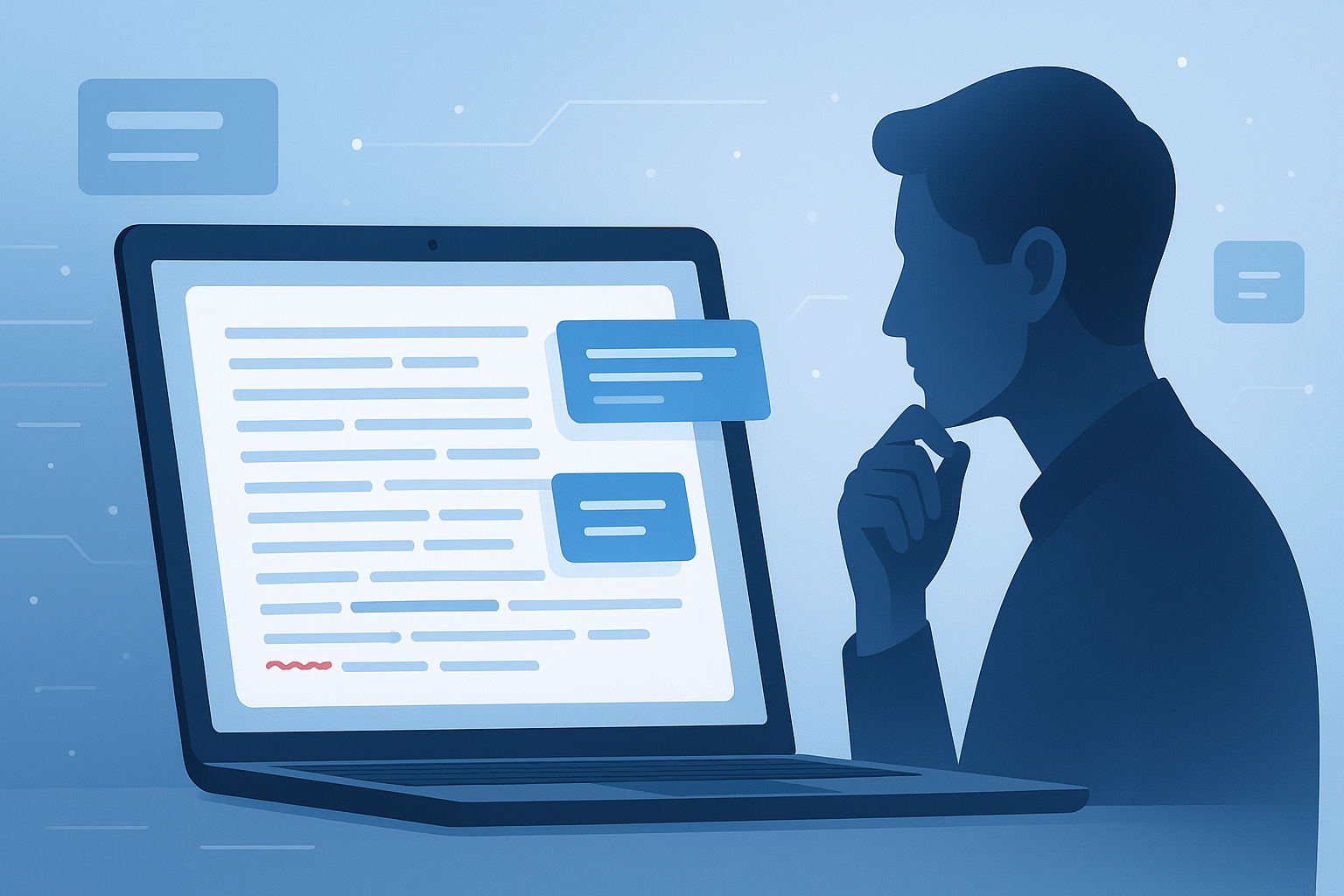
Suggested Image: Modern illustration of a student reviewing text with grammar, spelling, and punctuation highlights
What is a grammar checker?
A grammar checker is a writing tool that scans text for language issues such as grammar mistakes, spelling errors, punctuation problems, and awkward phrasing. It helps you spot problems quickly and revise your writing before you submit, publish, or send it.
Most grammar checkers look for issues like:
- Subject-verb agreement errors
- Misspelled words
- Missing or incorrect punctuation
- Sentence fragments and run-on sentences
- Capitalization mistakes
- Repeated words
- Basic style and clarity problems
Some tools also suggest improvements for tone, readability, or word choice. If you’re editing a school paper, it can also help to run your final draft through a word counter so you stay within the required length.
For a broader look at standard English grammar and punctuation, the Purdue OWL grammar guide remains one of the most trusted student resources online.
Why students use a grammar checker so often
Students write under pressure. Deadlines are short, assignments stack up, and proofreading often happens when you’re tired. A grammar checker acts like a fast second pass that catches mistakes your eyes may skip.
Here’s why it matters:
- It saves time during revision
- It improves clarity in essays and reports
- It helps non-native English speakers write more confidently
- It reduces embarrassing mistakes in emails and applications
- It supports better grades when writing quality affects scoring
That said, grammar tools are most useful when paired with your own judgment. They’re assistants, not replacements for critical thinking.
How a grammar checker works behind the scenes
A grammar checker compares your writing to language patterns, grammar rules, and usage models. It then flags text that appears incorrect, unclear, or unusual and offers suggestions you can accept, reject, or rewrite yourself.
Most modern tools rely on a mix of:
- Dictionary-based spell checking
- Rule-based grammar detection
- Statistical language models
- Context analysis
- AI-assisted sentence suggestions
For example, if you write “She go to class every day,” the tool may suggest “She goes to class every day” because the subject and verb do not agree.
If you write “Lets begin,” it may catch the missing apostrophe and suggest “Let’s begin.”
This is similar to how other text-processing utilities inspect content for patterns. If you’re cleaning up copied homework notes or research snippets, a text case converter can also help fix capitalization quickly before final editing.
What a grammar checker can catch well
The best grammar checker tools are very good at finding surface-level mistakes and many common writing problems. They work especially well when the issue follows a known rule or recognizable pattern.
Common issues these tools usually detect
- Spelling mistakes: for example, “definately” instead of “definitely”
- Punctuation errors: missing commas, periods, apostrophes, or quotation marks
- Grammar problems: tense errors, article mistakes, pronoun agreement issues
- Sentence mechanics: fragments, repeated words, accidental doubles like “the the”
- Basic clarity warnings: overly long or confusing sentences
Some writing tools also highlight readability concerns. If your assignment asks for simpler, more direct language, that can be useful. For measuring readability or assignment length side by side, students often pair a grammar review with a character counter when submitting text to forms with strict limits.
Where tools are especially helpful
- Last-minute proofreading before submission
- Checking discussion board posts
- Editing resumes and cover letters
- Reviewing scholarship essays
- Cleaning up presentation scripts
What a grammar checker cannot do perfectly
A grammar checker is useful, but it is not infallible. It may miss subtle mistakes, misunderstand your meaning, or suggest changes that make your writing worse instead of better.
Here’s the problem. Language depends on context. A sentence may be grammatically unusual but still correct because of tone, quoting, dialogue, or subject-specific style.
Common limitations include:
- Missing tone or nuance
- Confusing formal and informal writing choices
- Flagging correct sentences as wrong
- Suggesting awkward rewrites
- Struggling with technical terms, names, or citations
- Failing to detect weak arguments or poor structure
For academic writing, grammar tools also do not verify whether your citations are accurate or whether your claims are well supported. For source quality and citation basics, the MLA Style Center and the APA Style website are far more authoritative.
Grammar checker vs spell checker: what’s the difference?
A spell checker focuses on misspelled words. A grammar checker goes further by examining sentence structure, punctuation, usage, and meaning in context. Many students use both without realizing they serve different purposes.
| Tool | What it checks | Best use case |
|---|---|---|
| Spell checker | Misspelled words and typos | Fast typo correction |
| Grammar checker | Grammar, punctuation, usage, sentence issues | Proofreading full sentences and paragraphs |
| Style checker | Clarity, tone, readability, conciseness | Polishing final drafts |
This small detail changes everything: a correctly spelled sentence can still be badly written. “Your going too love this class” may trigger both spelling and grammar alerts, but “I have went there yesterday” is mostly a grammar issue.
When should you use a grammar checker?
You should use a grammar checker after finishing your first draft and again before final submission. It works best as part of your editing process, not as a shortcut that replaces planning or revision.
A practical sequence looks like this:
- Write your first draft without overediting
- Revise your ideas and structure
- Run your text through a grammar checker
- Review each suggestion carefully
- Read the final version out loud
Reading aloud is surprisingly effective because it exposes awkward phrasing that software may miss. The UNC Writing Center proofreading guide recommends slow review and multiple passes for different types of errors.
If your writing includes copied quotes, class notes, or text from PDFs, a remove line breaks tool can clean messy formatting before grammar review.
How to use a grammar checker without weakening your writing
The best students do not click “accept all.” They treat each suggestion as a prompt to think. That habit protects your voice and helps you actually improve over time.
Best practices that make a real difference
- Review one suggestion at a time. Fast bulk changes can create new errors.
- Check the sentence meaning. The suggested fix should match what you intended to say.
- Keep your natural voice. Clear writing is better than stiff writing.
- Watch for citation changes. Tools sometimes alter punctuation inside references or quotes.
- Learn from repeated mistakes. If the same rule appears often, study it once and improve permanently.
Now comes the important part. A grammar checker is most valuable when it teaches you patterns. If you always confuse “its” and “it’s,” or struggle with comma placement, the goal is not just to fix today’s paper. The goal is to write tomorrow’s paper better.
Suggested Infographic: Drafting process from first draft to final grammar check
Common grammar mistakes students make
Many writing problems show up again and again in student essays. A grammar checker can catch some of them, but understanding the pattern helps you avoid them in the first place.
1. Subject-verb agreement
Singular subjects need singular verbs, and plural subjects need plural verbs.
Incorrect: The list of sources are helpful.
Correct: The list of sources is helpful.
2. Run-on sentences
Two full ideas should not be joined carelessly.
Incorrect: I finished the lab report I forgot to submit it.
Correct: I finished the lab report, but I forgot to submit it.
3. Comma misuse
Commas are helpful, but too many can break flow. Too few can make meaning unclear.
4. Wrong word choice
Words like “affect” and “effect,” “their” and “there,” or “then” and “than” often slip through if you only rely on spelling tools.
5. Apostrophe errors
Students often mix up possession and contraction.
Incorrect: Its important to edit your work.
Correct: It’s important to edit your work.
If you’re editing pasted text from multiple documents, a whitespace remover can help tidy extra spaces before you start proofreading.
How to choose the right grammar checker
The right grammar checker depends on what you write, how often you write, and whether you need basic corrections or deeper writing support. Students usually do best with a tool that is simple, fast, and easy to review manually.
Look for these features:
- Grammar, spelling, and punctuation checks
- Easy-to-read explanations
- Copy-and-paste text support
- Privacy clarity
- Browser or mobile compatibility
- Support for academic or formal English
| Feature | Why it matters for students |
|---|---|
| Clear suggestions | Helps you learn instead of blindly clicking fixes |
| Fast processing | Useful for deadlines and quick revisions |
| Punctuation checking | Improves readability in essays and reports |
| No complicated setup | Makes it easier to use before every submission |
| Privacy transparency | Important for personal statements and sensitive documents |
If you often submit assignments as files, it’s also worth cleaning and organizing them properly. For example, if you need to share writing samples as documents, a PDF to Word tool can make editing easier before your final grammar pass.
Privacy and safety: should you paste school work into online tools?
You can use an online grammar checker safely, but you should be careful with personal, confidential, or unpublished material. Always review the tool’s privacy policy before pasting sensitive content.
This is where many people struggle. They assume a free tool is automatically private. That may or may not be true.
Before using any writing tool, check:
- Whether text is stored after submission
- Whether content is used to train models or improve services
- Whether the tool has a public privacy policy
- Whether your school has rules on AI-assisted editing
For general online privacy guidance, the Federal Trade Commission’s online privacy advice is a useful starting point.
If your draft contains personal information, remove names, IDs, addresses, or private details before checking grammar.
Can using a grammar checker count as cheating?
Usually, basic grammar correction is acceptable, but the answer depends on your school, course, and assignment rules. Correcting spelling and punctuation is very different from having a tool rewrite your ideas.
Here’s a simple way to think about it:
- Usually acceptable: fixing typos, grammar, punctuation, and sentence clarity
- Possibly restricted: heavy AI rewriting, idea generation, or changing your argument
- Not acceptable in many cases: submitting machine-written work as your own
Always check your school’s academic integrity policy. Some institutions clearly distinguish proofreading support from unauthorized authorship. For guidance on responsible AI use in education, see UNESCO’s guidance on generative AI in education and research.
How to improve your writing beyond a grammar checker
A grammar checker can clean your sentences, but it cannot fully develop your thinking. Better writing comes from stronger structure, clearer ideas, and deliberate revision.
Here’s what experienced writers do differently:
- Start with a clear point. Know what each paragraph is trying to say.
- Cut extra words. Simpler usually reads better.
- Use specific examples. They make abstract ideas easier to understand.
- Read aloud slowly. Awkward rhythm often reveals hidden problems.
- Leave time between drafts. Distance helps you spot errors faster.
- Ask for human feedback. A teacher, tutor, or classmate may catch logic issues software misses.
If you’re summarizing research or notes, a text summarizer can help you condense long passages before rewriting them in your own words. Just don’t treat summaries as finished writing.
A simple editing workflow students can follow every time
If you want cleaner writing without overcomplicating the process, use a repeatable system. A short editing workflow is often more effective than randomly making changes.
- Finish the draft. Don’t stop every sentence to self-correct.
- Take a short break. Even 10 minutes helps.
- Revise ideas first. Fix argument flow, paragraph order, and evidence.
- Run a grammar checker. Review each alert carefully.
- Check document limits. Verify word or character counts if required.
- Read aloud. Listen for unnatural phrasing.
- Do a final visual scan. Look for headings, spacing, names, and formatting.
Students who follow this order usually spend less time fixing the same errors repeatedly.
Suggested Screenshot: Example of a student essay being checked for grammar, punctuation, and readability issues
Frequently asked questions
Is a free grammar checker good enough for students?
For many students, yes. A free grammar checker is often enough for everyday assignments, emails, short essays, and application drafts. It can catch common grammar, spelling, and punctuation mistakes quickly. The main limitation is that free tools may offer fewer explanations or detect fewer style issues. If you write often, the best approach is to use a free tool for fast proofreading and then do a manual review for tone, structure, and accuracy.
Can a grammar checker improve my grades?
It can help, especially when writing quality affects marks. Cleaner grammar and punctuation make your work easier to read and more professional. That said, grammar alone does not guarantee better grades. Teachers also assess ideas, structure, evidence, originality, and how well you answer the prompt. Think of a grammar checker as a support tool. It can reduce preventable mistakes, but strong thinking and organized writing still matter most.
Should I accept every grammar suggestion automatically?
No. Automatic acceptance is one of the fastest ways to damage your writing. Some suggestions are helpful, but others may ignore context, change your meaning, or make the sentence sound unnatural. Always read the full sentence before approving a fix. If the suggestion improves clarity and remains true to your original idea, use it. If not, rewrite the sentence yourself. Good editing requires judgment, not just clicks.
Do grammar checkers work well for non-native English speakers?
They can be especially helpful for non-native speakers because they catch many common usage and agreement mistakes quickly. They also help with articles, verb forms, prepositions, and punctuation. Still, they are not perfect. Some suggestions may sound technically correct but unnatural in real academic writing. It’s a good idea to use the tool as a guide, then compare the final wording with examples from trusted academic sources or writing center materials.
Can a grammar checker detect plagiarism?
No, not by default. A grammar checker focuses on language errors, not originality. Some writing platforms may offer separate plagiarism features, but grammar correction and plagiarism detection are different functions. If you are paraphrasing or using outside sources, you still need to cite correctly and write in your own voice. Schools take this seriously, so don’t assume cleaned-up grammar means your work is academically safe to submit.
Is it safe to use a grammar checker for scholarship essays or personal statements?
Usually yes, but be cautious. These documents often include sensitive personal details, so check the privacy policy of any online tool before pasting your text. It’s smart to remove names, addresses, student IDs, and anything confidential. Also be careful not to let a tool over-edit your voice. Scholarship committees usually prefer writing that sounds real and personal, not generic or overly polished by software.
What’s the best time to use a grammar checker in the writing process?
The best time is after you’ve revised your ideas but before your final proofreading pass. If you use a grammar checker too early, you may waste time perfecting sentences that you later delete or rewrite. Start by fixing structure, argument flow, and examples. Then use the grammar checker to clean sentence-level issues. Finish by reading aloud or reviewing the full document manually. That sequence gives better results than relying on the tool first.
What other tools help alongside a grammar checker?
Students often need more than one editing tool. A word counter helps with assignment limits, a character counter is useful for forms and application fields, a text summarizer can shorten notes before rewriting, and PDF conversion tools make documents easier to edit. These don’t replace grammar checking, but they solve practical problems that come up during drafting and submission. The best setup is a simple toolkit that helps you write, revise, format, and submit with less friction.
Final thoughts
A grammar checker is one of the easiest ways to improve your writing quickly, especially if you’re a student juggling deadlines, essays, emails, and application forms. It can catch obvious mistakes, sharpen readability, and make your work look more polished.
But the real value comes from using it thoughtfully. Review each suggestion. Protect your meaning. Learn from repeated errors. And remember that strong writing is more than correct grammar. It’s clear thinking, good structure, and an authentic voice.
As a next step, try pairing your grammar review with a word counter, a character counter, a text summarizer, or a PDF to Word tool to make editing and submission easier from start to finish.