Writing strong eBay listings sounds simple until you have to do it at scale. One product is manageable. Fifty variants, seasonal stock, or a full catalog update? That’s where most teams lose time, consistency, and visibility.
AI eBay product features help solve that problem by turning basic product details into clearer, faster, and more structured listing copy. Done well, they improve readability for shoppers, support better search matching, and reduce the effort needed to keep listings polished.
But there’s a catch. AI can speed up listing creation, yet weak prompts, vague inputs, and poor editing often lead to generic features that don’t sell. This guide explains how to use AI for eBay product features the right way, what to watch out for, and how businesses can build better listings in 2026 without sacrificing accuracy.
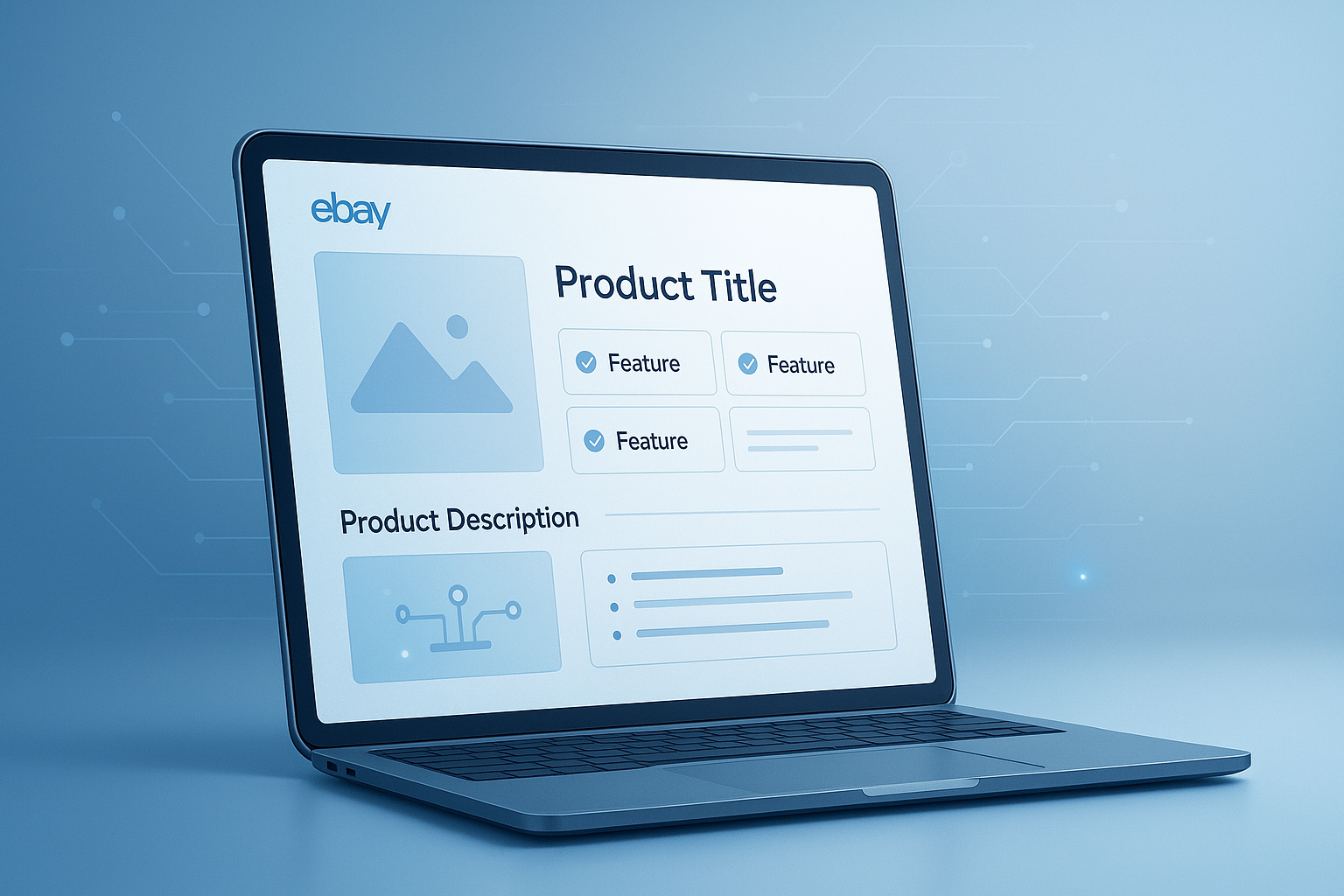
Suggested Image: Technology concept showing an AI-assisted eCommerce listing workflow with product data, feature bullets, and marketplace optimization.
What are AI eBay product features?
AI eBay product features are short, structured product highlights generated with artificial intelligence from inputs such as title, brand, specs, use case, and condition. They are usually used inside product descriptions, item specifics planning, or listing drafts to make listings clearer and easier to scan.
On eBay, buyers often decide quickly. They skim the title, price, photos, shipping details, and a few key product benefits. That makes feature writing more important than many sellers realize. A feature list can clarify size, compatibility, material, condition, included accessories, or standout benefits in seconds.
When businesses use AI well, they can produce feature copy that is:
- Faster to create across many listings
- More consistent across product lines
- Easier for buyers to scan
- Better aligned with searchable product terms
- Less dependent on manual rewrites
If you also create supporting assets for listings, tools like an Image Compressor can help prepare optimized product images without slowing down page performance or upload workflows.
Why businesses are using AI for eBay listings
Businesses use AI for eBay listings because manual feature writing is slow, inconsistent, and expensive when inventory changes often. AI helps teams draft usable copy quickly, then refine it for accuracy, brand voice, and buyer intent.
Here’s the problem. Many companies still rely on spreadsheets, copied text from suppliers, or rushed descriptions written by different people. The result is uneven quality. Some listings are detailed. Others are vague. Some include useful keywords. Others barely explain the product at all.
AI gives teams a practical middle ground between full manual writing and low-quality automation. It can help with:
- Launching new SKUs faster
- Refreshing older listings
- Standardizing wording across a catalog
- Reducing repetitive writing work
- Creating first drafts for human review
For businesses managing online visibility beyond marketplaces, it also helps to understand content discoverability principles from Google Search Central’s SEO guidance. While eBay is its own platform, clarity, relevance, and accuracy still matter.
How AI eBay product features improve listing performance
AI-generated product features can improve listings when they make the item easier to understand, compare, and trust. They do not magically guarantee sales, but they can strengthen core listing quality signals that influence buyer behavior.
1. Clearer product communication
Buyers want quick answers. If your feature section explains material, fit, dimensions, compatibility, capacity, or included parts clearly, buyers can make decisions faster. That reduces confusion and may reduce pre-sale questions.
2. Better scanability
Large paragraphs often get ignored. Short, structured product features are easier to process, especially on mobile devices. According to Nielsen Norman Group research on web reading behavior, users tend to scan rather than read word for word. That behavior matters on eCommerce listings too.
3. More complete use of product data
Supplier feeds, packaging labels, internal catalogs, and spec sheets often contain useful details that never make it into the final listing. AI can turn that scattered information into readable customer-facing features. If you need fast extraction from screenshots or printed packaging, an Image to Text Converter can help convert visible text into draftable input.
4. Faster content updates
When model numbers, dimensions, included accessories, or color variants change, AI can regenerate fresh feature text quickly. That matters for businesses with frequent stock rotation.
5. Improved consistency across teams
If several people handle listings, AI can support a shared format. That makes the catalog feel more professional and easier to maintain.
| Listing Element | Without AI Support | With AI Support |
|---|---|---|
| Feature drafting speed | Manual and slow | Much faster first drafts |
| Catalog consistency | Depends on writer | More standardized formatting |
| Spec coverage | Often incomplete | More details can be included |
| Human editing need | High from start to finish | Still needed, but later in the process |
What makes a strong eBay product feature section?
A strong eBay product feature section is specific, factual, buyer-focused, and easy to scan. The best versions explain what the product is, why it matters, and what the buyer should know before purchase.
This is where many people struggle. They confuse features with hype. On eBay, vague phrases like “top quality” or “best design” do very little unless supported by specifics.
Strong product features usually include some of the following:
- Exact material or build details
- Dimensions, weight, or capacity
- Compatibility information
- Included components
- Condition details for new, used, or refurbished items
- Use-case benefits tied to real buyer needs
- Care instructions or operating notes when relevant
For example, compare these two feature lines:
- Weak: High-quality phone case with stylish design
- Better: Shock-absorbing TPU case with raised edges, wireless-charging support, and precise cutouts for iPhone 14
The second version is clearer, more useful, and more searchable because it includes actual product attributes.
How to generate AI eBay product features that sound useful, not generic
The quality of AI output depends heavily on the quality of your input. If you provide only a product name, you’ll usually get bland results. If you provide detailed specs, buyer context, and tone guidance, the output improves dramatically.
Here’s what experienced professionals do differently.
Start with structured product inputs
Before generating features, gather the data AI needs. A simple product title is not enough.
- Brand
- Product type
- Model or SKU
- Dimensions and weight
- Materials
- Color or finish
- Compatibility details
- Included accessories
- Condition notes
- Main buyer use case
If you’re cleaning up imported product content before drafting, an Text Case Converter can save time when supplier data arrives in inconsistent capitalization.
Use prompts with clear output rules
Don’t ask AI to “write eBay features” and hope for the best. Give it boundaries.
Example prompt framework:
Create 6 eBay product features for this item. Keep each feature under 18 words. Focus on factual benefits, compatibility, material, included accessories, and buyer clarity. Avoid exaggerated claims. Use simple English for business retail listings.
Tell AI what not to do
This small detail changes everything. Negative instructions often improve output quality.
- Avoid unverifiable claims
- Avoid repeating the title
- Avoid filler words like premium or amazing
- Avoid guessing missing specifications
- Avoid keyword stuffing
Always review for truthfulness
According to the FTC’s advertising and marketing guidance, businesses should avoid deceptive or unsupported claims. AI can invent details if your input is incomplete. Every generated feature should be checked before publishing.
Best structure for AI-generated eBay product features
The best structure is short, specific, and built around buyer decision points. Most businesses do well with 5 to 8 feature bullets or short lines covering the product’s most important facts.
Now comes the important part. Not every product should follow the exact same order. Still, this framework works well for many categories:
- What the item is
- Main material or build quality detail
- Size, fit, or capacity information
- Compatibility or intended use
- What’s included
- Condition or handling detail if relevant
- Operational or care note if important
Example for a refurbished wireless keyboard:
- Compact wireless keyboard designed for home office and travel use
- Rechargeable battery supports cable-free operation with compatible devices
- Slim layout helps save desk space in smaller work areas
- Compatible with select Windows, macOS, and Bluetooth-enabled devices
- Includes charging cable and tested keyboard unit
- Refurbished item inspected for function and cleaned before shipment
Suggested Screenshot: Example eBay listing draft showing title, images, item specifics, and AI-generated feature bullets.
AI eBay product features vs manual writing
AI is faster, but manual writing still wins when a product needs expert nuance, compliance care, or category-specific detail. For most businesses, the best approach is AI-assisted drafting with human editing.
| Factor | AI-Generated Features | Fully Manual Features |
|---|---|---|
| Speed | Very fast | Slower |
| Scalability | Excellent for large catalogs | Harder to scale |
| Accuracy risk | Higher if unchecked | Lower when written by product expert |
| Consistency | Strong with good prompts | Depends on team discipline |
| Brand voice | Needs editing | Easier to control |
If your team builds listing workflows around reusable templates, a Word Counter can help maintain consistent feature length and description size across product categories.
Common mistakes businesses make with AI-generated listing features
The biggest mistake is treating AI output as final copy. AI can help you write faster, but it still needs direction and verification. Unedited output often leads to weak or risky listings.
Here are the most common errors:
- Using vague source data: generic inputs create generic outputs
- Letting AI invent specs: missing details can turn into false claims
- Overusing sales language: buyers want facts, not empty praise
- Repeating title keywords excessively: this hurts readability
- Ignoring condition details: especially risky for used or refurbished items
- Skipping category differences: apparel, electronics, and home goods need different emphasis
- Not checking platform policies: marketplace rules still apply
eBay’s official seller resources and policy pages are worth reviewing, especially for restricted items, condition standards, and listing expectations. Start with the eBay Seller Center for current guidance.
How to use AI product features for different eBay categories
Different product categories need different feature priorities. A good AI workflow changes the prompt and output structure based on what buyers in that category care about most.
Electronics
Focus on model compatibility, connectivity, included accessories, battery status, storage, condition, and testing notes.
Fashion and apparel
Prioritize size, fit, material, color, condition, care instructions, and seasonal use. Measurements matter more than adjectives. If you work with sizing data across regions, a Unit Converter is useful for converting inches, centimeters, and other dimensions accurately.
Home and kitchen
Highlight dimensions, capacity, materials, cleaning method, assembly needs, and intended room or use.
Automotive parts
Compatibility becomes critical. Include fitment details, part numbers, installation notes, and included hardware where relevant.
Collectibles and used goods
Condition details should lead. Mention wear, packaging status, authenticity-related information, and notable flaws clearly.
| Category | Most Important Feature Focus | Common AI Risk |
|---|---|---|
| Electronics | Compatibility and tested condition | Inventing specs or ports |
| Apparel | Size, fit, and fabric | Using subjective fit claims |
| Home goods | Dimensions and usage | Missing measurements |
| Auto parts | Fitment and part number | Overstating compatibility |
| Used items | Condition transparency | Too much generic wording |
A simple workflow businesses can use in 2026
The best workflow is not fully automated. It combines clean product data, AI drafting, and a quick editorial check. That balance protects accuracy while still saving time.
- Collect source data
Pull specs from packaging, supplier sheets, ERP systems, image labels, or previous listings. - Clean the data
Standardize formatting, remove duplicates, and separate confirmed facts from guesses. - Generate feature drafts
Use a prompt built for your category and desired structure. - Review for accuracy
Check measurements, materials, compatibility, and condition statements. - Adjust for brand voice
Keep wording clear and consistent across your catalog. - Publish and monitor
Watch buyer questions, returns, and conversion trends to improve future prompts.
When product information arrives in PDF manuals or vendor sheets, a PDF to Text Converter can make source extraction much easier before you generate listing features.
How AI eBay product features can support search visibility
AI-generated features can support search visibility when they naturally include the words buyers actually use. The goal is not stuffing keywords. The goal is clarity, relevance, and useful specificity.
On eBay, search visibility depends on more than description text alone. Titles, item specifics, category placement, images, pricing, seller performance, and shipping terms all matter. Still, feature copy can reinforce important product details and long-tail terms that help match buyer queries.
For example, instead of saying “small bag for travel,” a stronger feature might say “lightweight 20L carry-on travel backpack with padded laptop sleeve.” That version is more useful for both humans and search systems.
For broader content optimization thinking, Google’s helpful content guidance is relevant. Clear, people-first writing tends to outperform vague or manipulative copy over time.
If you want to refine product naming patterns or listing language consistency across channels, an AI Product Name Generator can also help shape clearer merchandising inputs upstream.
Should you fully trust AI for eBay listing content?
No. You should trust AI to assist the drafting process, not to replace product knowledge, compliance review, or final quality control. Human oversight remains essential.
The answer depends on one thing: how costly a mistake would be in your category. If you sell simple accessories, basic drafting errors may be easy to catch. If you sell electronics, automotive parts, medical-adjacent goods, or refurbished products, one inaccurate feature can create complaints, returns, or policy trouble.
AI is best used for:
- Drafting first versions
- Reformatting product details
- Improving consistency
- Expanding sparse raw data into readable text
AI is not ideal for:
- Guessing missing information
- Making legal or safety claims
- Handling regulated product language without review
- Describing condition from incomplete data
For businesses documenting step-by-step listing workflows internally, a clean text draft can also be converted into shareable training documents with a Text to PDF Converter.
Frequently asked questions
1. Are AI eBay product features good for small businesses or only large sellers?
They work for both. Small businesses benefit because AI reduces writing time when one person manages many tasks. Larger sellers benefit because AI helps standardize listings across bigger catalogs. The key difference is process. Small sellers may use AI for occasional drafting, while larger teams often build repeatable templates and review steps. In both cases, the best results come from using AI as an assistant, not as an autopilot.
2. Can AI-generated product features improve eBay SEO?
They can help, but only indirectly. Better feature copy improves clarity, includes more relevant product language, and helps buyers understand what they are viewing. That can support listing quality and search matching. However, eBay visibility also depends on title quality, item specifics, category selection, pricing, photos, seller standards, and shipping terms. AI-generated features are one part of a larger listing strategy, not a standalone ranking solution.
3. What information should I give AI before generating product features?
The most useful inputs are product type, brand, model number, dimensions, materials, color, compatibility, included accessories, condition, and main buyer use case. You can also include target tone and output rules, such as keeping each feature under a certain length. The more structured and factual your inputs are, the less likely AI is to produce generic or inaccurate feature statements.
4. What is the biggest risk of using AI for eBay listings?
The biggest risk is inaccurate information. AI may fill in gaps with wording that sounds plausible but is not confirmed. That becomes a problem when it affects compatibility, sizing, included items, or condition. Inaccurate listing details can lead to returns, negative feedback, and buyer distrust. Businesses should review AI output against real product data before publishing anything live on eBay.
5. Should product features focus on benefits or technical details?
The best approach combines both. Technical details build trust because they tell buyers exactly what they are getting. Benefits help buyers understand why those details matter. For example, “stainless steel blade” is a technical detail. “Resists rust during regular kitchen use” is the practical benefit. On eBay, buyers usually respond best when features stay factual but still connect those facts to real use.
6. How many product features should an eBay listing include?
For many products, 5 to 8 concise features is a good starting point. That is usually enough to cover the most important details without overwhelming the buyer. Complex items may need more explanation, especially when compatibility or condition matters. Simpler products may need fewer. The right number depends on the category, but every feature should add new information rather than repeat what is already in the title.