Need to translate a message, document snippet, or website text in seconds? A good language translator tool can help you understand and rewrite content quickly without installing software or hiring a translator for every small task.
But speed isn’t the only thing that matters. Beginners often run into awkward translations, missing context, or confusing interface options. That’s why it helps to know what an online translator does well, where it struggles, and how to use it more accurately.
In this guide, you’ll learn how a language translator tool works, when to trust the result, how to improve translation quality, and what to look for before using one for school, work, travel, or everyday communication.
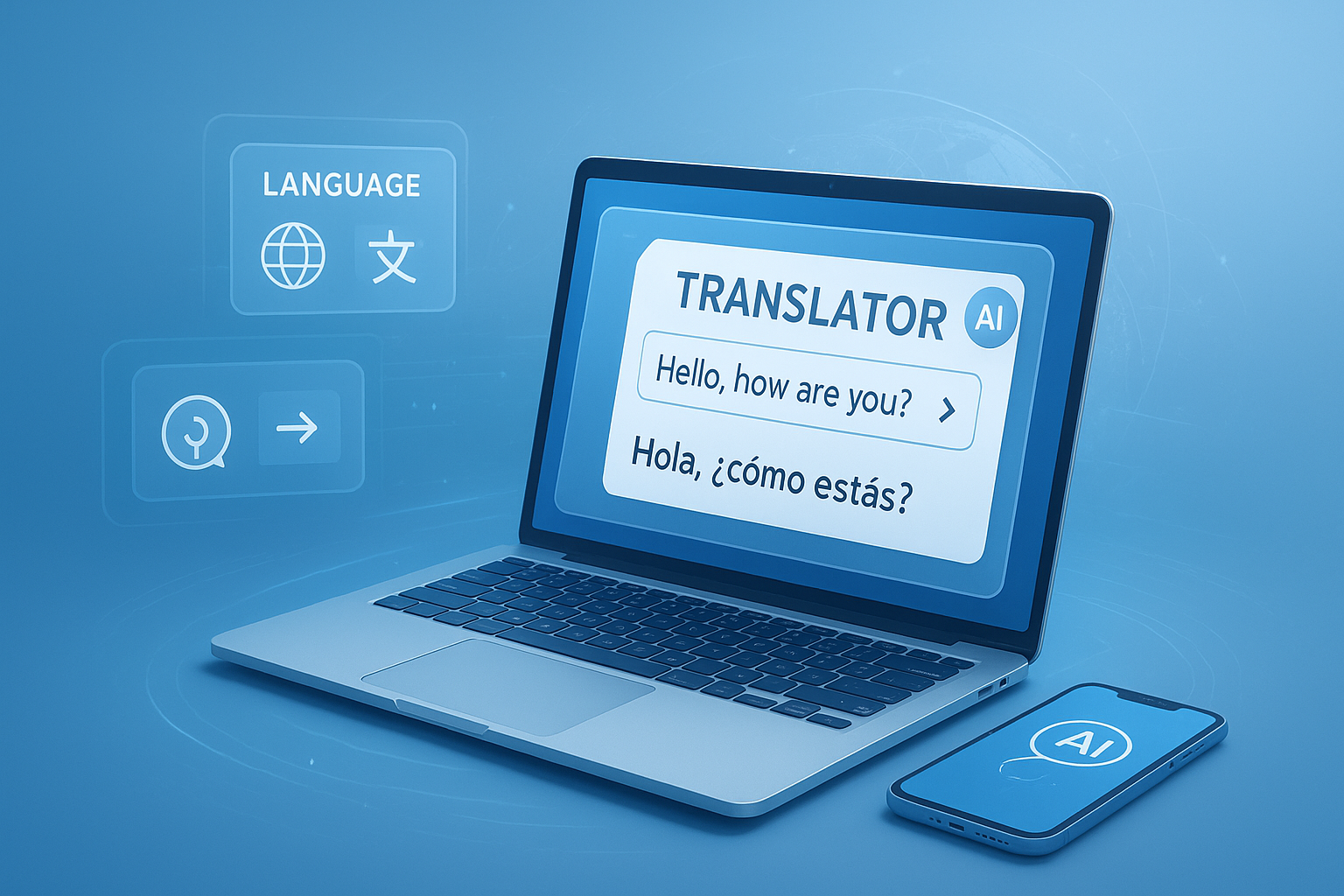
Suggested Image: Technology concept showing multilingual text being translated across devices
What is a language translator tool?
A language translator tool is an online utility that converts text from one language into another. It’s designed to produce a fast, readable version of the original message, often in just a few seconds. Most modern tools support many languages and work well for everyday phrases, emails, website text, and basic documents.
Most tools today rely on machine translation systems. These systems analyze sentence patterns, vocabulary, grammar, and context from very large language datasets. Companies like Google and Microsoft explain this approach in their official translation resources, including Google Cloud Translation documentation and Microsoft Translator documentation.
Here’s what a typical language translator tool can do:
- Translate short or long text blocks
- Support multiple source and target languages
- Help with travel, study, browsing, and messaging
- Improve understanding when you don’t know the original language
- Save time compared with manual translation
For users who also need quick text cleanup before translating, tools like the Text Case Converter can help standardize messy copied text.
How does an online language translator tool work?
A language translator tool processes your input, detects or confirms the source language, and generates a translated version in the language you choose. The result appears almost instantly, but the quality depends heavily on wording, context, and sentence structure.
Let’s break this down into a simple flow:
- You paste or type text into the tool.
- The system identifies the source language or uses the one you select.
- It analyzes words, grammar, and likely meaning.
- The engine predicts the best equivalent phrasing in the target language.
- You review the output and make edits if needed.
This is where many people struggle. They expect a perfect word-for-word conversion, but good translation is rarely that simple. Idioms, slang, tone, legal terms, and cultural references often need human judgment.
If you’re working with multilingual website content, it also helps to keep formatting clean. For example, after translating snippets for a web page, developers sometimes use a HTML Minifier to streamline code before publishing.
When is a language translator tool most useful?
A language translator tool is most useful when you need quick understanding rather than certified accuracy. It works especially well for general communication, browsing, casual messages, and first-draft translations.
Common use cases include:
- Reading product descriptions from foreign websites
- Translating travel phrases and directions
- Understanding emails or chat messages
- Converting school notes or study material into your preferred language
- Drafting multilingual customer support replies
- Checking the meaning of social media posts or comments
Now comes the important part. A machine translator is great for understanding intent quickly, but it may not be enough for high-stakes content such as contracts, medical instructions, immigration paperwork, or legal evidence.
For medical language, accuracy matters far more than speed. Official guidance from the National Institutes of Health and CDC shows why precise wording is essential in health communication.
Key features to look for in a language translator tool
The best language translator tool for beginners is simple, fast, and clear. You shouldn’t need technical knowledge just to translate a paragraph. A few practical features make the experience much better.
1. Multi-language support
A useful tool should handle many common languages, not just a small set. This matters if you work with international clients, study global content, or travel often.
2. Fast response time
Online translation should feel immediate. If a tool takes too long, it becomes frustrating for quick tasks such as chat responses or short content checks.
3. Clean interface
Beginners benefit from a layout that clearly separates source text, target text, and language selection. Simple design usually means fewer mistakes.
4. Copy-friendly output
You’ll often want to paste the translated result into an email, document, or note-taking app. Easy copying saves time.
5. Accurate language detection
Auto-detect can be helpful, especially if you copied text from an unknown source. Still, manually selecting the source language is often more accurate for short phrases.
6. Privacy awareness
Some translation services may process submitted text through cloud systems. If the content is sensitive, always review the provider’s privacy information first. For general security hygiene, the FTC consumer guidance is a useful place to review safe online practices.
If you also work across different file types, a helper like the Word Counter can be useful for checking text length before or after translation, especially when writing to strict content limits.
Language translator tool vs human translation
A language translator tool is faster and cheaper for basic tasks, while human translation is better for nuance, tone, and high-stakes accuracy. The right choice depends on what you’re translating and what could go wrong if the result is imperfect.
| Factor | Language Translator Tool | Human Translator |
|---|---|---|
| Speed | Very fast | Slower |
| Cost | Usually free or low cost | Usually paid |
| Context handling | Moderate | Strong |
| Idioms and tone | Often inconsistent | Usually accurate |
| Best use case | Quick understanding and drafts | Professional or sensitive content |
Here’s what experienced professionals do differently: they use machine translation for speed, then review and refine the result before publication.
How to get more accurate translations
You can improve translation quality dramatically by changing how you write the original text. Clear input usually leads to clearer output. That small detail changes everything.
Use these practical tips:
- Write short, direct sentences
- Avoid slang, jokes, and idioms
- Use correct punctuation
- Break long paragraphs into smaller parts
- Replace vague words with specific ones
- Check names, dates, numbers, and units manually
Example of better source text
Poor input: “Can you sort this out ASAP and get back to me?”
Better input: “Please review this issue today and send me an update by 5 PM.”
The second version is easier for a language translator tool to handle because it uses plain language and specific timing.
If you need to clean copied content before translation, a Remove Line Breaks tool can make pasted text easier to process.
Common mistakes beginners make
Most translation mistakes come from trusting the first output without checking meaning, tone, or context. Online tools are useful, but they still need human review.
Here are the most common beginner errors:
- Translating sensitive legal or medical content without verification
- Using very long paragraphs full of unclear references
- Expecting slang to translate naturally
- Ignoring cultural differences in tone or politeness
- Forgetting to review measurements, prices, and date formats
- Using auto-detect for very short text that could be misread
Dates and numbers are a frequent problem. For example, 03/04/2026 could mean March 4 or April 3 depending on the region. If you’re also converting numerical formats or values alongside text, a Unit Converter can help reduce confusion.
Best uses for students, travelers, and website owners
A language translator tool serves different needs depending on who’s using it. Students usually want comprehension, travelers need quick communication, and website owners often need draft translations for content testing.
For students
Use it to understand reading material, compare vocabulary, or translate simple notes. Don’t rely on it blindly for essays. Teachers can usually spot unnatural phrasing right away.
For travelers
It’s ideal for signs, directions, menu items, and short messages. Keep your text short and literal. Basic phrases translate much better than long explanations.
For website owners
It can help create first-pass multilingual content, product summaries, or support text. But before publishing, review the result carefully for brand tone, SEO wording, and cultural fit.
Website owners managing translated page titles and descriptions may also find the Meta Description Length Checker useful for keeping snippets within search-friendly limits.
Suggested Screenshot: Example of source text on the left and translated output on the right with language selectors
Can a language translator tool help with SEO content?
Yes, but only as a starting point. A language translator tool can speed up multilingual SEO workflows, but translated content still needs editing for search intent, local phrasing, and keyword relevance in the target language.
Here’s the problem. A direct translation of keywords rarely matches how real users search in another country. Search behavior varies by region, even when the meaning seems similar.
For better multilingual SEO results:
- Translate the topic, not just the exact keyword.
- Check whether the translated phrase sounds natural to native speakers.
- Adjust title tags and descriptions for local search behavior.
- Keep page intent the same across languages.
- Review grammar manually before indexing the page.
Google’s official guidance at Google Search Central documentation is helpful for understanding how search systems evaluate page quality and clarity.
After translation, SEO teams often review content structure with tools like the Keyword Density Checker to avoid awkward overuse of translated keywords.
How to choose the right language translator tool
The right tool depends on one thing: what you need the translation for. If the goal is fast understanding, most online tools will do the job. If the goal is polished, publish-ready text, you need stronger review habits and possibly human editing.
| Need | What to Prioritize |
|---|---|
| Quick travel help | Speed, mobile usability, common languages |
| School and study | Readability, sentence-level clarity, easy copying |
| Customer support | Fast output, clear basic phrasing, consistency |
| Website drafts | Context quality, formatting support, editable output |
| Sensitive content | Privacy policy review and human verification |
A practical checklist for 2026:
- Does it support your required language pair?
- Is the interface easy for beginners?
- Can you quickly copy and reuse the output?
- Does it appear to preserve sentence meaning well?
- Would you trust it only for drafts, or more than that?
- Do you understand its privacy limitations?
Step-by-step: how to use a language translator tool effectively
If you want better results, don’t just paste text and accept the first version. A simple process can improve accuracy and save time.
- Choose the source language manually when possible, especially for short text.
- Paste clean, readable text without broken formatting.
- Select the target language carefully and double-check regional differences if relevant.
- Read the translated result out loud to catch awkward phrasing.
- Compare names, numbers, dates, and units with the original text.
- Revise unclear parts by rewriting the source text more simply and translating again.
- Use human review for business, academic, legal, or health-related content.
If you’re moving translated text into formatted documents, a cleanup utility like the Text to HTML Converter can help prepare plain text for web publishing.
Frequently asked questions
Is a language translator tool accurate enough for everyday use?
Yes, for many everyday tasks it’s accurate enough to understand the general meaning of text. It works well for short messages, directions, browsing foreign websites, and casual communication. Accuracy drops when the text includes humor, slang, technical terms, or legal wording. For those cases, use the translation as a draft and review it carefully before relying on it.
Can I use a language translator tool for school assignments?
You can use it to understand source material, translate vocabulary, or compare sentence structure, but it shouldn’t replace your own writing. Machine-translated school work often sounds unnatural and may include subtle mistakes. A better approach is to use the tool for comprehension, then rewrite the ideas in your own words while checking grammar and meaning manually.
Are free online translation tools safe?
They can be safe for general use, but you should avoid pasting confidential, financial, legal, or medical information unless you understand how the service handles user data. Always review the provider’s privacy terms if the content is sensitive. For everyday text such as travel phrases or public website content, the risk is usually lower, but basic caution still matters.
Why do online translators sometimes produce strange results?
This usually happens when the source text is vague, informal, poorly punctuated, or filled with idioms. Translation systems perform best when sentences are clear and literal. Very short phrases can also be misread because there isn’t enough context. If the output looks odd, rewrite the original text more simply and try again. That often improves the result immediately.
What languages work best in a language translator tool?
Major global languages with large training datasets often perform better than less common or highly specialized language pairs. That said, quality varies by tool and by subject matter. General topics usually translate more accurately than niche fields like law, medicine, or engineering. If precision matters, always test sample text first instead of assuming all languages perform equally well.
Can a language translator tool translate full documents?
Some tools can handle longer text, but quality often declines when formatting is messy or the document contains technical language. It’s usually smarter to translate section by section so you can verify meaning as you go. Breaking content into smaller pieces also makes it easier to correct names, dates, measurements, headings, and layout issues before sharing the final version.
Is machine translation good for business communication?
It can be useful for quick internal understanding, support replies, or first drafts, especially when speed matters. But for proposals, contracts, formal presentations, and customer-facing marketing content, machine translation alone is risky. Tone, professionalism, and cultural expectations matter in business. Use the tool to accelerate the process, then have a fluent reviewer or professional editor check the final version.
What should I do if the translated text doesn’t sound natural?
Go back to the original wording and simplify it. Replace slang, shorten long sentences, remove ambiguous references, and use more direct verbs. Then translate again and compare versions. If it still sounds off, the text may need human editing rather than another automated pass. This is especially true for content where tone and nuance are just as important as literal meaning.
Final thoughts on choosing a language translator tool
A language translator tool is one of the fastest ways to understand foreign-language text online. For beginners, it’s especially helpful for travel, study, browsing, casual communication, and first-draft content work. The key is knowing its limits. Fast translation is useful, but accurate communication still depends on clear input and careful review.
If you want better results, start with simple source text, double-check important details, and avoid using machine translation alone for sensitive content. That approach gives you the speed of automation without trusting it blindly.
As your next step, try combining translation with a few related tools that support cleaner content workflows, such as the Word Counter, Remove Line Breaks, Meta Description Length Checker, and Unit Converter. Those small improvements can make translated text easier to read, edit, and publish.