Buying a home is exciting until the numbers start fighting back. A house that looks affordable at first glance can turn into a monthly payment that feels much heavier once interest, taxes, insurance, and fees are added.
That is exactly why mortgage calculators matter in 2026. They help you move from guesswork to real planning. Instead of asking, “Can I buy this home?” you start asking the smarter question: “What will this cost me every month, and does that fit my life?”
In this guide, you will learn how mortgage calculators work, what numbers to enter, which calculator types matter most, and how to avoid the mistakes that lead to bad decisions. If you want a quick way to compare borrowing costs, payment scenarios, and long-term affordability, tools like a loan calculator and a simple interest calculator can make the process much easier.
What is a mortgage calculator?
A mortgage calculator is a tool that estimates your home loan payment based on the loan amount, interest rate, loan term, and related housing costs. The best calculators go beyond principal and interest and include taxes, insurance, and sometimes HOA fees.
At a basic level, a mortgage calculator helps you answer three practical questions:
- How much will I pay each month?
- How much interest will I pay over time?
- How much house can I realistically afford?
This is where many people struggle. They focus only on the listing price. The calculator shifts attention to the full cost of ownership.
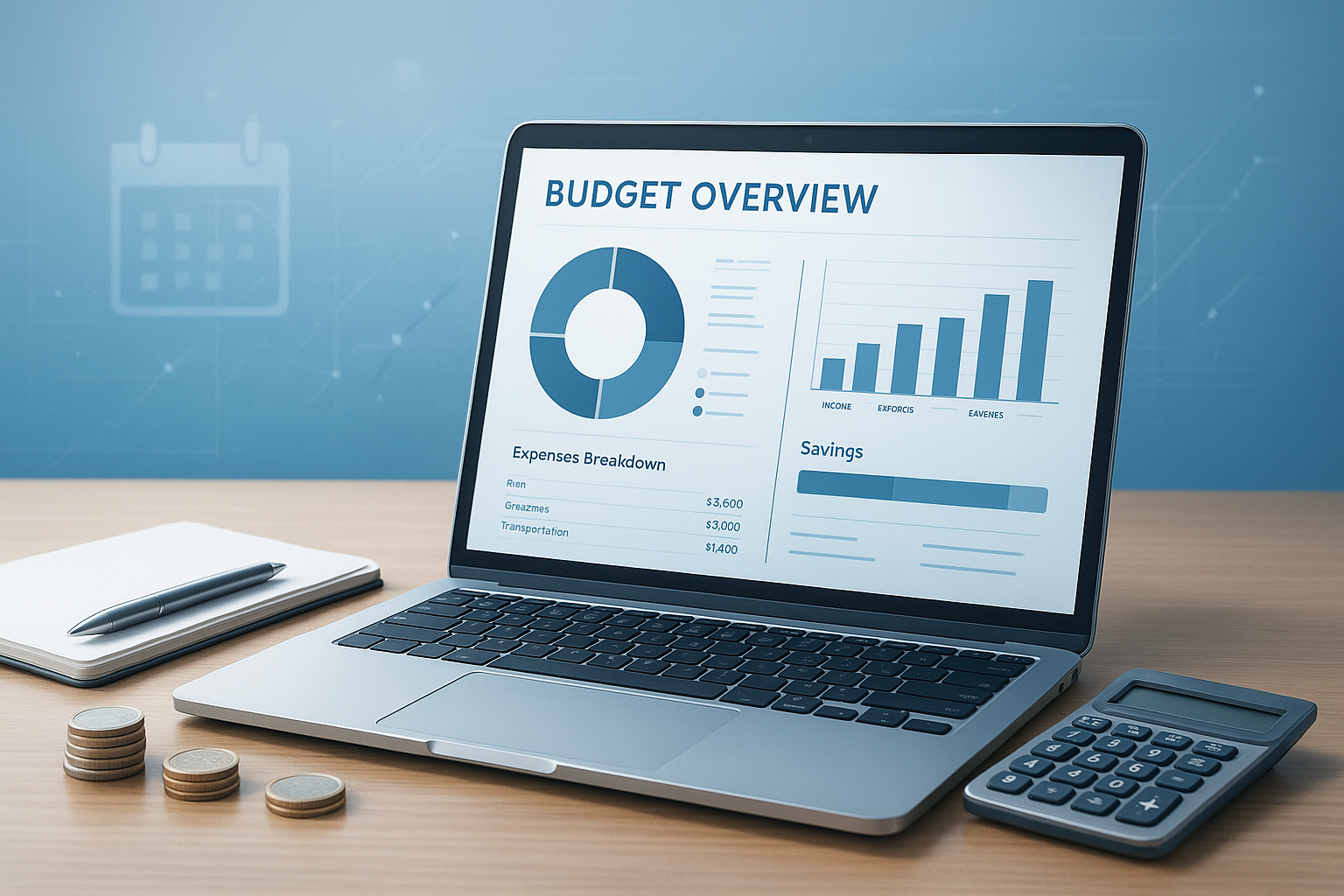
Suggested Image: Mortgage calculator interface showing home price, rate, term, taxes, and monthly payment
Why mortgage calculators matter more in 2026
In 2026, mortgage calculators are not just helpful. They are essential because buyers face changing rates, tighter budgets, higher insurance costs in some areas, and more pressure to compare loan options carefully before applying.
Here is the problem. Small changes now make a big difference. A 0.5% rate increase can add hundreds to a monthly payment, especially on larger loans. Property taxes and home insurance also vary widely by location, which makes rough estimates dangerous.
A good calculator helps you:
- Test rate changes before locking a loan
- Compare 15-year and 30-year mortgages
- Estimate the real payment, not just the base payment
- See the impact of a larger down payment
- Plan for refinancing or extra monthly payments
For broader budgeting, a percentage calculator can also help you quickly measure down payment targets, closing costs, and rate differences.
How a mortgage calculator works
A mortgage calculator uses a standard amortization formula to estimate recurring loan payments. In plain English, it spreads your loan balance and interest cost across a set number of monthly payments.
The core inputs are simple:
- Home price or loan amount
- Down payment
- Interest rate
- Loan term
- Property taxes
- Homeowners insurance
- HOA dues if applicable
- Mortgage insurance if required
Most calculators display:
- Monthly principal and interest
- Total monthly housing payment
- Total interest paid over the loan term
- An amortization schedule
- The payoff date
If you want to understand how the time side of repayment works, a time calculator can also help when comparing different payoff timelines and extra payment strategies.
What numbers should you enter into a mortgage calculator?
To get a useful result, enter realistic numbers, not best-case guesses. Even a well-designed mortgage calculator will mislead you if the inputs are too optimistic.
1. Home price
Use the expected purchase price of the property. If you are comparing homes, run separate calculations for each one instead of averaging them in your head.
2. Down payment
This is the amount you pay upfront. A higher down payment usually lowers your monthly payment and may reduce or remove private mortgage insurance.
3. Loan term
Common options are 15 years and 30 years. A 15-year mortgage often means higher monthly payments but lower total interest.
4. Interest rate
Use a realistic quoted rate from a lender if possible. If you are not pre-approved yet, test several rates to create a range.
5. Property taxes
Taxes can change the monthly total more than many first-time buyers expect. You can review consumer mortgage guidance from the Consumer Financial Protection Bureau homeownership resources for a better understanding of these costs.
6. Homeowners insurance
Insurance rates vary by state, home type, and risk level. Never leave this field blank unless you are intentionally calculating principal and interest only.
7. PMI or mortgage insurance
If your down payment is below typical lender thresholds, mortgage insurance may apply. This can materially change affordability.
8. HOA fees
If the property has homeowners association dues, add them. They are not part of the loan, but they are part of your monthly housing cost.
What does a mortgage payment include?
A full mortgage payment often includes more than the loan itself. In many cases, your lender collects several housing-related costs together in one monthly bill.
| Payment Part | What It Means |
|---|---|
| Principal | The portion that pays down your loan balance |
| Interest | The cost of borrowing money from the lender |
| Property Taxes | Local taxes based on the value and location of the home |
| Homeowners Insurance | Coverage that protects the home against certain losses |
| PMI or Mortgage Insurance | Extra insurance often required with lower down payments |
| HOA Fees | Association dues for condos, townhomes, or planned communities |
Many buyers compare homes using principal and interest alone. That is the wrong number if you are trying to protect your monthly budget.
Types of mortgage calculators you should use
Not all mortgage calculators do the same job. The right tool depends on the decision you are trying to make.
Basic monthly payment calculator
Use this when you want a quick estimate of monthly cost from loan amount, term, and rate. It is the fastest option for early planning.
Affordability calculator
This starts with income, debt, and monthly budget to estimate how much home you may be able to afford. If you are comparing monthly obligations, a monthly payment calculator can help you line up housing costs with other recurring expenses.
Amortization calculator
This shows how each payment is split between principal and interest. It is useful if you want to see your balance over time.
Refinance calculator
Use this to compare your current loan with a new rate, term, or monthly savings estimate.
Extra payment calculator
This helps you see how much time and interest you could save by paying a little more each month.
Rent vs buy calculator
This compares the cost of buying a home with the cost of renting over time. It is especially helpful if you are unsure whether you are ready to stay in one place long enough to recover closing costs.
Suggested Infographic: Six types of mortgage calculators and when to use each one
15-year vs 30-year mortgage: which looks better in a calculator?
The calculator usually shows the tradeoff clearly. A 15-year mortgage has higher monthly payments but much lower total interest. A 30-year mortgage lowers the monthly burden but increases the long-term borrowing cost.
| Feature | 15-Year Mortgage | 30-Year Mortgage |
|---|---|---|
| Monthly Payment | Higher | Lower |
| Total Interest | Lower | Higher |
| Loan Payoff Speed | Faster | Slower |
| Budget Flexibility | Lower | Higher |
| Best For | Strong cash flow and interest savings goals | Lower monthly payment needs and flexibility |
Here is what experienced borrowers do differently. They do not ask which option is mathematically better in isolation. They ask which option still feels safe if income drops, expenses rise, or life changes.
How to use a mortgage calculator step by step
The best way to use a mortgage calculator is to run several realistic scenarios, not just one. The first result gives you a starting point. The comparison results give you actual decision support.
- Enter the home price.
- Add your expected down payment.
- Choose a loan term, usually 15 or 30 years.
- Enter an estimated interest rate.
- Add annual property taxes and homeowners insurance.
- Include PMI and HOA fees if they apply.
- Review the full monthly payment.
- Test different rates, down payments, and terms.
- Check total interest paid, not just monthly cost.
- Save your best scenarios before talking to a lender.
If you are comparing several payment options side by side, a payment calculator can help you organize the numbers in a way that makes monthly tradeoffs easier to spot.
Common mistakes people make with mortgage calculators
Most bad mortgage decisions start with one of a few predictable calculation mistakes. The tool is only as good as the assumptions behind it.
- Ignoring property taxes
- Forgetting homeowners insurance
- Using a rate that is unrealistically low
- Leaving out PMI
- Comparing homes by sale price alone
- Not budgeting for maintenance or repairs
- Assuming income will always stay the same
- Focusing only on lender approval instead of personal comfort
Now comes the important part. Being approved for a loan does not always mean the payment is a good fit for your daily life. Lenders use formulas. You have to live with the result.
For additional mortgage shopping and loan estimate guidance, review the CFPB explanation of the Loan Estimate.
How extra payments affect your mortgage
Even small extra payments can reduce total interest and shorten your loan term. Mortgage calculators with amortization features are especially useful here because they show how the balance changes over time.
For example, adding a modest amount each month may:
- Reduce total interest paid
- Pay off the mortgage years earlier
- Build equity faster
- Create more flexibility later if you refinance or sell
This small detail changes everything. Extra payments usually have the biggest impact early in the loan, when interest takes up a larger share of each payment.
If you want to estimate long-term savings from repeated contributions, a compound interest calculator can also help you compare mortgage prepayment against alternative uses for your cash, such as investing.
Mortgage calculator vs affordability calculator
A mortgage calculator estimates the payment for a specific loan. An affordability calculator starts with your finances and works backward to estimate a safe price range. Both are useful, but they answer different questions.
| Tool | Best Used For |
|---|---|
| Mortgage Calculator | Estimating monthly payment and total interest on a chosen loan |
| Affordability Calculator | Finding a realistic home budget based on income, debt, and expenses |
Use affordability first if you are early in the home search. Use a mortgage payment calculator once you start comparing actual properties.
How lenders use similar calculations
Lenders use more detailed versions of the same basic calculations, but they also factor in your credit profile, debt-to-income ratio, reserves, employment history, and loan type. Your calculator result is a planning estimate, not a loan offer.
The answer depends on one thing: whether you are using the calculator for education or for final decision-making. For education, an estimate is enough. For final decisions, you need lender quotes, tax figures, and insurance estimates.
You can learn more about home loan basics from Investopedia’s mortgage guide and official consumer resources such as the U.S. Department of Housing and Urban Development home buying information.
Best practices for using mortgage calculators accurately
If you want better results, focus less on getting one perfect number and more on building a realistic range. That approach protects you from surprises.
- Run at least three rate scenarios
- Include all housing costs
- Compare 15-year and 30-year terms
- Test multiple down payment amounts
- Leave room for repairs and emergency savings
- Use pre-tax and after-tax budgeting carefully
- Recheck taxes and insurance by location
- Update your inputs once you get lender quotes
If you need help evaluating how much a rate shift changes your cost, a average calculator can be useful for comparing several lender offers and identifying the middle ground across multiple scenarios.
Frequently asked questions about mortgage calculators
1. Are mortgage calculators accurate?
Mortgage calculators are usually accurate for estimates if you enter realistic numbers. The math behind monthly payments is standard. The biggest source of error is missing or incorrect inputs, especially property taxes, insurance, PMI, and HOA fees. Use them to plan, compare options, and avoid surprises, but always confirm the final numbers with a lender and insurance provider before making an offer.
2. Do mortgage calculators include property taxes and insurance?
Some do and some do not. Basic calculators may show only principal and interest. Better mortgage calculators include taxes, homeowners insurance, and sometimes HOA fees and PMI. Before trusting the result, check what the output actually includes. If taxes and insurance are missing, the payment may look much lower than what you will really pay each month.
3. What is the difference between principal and interest and total monthly payment?
Principal and interest refer only to the loan itself. Principal reduces the balance, and interest is the lender’s charge for borrowing. Total monthly payment may also include property taxes, homeowners insurance, mortgage insurance, and HOA dues. Buyers often focus on principal and interest because it looks cleaner, but total monthly housing cost is the more useful number for budgeting.
4. Can a mortgage calculator tell me how much house I can afford?
Not by itself. A standard mortgage calculator tells you what a specific loan might cost. To estimate affordability, you need to consider income, debt, savings, other monthly expenses, and how much financial cushion you want. An affordability calculator is better for setting your home search range. Then a mortgage calculator helps you evaluate actual properties inside that range.
5. Should I choose a 15-year or 30-year mortgage?
The better option depends on your budget and risk tolerance. A 15-year mortgage typically costs more each month but saves a lot in total interest. A 30-year mortgage provides lower monthly payments and more flexibility. If you value breathing room in your budget, the 30-year option may fit better. If cash flow is strong and you want to reduce interest, a 15-year term can be attractive.
6. How does my down payment affect the calculator result?
A larger down payment usually lowers the loan amount, reduces monthly payments, and may help you avoid PMI. It can also improve your loan terms in some cases. A smaller down payment may preserve cash, but it often raises your monthly costs. This is why it helps to test several down payment levels instead of choosing one number too early.
7. Can I use a mortgage calculator for refinancing?
Yes, but use current loan details and proposed new loan terms. Compare your current monthly payment, remaining term, interest rate, and closing costs against the refinance scenario. The key question is not just whether the monthly payment drops. It is whether the refinance saves enough over time to justify the upfront cost and any term reset.
8. Do mortgage calculators work for adjustable-rate mortgages?
They can provide a starting estimate, but fixed-rate calculations are much simpler. With an adjustable-rate mortgage, the payment may change after the initial fixed period ends. If you are evaluating an ARM, run a few future rate scenarios to understand possible payment increases. That gives you a more realistic picture than relying only on the introductory rate.
9. What is PMI, and why does it matter in a mortgage calculator?
PMI stands for private mortgage insurance. It is often required when a borrower makes a smaller down payment on a conventional loan. PMI can add a meaningful amount to the monthly payment, so leaving it out may make a home seem more affordable than it really is. A complete mortgage estimate should include it whenever it applies.
10. What should I do after using a mortgage calculator?
Use the results to narrow your price range, test monthly comfort, and identify your preferred loan structure. Then get quotes from lenders, request tax and insurance estimates for the area, and compare the full monthly cost. If you are serious about buying, save your best scenarios so you can make faster decisions when the right property appears.
Final thoughts
A mortgage calculator is one of the simplest tools for making a smarter home buying decision. It helps you test reality before you sign anything. That matters more than ever in 2026, when rates, insurance costs, and monthly budgets can shift quickly.
The smartest approach is simple. Start with a realistic price range. Run multiple scenarios. Include every major housing cost. Compare loan terms. Then pressure-test the monthly payment against your actual life, not just lender formulas.
If you want to explore your numbers further, start with a loan calculator, compare recurring costs with a monthly payment calculator, and test long-term tradeoffs using a compound interest calculator. The goal is not to predict the future perfectly. It is to make a calm, informed decision with clear numbers in front of you.