
Ever stare at a blank inbox reply longer than you’d like to admit? That’s usually not because the message is hard. It’s because writing a clear, polite, useful email takes more mental energy than it should.
An AI email generator helps cut that effort down. It can turn a rough idea into a polished message, rewrite awkward drafts, adjust tone, and save time on the emails you send every day. For busy professionals, that’s not just convenient. It can improve communication quality at scale.
This guide explains how an AI email generator works, when to use it, where it falls short, and how to get better results from it. You’ll also see practical examples, common mistakes, and a simple workflow you can start using in 2026.
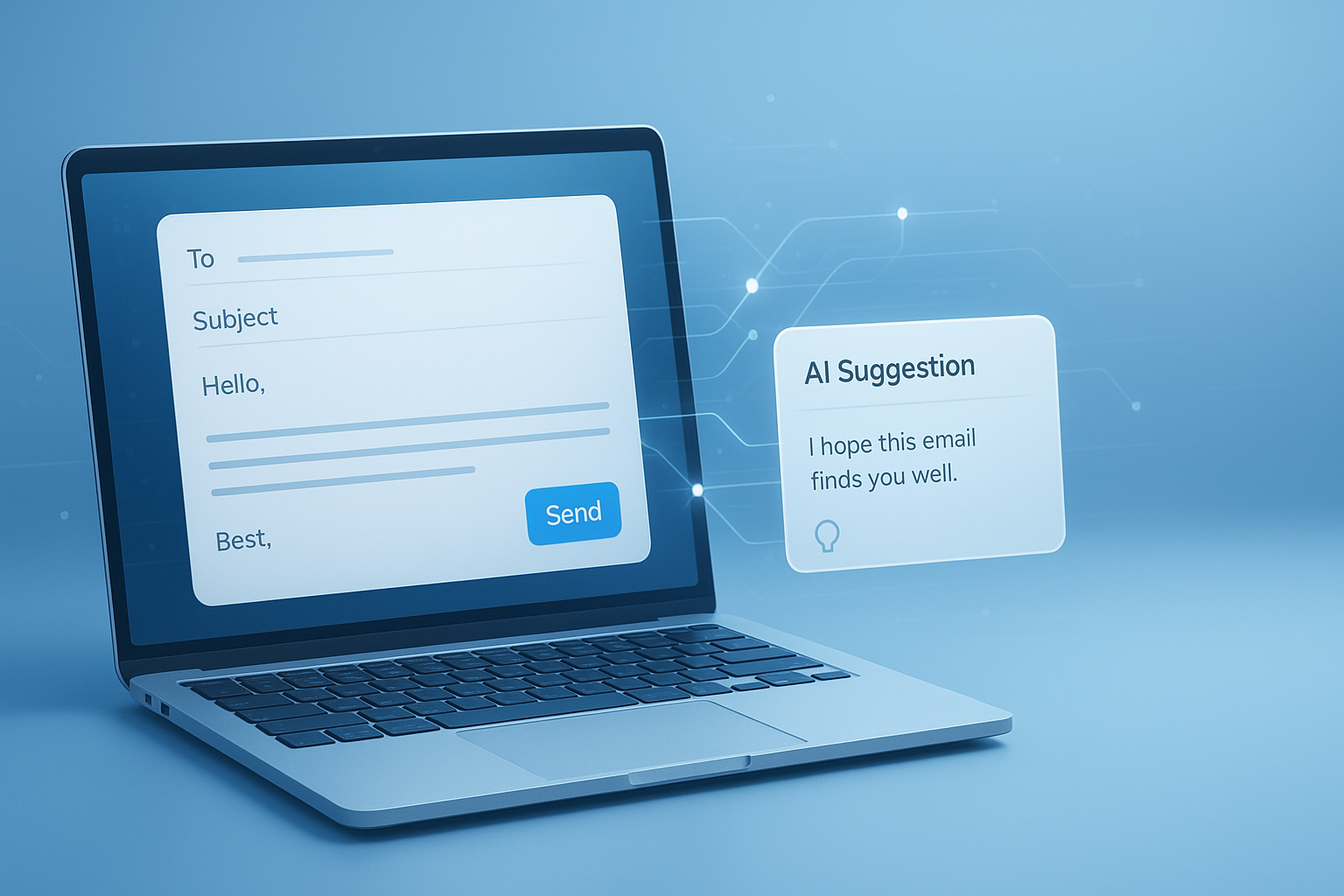
Suggested Image: Technology concept showing AI-assisted email drafting on a laptop and smartphone
What is an AI email generator?
An AI email generator is a writing tool that creates or improves email content based on a prompt. You give it context such as the purpose, audience, tone, and key details, and it produces a draft you can edit and send.
Most tools can help with tasks like:
- Writing emails from scratch
- Rewriting unclear or overly wordy drafts
- Changing tone from casual to professional
- Summarizing long messages into short replies
- Generating subject lines
- Fixing grammar and formatting
If you already use AI for written communication, you may also find it useful to pair email drafting with a broader AI writing and chat tools collection so you can handle follow-ups, summaries, and brainstorming in one workflow.
How an AI email generator actually helps professionals
The biggest benefit is speed, but speed is only part of the story. A good AI email generator also improves consistency, reduces writing friction, and helps you communicate more clearly when you’re under pressure.
Here’s where it tends to help most:
- Client communication: status updates, check-ins, reschedules, reminders
- Internal work: meeting follow-ups, approvals, project updates, handoffs
- Sales outreach: first-touch emails, follow-ups, re-engagement messages
- Customer support: polite responses, issue acknowledgment, solution summaries
- Job-related communication: networking notes, introductions, interview follow-ups
For teams that also create reports, proposals, or draft-heavy documents, combining email output with a word counter tool can help trim bloated messages before sending.
Why people use AI instead of writing manually every time
Here’s the problem. Most routine emails don’t require original thinking. They require clarity, structure, and the right tone. AI is good at producing that first version quickly, which lets you spend your attention on the details that actually matter.
- Less time spent starting from zero
- Fewer grammar and tone issues
- More consistent brand or personal voice
- Faster replies during busy periods
- Better confidence for non-native English speakers
What makes a good AI-generated email?
A useful email is not just grammatically correct. It is easy to understand, relevant to the recipient, and appropriate for the situation. That small detail changes everything.
A strong AI-generated email usually includes:
- A clear purpose in the opening line
- Enough context without unnecessary detail
- A tone that fits the relationship and situation
- A direct request, answer, or next step
- A concise closing
According to Google’s Gmail writing guidance and general business writing best practices, clarity and brevity are often more effective than trying to sound overly formal.
Quick checklist before you send
- Is the subject line specific?
- Does the first sentence explain the reason for the email?
- Is the requested action obvious?
- Is the tone respectful and natural?
- Did you remove generic filler?
- Did you verify facts, names, dates, and links?
AI email generator vs writing emails manually
The answer depends on one thing: how important the message is. AI works well for routine, repetitive, and time-sensitive emails. Manual writing is often better for highly sensitive, strategic, or relationship-critical communication.
| Method | Best For | Main Advantage | Main Limitation |
|---|---|---|---|
| AI email generator | Routine replies, first drafts, follow-ups, outreach | Fast drafting and consistent structure | May sound generic without editing |
| Manual writing | Sensitive topics, negotiations, executive communication | More nuance and personal judgment | Takes more time and effort |
| Hybrid approach | Most professional email workflows | Best balance of speed and quality | Still requires review |
In practice, experienced professionals use AI for the draft and rely on judgment for the final version.
How to use an AI email generator well
Many people get weak results because their prompts are vague. If you tell the tool “write an email,” you’ll often get something bland. If you give clear context, the output improves fast.
- State the goal. Say what the email needs to achieve.
- Name the recipient type. Client, manager, prospect, teammate, vendor, recruiter.
- Set the tone. Professional, warm, direct, apologetic, concise.
- Add key facts. Dates, decisions, action items, deadlines, pricing, context.
- Define the length. Short reply, medium update, detailed explanation.
- Ask for a format. Subject line, opening, bullet points, CTA, closing.
- Review before sending. Always check names, numbers, and claims.
Prompt template you can use
Write a professional email to [recipient] about [topic]. The goal is to [desired outcome]. Use a [tone] tone. Include these details: [details]. Keep it [short/medium length]. End with a clear next step.
If you’re testing versions for brevity, clarity, or readability, a text case converter can also help standardize formatting for subject lines, headers, or pasted content.
Examples of strong prompts and better outputs
Let’s break this down with real-world use cases. The better your instructions, the more useful the email draft becomes.
1. Client follow-up after a meeting
Weak prompt: Write a follow-up email.
Better prompt: Write a professional follow-up email to a client after today’s project meeting. Thank them for their time, summarize the three agreed next steps, mention that the revised timeline will be sent by Friday, and keep the tone warm and concise.
Why it works: It gives the AI the purpose, recipient, tone, timeline, and content structure.
2. Sales outreach
Weak prompt: Write a sales email for my service.
Better prompt: Write a short cold email to a marketing director at a mid-sized software company. Offer email copy optimization support. Focus on improving open rates and response rates. Keep the tone credible and not pushy. Include a simple call to action for a 15-minute intro call.
When measuring campaign performance later, teams often pair outreach writing with related analysis tools such as a percentage calculator for response-rate comparisons and improvement tracking.
3. Internal status update
Weak prompt: Write my update email.
Better prompt: Draft a concise internal project update for my manager. Mention that phase one is complete, phase two is blocked by vendor approval, and budget is still on target. Use a direct, executive-friendly tone and end with the one decision needed from leadership.
Best use cases for an AI email generator
Not every message should be automated, but many common email tasks are perfect for AI assistance. This is where many people save the most time without sacrificing quality.
- Meeting confirmations and follow-ups
- Polite reminders and nudges
- Progress updates
- Support acknowledgments
- Event invitations
- Thank-you notes
- Reschedule requests
- Introduction emails
- Post-interview follow-ups
- Outreach variations for A/B testing
If your work includes repurposing email content into downloadable files, proposals, or client-ready documents, tools like a PDF to Word converter can make those handoffs easier.
Where AI email tools can go wrong
An AI email generator is helpful, but it is not a substitute for judgment. It can misunderstand context, invent details, sound strangely formal, or miss emotional nuance. That’s why review matters.
Common issues include:
- Generic wording: sounds polished but forgettable
- Wrong tone: too casual, too stiff, or too aggressive
- Made-up details: dates, names, product facts, or assumptions
- Overlong drafts: too much explanation for a simple message
- Poor personalization: little relevance to the recipient
Microsoft’s security guidance and productivity documentation regularly emphasize reviewing AI-assisted content before use, especially in professional settings. See Microsoft Learn for current AI and workplace best practices.
Emails you should handle carefully
- Legal disputes
- HR complaints or disciplinary actions
- Medical or personal disclosures
- High-stakes negotiations
- Executive responses during crises
- Messages involving confidential data
For privacy-sensitive work, it’s also smart to review your organization’s policies and relevant guidance from the FTC privacy and data security resources.
How to make AI-generated emails sound more human
Here’s what experienced professionals do differently. They don’t send the first draft untouched. They edit for voice, context, and rhythm so the email sounds like a real person, not a template.
- Replace generic openings with natural ones
- Cut unnecessary formal phrases
- Add one specific detail the recipient will recognize
- Shorten long sentences
- Swap robotic closings for plain language
- Use contractions if your brand voice allows it
Before and after style shift
Overly robotic: I hope this message finds you well. I am reaching out to follow up regarding our previous correspondence and kindly request an update at your earliest convenience.
More human: Just following up on my note from Tuesday. When you have a moment, could you share an update on the approval timeline?
If you regularly refine messaging for readability, a grammar checker can help catch awkward phrasing after AI drafting.
Writing better subject lines with AI
Subject lines matter because they shape whether your email gets opened, ignored, or revisited later. A good AI email generator can give you several subject line options, but you still need to choose the one that fits the context.
Good subject lines are usually:
- Specific
- Short
- Relevant
- Easy to scan
- Free from clickbait
| Situation | Weak Subject Line | Better Subject Line |
|---|---|---|
| Meeting follow-up | Following Up | Next Steps From Today’s Project Meeting |
| Sales outreach | Quick Question | Idea to Improve Email Response Rates |
| Status update | Update | Phase 1 Complete, Vendor Approval Pending |
Google also offers guidance for creating helpful, people-first content through Google Search Central documentation. While that guidance is for web content, the same principle applies to email: be clear, useful, and specific.
AI email generator tools for different business needs
Not all tools solve the same problem. Some are best for quick drafting. Others focus on tone rewriting, inbox assistance, CRM outreach, or team collaboration.
| Tool Type | Best For | Watch Out For |
|---|---|---|
| Standalone AI email generator | Fast one-off drafts | Can lack inbox context |
| AI built into email apps | Reply suggestions and workflow speed | May rely heavily on your email data |
| CRM email assistants | Sales sequences and outreach personalization | Can feel templated if overused |
| General AI writing assistants | Flexible drafting across many content types | Needs stronger prompts for email-specific output |
Suggested Screenshot: Example interface of an AI email generator with tone, purpose, and length options
Privacy, accuracy, and security considerations
If you use an AI email generator at work, don’t paste sensitive information into a tool without knowing how the data is handled. This is especially important for finance, legal, health, and HR communication.
Before using any AI writing tool, check:
- Whether prompts are stored
- Whether data is used for model training
- Whether the tool supports enterprise privacy controls
- Whether your company has an approved tool list
- Whether confidential data should be anonymized first
For general privacy expectations and responsible data handling, the NIST AI Risk Management Framework is a useful reference point.
Best practices for using an AI email generator in 2026
Recent usage patterns show a clear shift: professionals are no longer using AI just to write faster. They’re using it to standardize communication, reduce errors, and improve responsiveness across teams.
- Use AI for first drafts, not final authority
- Create prompt templates for recurring email types
- Save approved brand tone examples
- Review every message for accuracy and context
- Keep high-stakes emails human-led
- Measure whether AI actually improves reply quality and speed
If you’re building repeatable workflows around messaging and content operations, supporting tools like a character counter can help when adapting email copy into forms, CRM fields, or outreach platforms with length limits.
Common mistakes to avoid
Most poor results come from overtrusting the tool or underexplaining the task. The fix is simple, but many users skip it.
- Sending the first draft without editing
- Using vague prompts with no context
- Choosing tone based on preference instead of audience
- Letting the email become too long
- Ignoring company privacy rules
- Using AI for emotionally sensitive communication without review
- Forgetting to personalize names, dates, and references
Frequently asked questions about AI email generators
1. Is an AI email generator accurate enough for professional use?
Yes, for many routine tasks it is accurate enough to create useful first drafts. But it should not be treated as error-free. You still need to review facts, names, dates, links, and tone. For standard follow-ups, reminders, and updates, AI can save time. For legal, financial, or sensitive communication, human review is essential before sending.
2. Can an AI email generator write in my personal or brand voice?
Usually yes, if you give it examples and clear instructions. The best results come from prompts that specify tone, sentence style, level of formality, and audience. You can also store a few sample emails you’ve written well and ask the tool to match that style. Without guidance, most AI output sounds more generic than personal.
3. Are free AI email generators good enough?
Free tools are often good enough for short drafts, rewrites, and everyday replies. They are useful for testing whether AI improves your workflow. Paid tools may offer better privacy controls, more customization, deeper integrations, and higher usage limits. If you work with confidential information, privacy features may matter more than extra writing features.
4. What should I include in a prompt to get better email results?
Include the recipient type, purpose, tone, key details, desired length, and the action you want the reader to take. That gives the AI enough direction to create something usable. You can also request multiple versions, such as one concise draft and one warmer version. Strong prompts reduce editing time and make the output much more specific.
5. Is it safe to paste client or company information into AI tools?
It depends on the tool and your organization’s rules. Some platforms store prompts or use them to improve models, while others offer stronger privacy protections. Before sharing sensitive material, review the provider’s policy and your internal governance requirements. When in doubt, remove confidential details or use approved enterprise tools only.
6. Can AI-generated emails improve sales or outreach performance?
They can help, especially by speeding up testing and allowing more message variations. But results depend on relevance, targeting, offer quality, and your follow-up process. AI can draft subject lines and body copy quickly, yet it won’t fix a weak value proposition. It’s most effective when combined with thoughtful personalization and performance tracking.
7. When should I avoid using an AI email generator?
Avoid relying on it for emotionally sensitive, legally significant, or crisis-related communication without careful human editing. That includes conflict resolution, disciplinary messaging, executive decisions under pressure, and anything involving confidential disclosures. AI can still help organize your thoughts, but the final wording should come from a person who fully understands the context.
8. What is the best workflow for professionals using AI email tools?
The most effective workflow is simple: define the goal, write a detailed prompt, generate a draft, edit for accuracy and tone, then send. For recurring tasks, save prompt templates for meeting follow-ups, outreach, status updates, and support messages. Over time, this creates a faster and more consistent communication process without making your emails sound automated.
Conclusion
An AI email generator is most useful when it helps you think faster, write clearer, and reduce the friction of everyday communication. It works best for first drafts, routine replies, subject lines, and tone adjustments. It works worst when you expect it to replace context, judgment, or accountability.
If you want better results, start with one recurring email type, build a simple prompt template, and edit every draft before sending. That hybrid approach gives you the speed of AI and the credibility of human communication.
As a practical next step, you can pair AI drafting with related FreeToolr resources such as the AI paragraph rewriter, grammar checker, word counter tool, and character counter to refine, shorten, and format your emails more effectively.



