
Ever fixed a page title, hit publish, and still wondered why your search snippet looked wrong? That’s a common SEO problem, and it usually starts with metadata that hasn’t been checked properly. A good meta tags analyzer helps you see what search engines, browsers, and social platforms may actually read from your page.
Meta tags are small pieces of code, but they influence big things: click-through rate, indexation signals, preview quality, and eligibility for enhanced search features. If your title is too long, your description is weak, or your robots tag sends mixed signals, performance can suffer even when the page content is strong.
This guide explains how a meta tags analyzer works, what it should check, how marketers can use it in 2025, and where it fits into a smarter on-page SEO workflow.
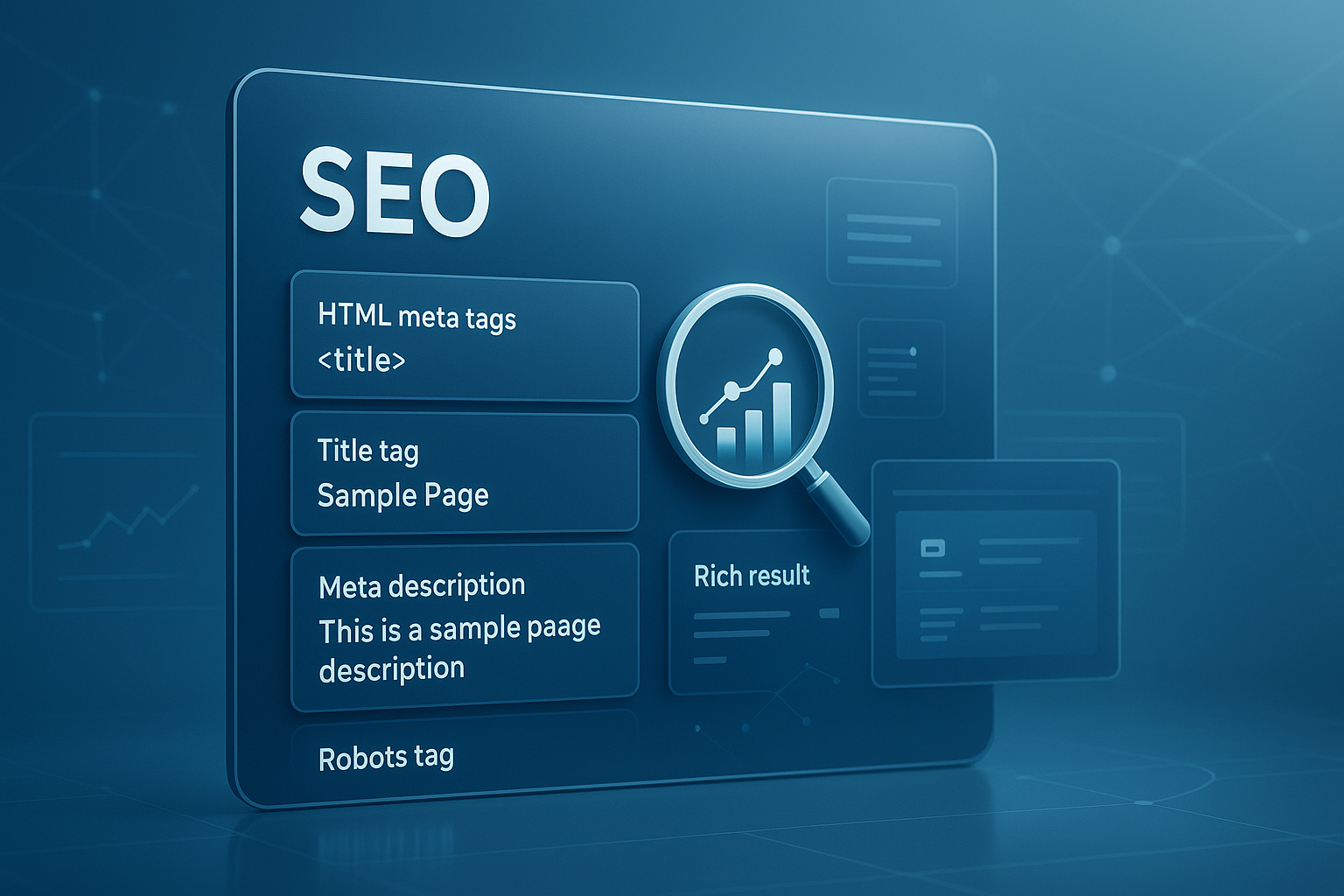
Suggested Image: Technology concept showing a webpage preview, HTML meta elements, and search snippet analysis dashboard
What is a meta tags analyzer?
A meta tags analyzer is a tool that reviews the metadata of a webpage and highlights issues that may affect SEO, search previews, social sharing, and technical clarity. It checks what’s present, what’s missing, and whether the implementation follows current best practices.
Most marketers think only about the title tag and meta description. That’s only part of the picture. A proper analyzer can surface technical details such as canonical tags, robots directives, viewport settings, Open Graph tags, Twitter card data, and structured data relationships.
At a basic level, it helps answer questions like these:
- Is the page title present and readable?
- Does the meta description support clicks?
- Are duplicate or conflicting tags being used?
- Can social platforms generate clean previews?
- Is the page sending the right indexing signals?
For marketers working on content production, audits, or landing page optimization, this kind of review saves time. It also reduces the chance of overlooking small technical issues that quietly hurt visibility.
If you regularly review page elements for performance, tools like the meta tags analyzer can simplify the first stage of your audit.
Why meta tags still matter for SEO and rich results
Meta tags do not magically guarantee rankings, but they strongly influence how pages are understood, shown, and clicked. That makes them important for both traditional SEO and AI-assisted search discovery.
Here’s the problem. Search engines don’t just read page copy. They use technical signals to interpret intent, relevance, duplication, page type, and presentation. A missing or poorly written metadata setup can lead to weak snippets, reduced click appeal, or indexing confusion.
According to Google’s SEO Starter Guide, descriptive titles and useful snippets help users and search engines understand page content. Google may rewrite snippets at times, but your metadata still shapes the starting point.
Meta tags matter because they affect:
- Search snippet quality: Better titles and descriptions usually improve relevance and click potential.
- Crawl and index guidance: Robots and canonical signals help search engines process pages correctly.
- Social sharing previews: Open Graph and Twitter tags influence what appears when links are shared.
- Mobile usability signals: Viewport metadata supports responsive rendering.
- Structured interpretation: Metadata can work alongside schema to support eligibility for rich experiences.
For a broader workflow, many teams pair metadata checks with on-page cleanup tools such as an Image Compressor to improve both snippet quality and page performance.
What a good meta tags analyzer should check
A useful analyzer does more than list tags. It helps you judge whether the metadata is complete, accurate, and aligned with SEO goals. The best tools combine extraction with interpretation.
1. Title tag
The title tag is still one of the most important on-page signals. It should describe the page clearly, include the main topic naturally, and stay readable in search results.
- Present only once
- Relevant to page intent
- Not too short or excessively long
- Free from keyword stuffing
- Distinct from other important pages
2. Meta description
This tag doesn’t directly boost rankings, but it can improve clicks when written well. A meta tags analyzer should flag missing, duplicated, or weak descriptions.
- Clear summary of page value
- Natural use of primary topic
- Strong user-focused wording
- No misleading claims
3. Robots directives
This is where many people struggle. One accidental noindex can remove a valuable page from search visibility. An analyzer should identify robots meta instructions and possible conflicts.
For background, Google’s robots meta tag documentation explains how directives such as index, noindex, follow, and nofollow are interpreted.
4. Canonical tags
Canonical tags tell search engines which version of a page should be treated as the preferred URL. A good analyzer should show whether the canonical exists, where it points, and whether it appears sensible.
5. Open Graph and Twitter card tags
These tags are important for link previews on social platforms and messaging apps. If they are missing, your shared content may look incomplete or unattractive.
og:titleog:descriptionog:imageog:urltwitter:card
6. Viewport and charset
These are more technical, but still worth checking. The viewport tag helps mobile rendering, while charset supports correct text display. As noted by MDN’s viewport meta tag reference, proper viewport configuration is a basic part of mobile-friendly page setup.
7. Structured data relationships
A meta tags analyzer may not fully validate schema, but it should at least help you spot whether metadata aligns with the page’s structured content strategy. If you publish product, FAQ, article, or organization pages, consistency matters.
For a deeper technical review, many teams also check page source formatting with utilities such as a HTML to Markdown converter when repurposing or auditing content blocks.
Meta tags analyzer vs manual inspection
Both methods have value. Manual review teaches you what the page is doing. An analyzer speeds up detection and reduces human error. The best approach is usually a combination of both.
| Method | Best For | Limitations |
|---|---|---|
| Manual source code inspection | Learning, debugging exact markup, advanced technical review | Slow, easy to miss conflicts, not ideal for repeated audits |
| Meta tags analyzer | Fast checks, issue spotting, marketer-friendly audits | May not explain every implementation detail |
| Combined approach | Best overall QA process | Requires a bit more time and team discipline |
If you want to inspect the document structure itself, W3C’s HTML validator can help confirm whether your markup is valid, though it serves a different purpose from an SEO-focused analyzer.
How to use a meta tags analyzer step by step
The process is simple, but the insights are only useful if you review them in the right order. Start with high-impact tags first, then move into technical consistency checks.
- Enter the page URL. Use the live page, not a staging address blocked from crawlers unless you’re doing pre-launch QA.
- Review the title tag. Check clarity, length, uniqueness, and match with search intent.
- Check the meta description. Make sure it accurately reflects the page and gives users a reason to click.
- Inspect robots instructions. Confirm the page is not accidentally blocked from indexing.
- Verify the canonical URL. It should point to the preferred version of the page.
- Look at social preview tags. Confirm the image, title, and description work well outside search.
- Review mobile-related tags. Confirm viewport settings are present.
- Fix issues in your CMS or codebase. Don’t stop at diagnosis.
- Recheck after publishing. Metadata often changes unexpectedly due to templates or plugins.
Suggested Screenshot: Example of a meta tags analyzer report showing title, description, robots, canonical, and Open Graph fields
Here’s what experienced professionals do differently: they don’t treat metadata as a one-time setup. They test it after major updates, migrations, redesigns, and plugin changes.
How marketers can interpret analyzer results without overreacting
Not every warning is equally serious. Some issues are critical, while others are simply opportunities for improvement. The skill is knowing what needs immediate action and what can wait.
Use this simple priority model:
| Issue Type | Priority | Why It Matters |
|---|---|---|
| Noindex on an important page | High | Can prevent search visibility entirely |
| Wrong canonical target | High | Can dilute or misdirect indexing signals |
| Missing title tag | High | Weak page interpretation and poor snippet control |
| Missing meta description | Medium | Can reduce click appeal, though search engines may generate one |
| Missing Open Graph image | Medium | Hurts social preview quality |
| Title length warning only | Low to Medium | Worth improving, but not always urgent |
The answer depends on one thing: whether the issue changes discoverability, interpretation, or clicks. Focus there first.
If you’re documenting checks for a team, converting findings into a shareable file can be easier with utility pages like the JPG to PDF tool when turning screenshots into a quick audit deck.
Common metadata problems a meta tags analyzer can uncover
Most on-page metadata issues are not dramatic. They’re small, repeated mistakes that spread across templates, categories, blogs, and campaign landing pages. That’s exactly why they matter.
- Duplicate titles across multiple pages: Often caused by CMS templates.
- Generic meta descriptions: Common on archive pages and auto-generated content.
- Title and H1 mismatch: Not always bad, but often signals weak page targeting.
- Conflicting robots directives: Example: visible to users but marked
noindex. - Broken canonical references: Pointing to redirected, non-preferred, or irrelevant URLs.
- Missing social metadata: Leads to poor previews on share-heavy content.
- Incorrect charset or viewport setup: Can affect display quality and mobile experience.
For URL checks, URL Encoder Decoder can be helpful when reviewing encoded canonical paths, parameters, or technical QA notes.
Best practices for titles, descriptions, and metadata in 2025
Search presentation keeps evolving, but the fundamentals remain stable. Helpful, accurate, user-focused metadata still beats gimmicks. The pages that perform best usually have clean technical signals and plain-language relevance.
Write titles for humans first
Good titles tell users what they’ll get. They don’t read like a keyword list. Keep your primary phrase close to the front when natural, but don’t force it.
Use descriptions to earn the click
A strong meta description previews value. It should support the page, not repeat the title with synonyms.
Keep metadata aligned with page intent
If the page is a guide, your metadata should sound like a guide. If it’s a product page, the metadata should reflect product intent. Mismatch creates snippet disappointment and weaker engagement.
Support metadata with technical consistency
Your metadata should agree with your canonical setup, structured data, and visible content. Google’s structured data documentation explains how machine-readable page information helps search engines interpret content more reliably.
Think beyond Google
This small detail changes everything. In 2025, your page may be discovered through AI assistants, chat-based tools, browser copilots, and search summaries. Clear metadata helps machines classify the page quickly even when users never see the raw tags.
If you work with AI-assisted content production, an AI Content Detector can also support editorial review before metadata is finalized for publication.
Meta tags and rich results: what’s the real connection?
Meta tags alone do not create rich results. Structured data, content quality, technical accessibility, and search engine eligibility rules play larger roles. But metadata still improves context, page clarity, and snippet presentation around those enhanced results.
According to Google’s title link guidance, title generation in search can use multiple signals, including title elements and page content. That means metadata is part of a broader interpretation system, not an isolated ranking button.
Here’s the practical way to think about it:
- Meta tags help with page interpretation.
- Structured data helps with eligibility for enhanced displays.
- Strong content helps both.
- Technical consistency helps search engines trust what they see.
If your page is built for FAQs, products, articles, or local information, metadata should support that page type clearly. It won’t replace schema, but it shouldn’t contradict it either.
A practical metadata workflow for content teams
The easiest way to get consistent results is to build metadata checks into your publishing process. Waiting until traffic drops is expensive and avoidable.
- Create page-specific title templates. Avoid using one pattern for every page.
- Write the meta description after the page is complete. That leads to better accuracy.
- Set canonical rules by page type. Blog posts, filters, and product variants often need different logic.
- Define robots rules centrally. Don’t leave them to random plugin defaults.
- Check social metadata before campaign launches. Especially for press, paid, and email traffic.
- Audit high-value pages quarterly. Homepage, service pages, top blog posts, and lead magnets should be checked regularly.
Now comes the important part. Standardize the review process across writers, SEOs, developers, and CMS managers. Most metadata problems are process failures, not knowledge failures.
For teams preparing snippets, titles, and preview copy drafts, a simple utility like the Word Counter can help keep description length and title wording under control during editing.
Common mistakes marketers make with meta tags
Most metadata failures are easy to fix once you know what to watch for. The trouble is that many of them look harmless at first glance.
- Writing titles only for keywords: This often reduces clicks.
- Using the same description sitewide: It weakens page differentiation.
- Ignoring canonical tags on similar pages: This creates duplication signals.
- Forgetting social preview tags: Shared content looks incomplete.
- Trusting CMS defaults without checking output: Templates can produce unexpected metadata.
- Changing metadata but never validating the live page: Published output may differ from the editor view.
A lot of these issues appear during redesigns, migrations, and plugin changes. That’s why a meta tags analyzer is useful even for experienced teams.
Frequently asked questions
Does a meta tags analyzer improve rankings directly?
No. A meta tags analyzer does not directly increase rankings. What it does is help you find metadata issues that can hurt search performance, click-through rate, crawl signals, and social previews. Better titles, descriptions, canonical tags, and robots directives can support stronger SEO outcomes, but the analyzer is the diagnostic tool, not the ranking factor itself.
Which meta tags matter most for SEO?
The most important ones usually include the title tag, meta description, robots meta tag, and canonical tag. For broader visibility, Open Graph and Twitter card tags also matter because they improve link previews on social platforms. Viewport and charset tags are more technical, but they still support usability and correct rendering. Priority depends on the page type and business goal.
Can I skip the meta description if Google rewrites snippets?
Not usually. Google may generate its own snippet when it thinks another section of the page better matches the query, but that does not make the meta description useless. A good description still gives search engines a strong summary and may be shown for many searches. It also helps teams maintain message control across important landing pages.
What’s the difference between a meta tags analyzer and an SEO audit tool?
A meta tags analyzer focuses primarily on page metadata and related preview elements. A full SEO audit tool usually checks many more areas, such as internal links, crawlability, page speed, heading structure, schema, and duplicate content. If you need a quick metadata review, an analyzer is ideal. If you need a sitewide technical diagnosis, use a broader audit platform as well.
How often should marketers check metadata?
High-value pages should be reviewed on a regular schedule, often every quarter. You should also run checks after redesigns, CMS updates, migrations, new plugin installations, template changes, and major content refreshes. Metadata can break quietly, especially on large sites. A quick check before and after major launches can prevent avoidable visibility losses.
Are Open Graph tags important if I only care about Google?
They still matter more than many teams expect. Even if organic search is your main channel, content often spreads through Slack, LinkedIn, Facebook, X, messaging apps, and email previews. Weak social metadata can reduce trust and click appeal when links are shared. It also creates an inconsistent brand experience across channels, which can affect overall content performance.
What is the ideal title tag length?
There is no perfect character count that works in every case because search results display titles based on pixel width, device, and query context. In practice, concise and descriptive titles tend to perform best. Focus on clarity first, put the main topic early when natural, and avoid unnecessary filler. A title that is slightly longer but more useful can still be the better choice.
Is it safe to rely on CMS plugins for metadata?
Plugins are useful, but relying on them blindly is risky. They can generate defaults, create conflicts, or output unexpected values after updates. That’s why live-page validation matters. A plugin may show one thing inside the editor while the published HTML contains another. Always verify the actual rendered metadata using a meta tags analyzer or manual page-source inspection.
Final thoughts
A meta tags analyzer is one of the simplest ways to catch SEO issues before they affect visibility, clicks, and content sharing. It won’t replace strategy, strong writing, or technical SEO, but it does make metadata review faster and more reliable.
The main takeaway is simple: check titles, descriptions, robots directives, canonical tags, and social metadata as part of your normal publishing workflow, not as an afterthought. That habit alone can prevent many common on-page SEO problems.
If you want a practical next step, audit your top five revenue or traffic pages first. Then tighten your workflow with related tools like the meta description length checker, JSON Formatter, and Text Case Converter to support metadata editing, structured data review, and cleaner publishing QA.



