Need to confirm a file download, compare two text strings, or generate a quick checksum during testing? An MD5 generator is one of the fastest ways to turn input data into a fixed-length hash you can use for basic verification.
Developers still run into MD5 in build pipelines, legacy systems, database workflows, and file integrity checks. The catch is that many people know how to use it, but not when it is still appropriate and when it should be avoided.
This guide explains how an online MD5 generator works, what MD5 is good for, where it falls short in 2026, and how to create checksums for both text and files without confusion.
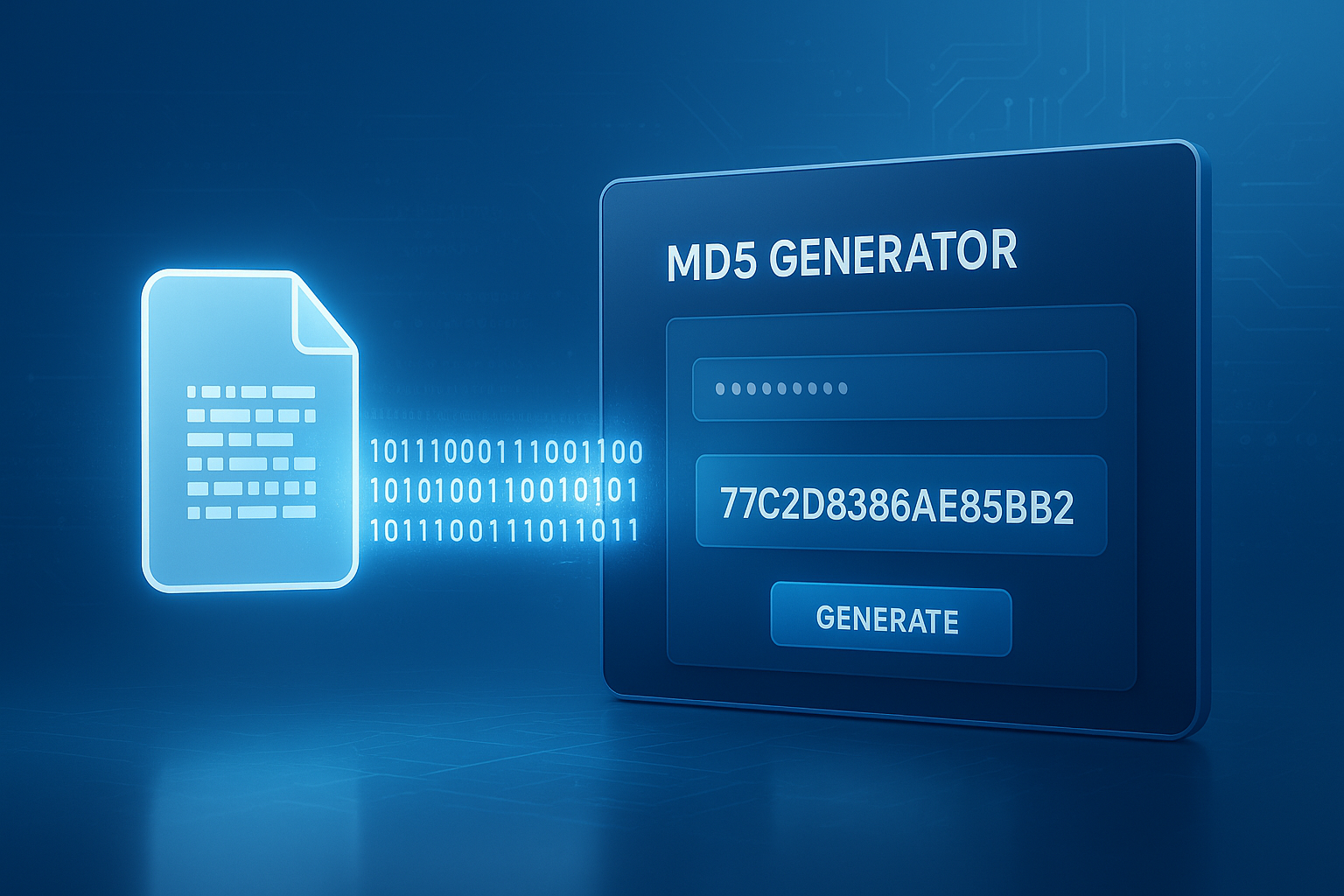
Suggested Image: Technology concept showing file verification, checksum strings, and developer workflow
What is an MD5 generator?
An MD5 generator is a tool that takes input such as text, code, or a file and produces a 32-character hexadecimal hash value. That output is commonly called an MD5 checksum, MD5 hash, or message digest.
MD5 stands for Message Digest Algorithm 5. It was designed to create a compact fingerprint of data. If the input changes, even by one character or one bit, the generated hash should change too.
For example, developers often use a hash tool alongside utilities like a text diff checker when they need to compare content changes at both a detailed and summary level.
- Input: text, JSON, passwords, binaries, documents, images
- Output: a 128-bit hash, usually shown as 32 hexadecimal characters
- Main use: quick fingerprinting and basic integrity checks
Authoritative background on MD5 and related message digest algorithms is available from RFC 1321.
How does an online MD5 generator work?
An online MD5 generator reads the content you provide, processes it through the MD5 algorithm, and returns a checksum. The result is deterministic, which means the same input always produces the same output.
Here’s the simple version of the process:
- You enter text or upload a file.
- The tool reads the raw bytes of that input.
- MD5 processes the data in blocks.
- The algorithm outputs a fixed-size digest.
- You copy the checksum and compare it with another known value if needed.
This is useful because file size does not affect the length of the result. A tiny text snippet and a large archive both produce an MD5 hash with the same 32-character hexadecimal format.
If you’re testing encoded strings before hashing, a related tool like the Base64 Encoder Decoder can help you verify that the data format is what you expect before you calculate its digest.
What does an MD5 checksum look like?
An MD5 checksum is usually displayed as 32 lowercase hexadecimal characters. It may also appear in uppercase depending on the tool, but the underlying value is the same.
Example format:
5d41402abc4b2a76b9719d911017c592
That value is not meant to be human-readable. It is a compact fingerprint used for comparison. If two matching inputs are hashed with MD5, their outputs should match exactly.
Why the output matters
The real value of a checksum is not the string itself. It is the comparison. Developers typically use MD5 to answer questions like:
- Did a file download complete correctly?
- Did a deployment artifact change?
- Are two generated outputs identical?
- Has a text payload been modified?
When troubleshooting content issues in APIs or request bodies, many developers pair checksums with a JSON Formatter to make sure structural formatting differences are not mistaken for data corruption.
When should developers use an MD5 generator?
An MD5 generator is still useful for non-security tasks where speed and a quick fingerprint matter more than cryptographic strength. It remains common in internal tooling, duplicate detection, and lightweight verification workflows.
Good use cases include:
- Checking whether two files are identical in a basic workflow
- Verifying that test data changed after processing
- Detecting duplicate content or duplicate assets
- Creating cache keys in legacy systems
- Comparing exported reports or generated builds
- Validating old software packages that still publish MD5 checksums
For broader developer utility workflows, it also helps to keep tools like a Code Beautifier nearby when you are cleaning up source content before comparing, hashing, or documenting it.
When should you avoid MD5?
Do not use MD5 for password storage, digital signatures, or modern security-sensitive protections. That is the most important rule. MD5 has known collision weaknesses and is no longer considered secure for cryptographic trust.
This is where many people struggle. They hear “hash” and assume every hashing algorithm is suitable for security. It is not.
MD5 should generally be avoided for:
- Password hashing
- SSL or certificate validation designs
- Signed package trust mechanisms
- Tamper-resistant authentication systems
- Any workflow where collision resistance is critical
The National Institute of Standards and Technology recommends stronger modern cryptographic approaches, and developers commonly use SHA-256 or stronger alternatives in security-focused systems. General security guidance for hash functions can also be reviewed through NIST Computer Security Resource Center.
MD5 vs SHA-1 vs SHA-256
MD5 is fast and widely recognized, but it is the weakest choice among common modern checksum options. If the goal involves trust, integrity in hostile environments, or security, SHA-256 is usually the better default.
| Algorithm | Output Length | Typical Use Today | Security Status |
|---|---|---|---|
| MD5 | 128-bit | Legacy checksums, duplicates, non-secure verification | Not secure for cryptographic use |
| SHA-1 | 160-bit | Mostly legacy systems only | Deprecated for most secure uses |
| SHA-256 | 256-bit | Modern integrity and security workflows | Strong standard choice |
For crypto API references and implementation details, MDN Web Docs on SubtleCrypto digest is a useful starting point.
How to create an MD5 checksum online
Using an online MD5 generator is straightforward. In most tools, you either paste text directly or upload a file, then the tool returns the checksum instantly.
- Open the MD5 generator tool.
- Choose whether you want to hash text or a file.
- Paste the exact input or upload the exact file.
- Generate the checksum.
- Copy the resulting hash.
- Compare it against the expected value if you are verifying integrity.
Now comes the important part. Make sure the input is truly identical. A hidden space, line-ending difference, character encoding issue, or renamed binary variant can change the output completely.
When dealing with images before attachment or upload verification, a utility like the Image Compressor can also help reduce file size before finalizing a version you plan to hash and distribute.
How to verify a file with MD5
To verify a file with MD5, generate the checksum of your downloaded or local file and compare it to the checksum published by the original source. If both values match exactly, the file is likely unchanged at a basic level.
Here’s a typical workflow:
- Download the file.
- Get the official MD5 checksum from the provider.
- Run the same file through an MD5 generator.
- Compare the two values character by character.
If the hash values are different, one of these things is true:
- The file changed during transfer.
- You downloaded the wrong version.
- The file was modified after publication.
- The published checksum belongs to another platform build.
For file handling workflows, especially when moving documents between systems, a PDF to Word Converter can be useful before hashing if you need to compare editable content rather than just binary file integrity.
Common MD5 mistakes developers make
Most MD5 problems are not caused by the algorithm itself. They come from inconsistent inputs, bad assumptions, or using MD5 in the wrong context.
- Hashing the wrong file: Similar filenames often cause false mismatches.
- Ignoring line endings: Windows and Unix line ending differences can change text hashes.
- Mixing encoded and decoded content: The visual text may look the same while the bytes differ.
- Using MD5 for passwords: This is outdated and unsafe.
- Comparing uppercase and lowercase carelessly: The value is the same, but formatting can confuse manual checks.
- Expecting reversibility: A hash is not encryption. You do not decode MD5 back into the original input.
One small detail that changes everything
The checksum is based on bytes, not meaning. Two files that “look the same” to a person can produce different MD5 values because metadata, spacing, encoding, or hidden characters changed.
If you are debugging URL payloads or edge-case strings, a URL Encoder Decoder can help confirm whether escaped characters are affecting the final hash.
Real-world examples of MD5 generator use
An MD5 generator is most helpful when you need a quick yes-or-no answer: did this data change or not? That makes it practical in development, QA, and support workflows.
Example 1: Verifying a software package
A vendor publishes a ZIP file and includes an MD5 checksum. You download the ZIP, generate its MD5 hash, and compare the values. If they match, the file likely arrived intact.
Example 2: Detecting duplicate uploads
A media platform hashes uploaded assets to spot exact duplicates. If two uploaded files generate the same MD5 in an internal non-security workflow, the platform can flag them for review or deduplication.
Example 3: Checking generated content in testing
A QA engineer exports the same report from two environments. Instead of scanning the full output manually, they generate checksums and compare them as a quick first pass.
Example 4: Comparing API responses
A developer normalizes response content, then hashes it to confirm whether a backend change affected payload output. If needed, they review structure with tools such as developers do when formatting data for diffing and analysis.
Is an online MD5 generator safe to use?
An online MD5 generator can be safe for public, non-sensitive data. It is not the right tool for private credentials, production secrets, proprietary source code, or confidential customer information.
Here’s the practical rule:
- Safe enough for public test strings, checksums, and non-sensitive files
- Not appropriate for passwords, tokens, personal records, or restricted files
If the data should not leave your machine, use a local command-line tool or built-in language library instead of a web-based generator.
Developers building browser-based hashing workflows should also review modern web platform guidance from MDN Web Docs and secure implementation advice from OWASP.
Best practices for using MD5 in 2026
MD5 still has a place, but only when you use it with clear limits. Experienced developers treat it as a convenience checksum, not a security control.
- Use MD5 for speed and simple equality checks, not trust-critical validation.
- Prefer SHA-256 for modern security-sensitive integrity workflows.
- Hash normalized input when comparing text-based outputs.
- Keep original published checksums with version labels.
- Document whether the hash was generated from raw text, encoded text, or a binary file.
- Use local tools for sensitive content.
- Automate verification in CI/CD where possible.
If your workflow includes switching between textual and binary assets, a Word Counter can even help with quick content sanity checks before text is hashed, especially in content-heavy developer docs or localized payload testing.
MD5 generator quick comparison: online tools vs local tools
The answer depends on one thing: sensitivity. If your content is public and you want speed, an online MD5 generator is convenient. If the input is private, local hashing is the better option.
| Option | Best For | Main Advantage | Main Limitation |
|---|---|---|---|
| Online MD5 generator | Public files, quick text checks, fast troubleshooting | No setup required | Not ideal for sensitive data |
| Local command-line tool | Private files, automated scripts, production workflows | Better control and privacy | Requires local access and some setup knowledge |
| Built-in programming library | Applications, pipelines, repeatable development tasks | Easy automation | Needs implementation time |
Frequently asked questions
1. What is the main purpose of an MD5 generator?
The main purpose of an MD5 generator is to create a fixed-length checksum from text or files so you can compare data quickly. It is useful for basic integrity checks, duplicate detection, and confirming whether content changed. It is not meant for recovering the original input or for storing secure passwords.
2. Can two different files have the same MD5 hash?
Yes. This is called a collision. While accidental collisions are uncommon in casual use, MD5 is no longer considered collision-resistant enough for security-sensitive applications. That is why it should not be used where trust, tamper resistance, or strong cryptographic assurance matters.
3. Is MD5 still used in 2026?
Yes, but mostly in legacy systems and non-security workflows. Developers still use MD5 for quick comparisons, duplicate checks, and compatibility with older tools or published checksum formats. For secure hashing or modern integrity guarantees, SHA-256 is usually the better choice.
4. Is an MD5 generator the same as encryption?
No. MD5 is hashing, not encryption. Encryption is designed to be reversible with the right key. Hashing is designed to produce a one-way fingerprint of data. You do not decrypt an MD5 hash back into the original file or text.
5. Why does one extra space change the MD5 checksum?
Because MD5 works on exact input bytes. A single space, line break, tab, or encoding difference changes the byte sequence, which changes the resulting hash. This is why checksum mismatches often come from formatting details rather than obvious content changes.
6. Should I use MD5 to hash passwords?
No. MD5 is not suitable for password storage. Modern password handling should use dedicated password hashing algorithms such as bcrypt, scrypt, or Argon2. These are designed to be far more resistant to brute-force and hardware-accelerated cracking attacks than MD5.
7. Are online MD5 generators free?
Many online MD5 generators are free to use for simple text and file hashing. The real consideration is not cost but sensitivity. If your input contains confidential or regulated data, a local hashing method is the safer choice even if the online tool is convenient.
8. What should I use instead of MD5 for secure verification?
For secure verification, use SHA-256 or a stronger modern cryptographic option appropriate to your environment. The right choice depends on whether you are hashing files, signing data, storing passwords, or validating messages. For passwords specifically, use a dedicated password hashing algorithm rather than a general-purpose digest function.
Conclusion
An MD5 generator is still useful when you need a fast checksum for text or files, especially in testing, legacy workflows, and basic integrity checks. Its value is speed and simplicity. Its limitation is security.
Here’s the practical takeaway: use MD5 for lightweight comparison tasks, avoid it for passwords and trust-critical systems, and switch to SHA-256 when stronger protection is needed.
If you want to keep building a sharper developer workflow, useful next steps include trying a text diff checker for deeper content comparison, a JSON Formatter for cleaner payload review, a Base64 Encoder Decoder for encoding checks, and a Code Beautifier for source cleanup before testing or hashing.