Ever pasted a link into an app, only to watch it break because of a space, ampersand, or question mark? That small formatting issue can turn a valid URL into a buggy request, a failed redirect, or a tracking mess.
This is exactly where a URL encoder decoder becomes useful. It converts unsafe URL characters into a web-safe format and can also reverse that process when you need to inspect or debug a link.
If you build web apps, work with APIs, manage campaign URLs, or troubleshoot redirects, knowing when and how to encode a URL saves time. In this guide, you’ll learn what URL encoding means, when to use it, what not to encode, and how to avoid the mistakes developers make most often.
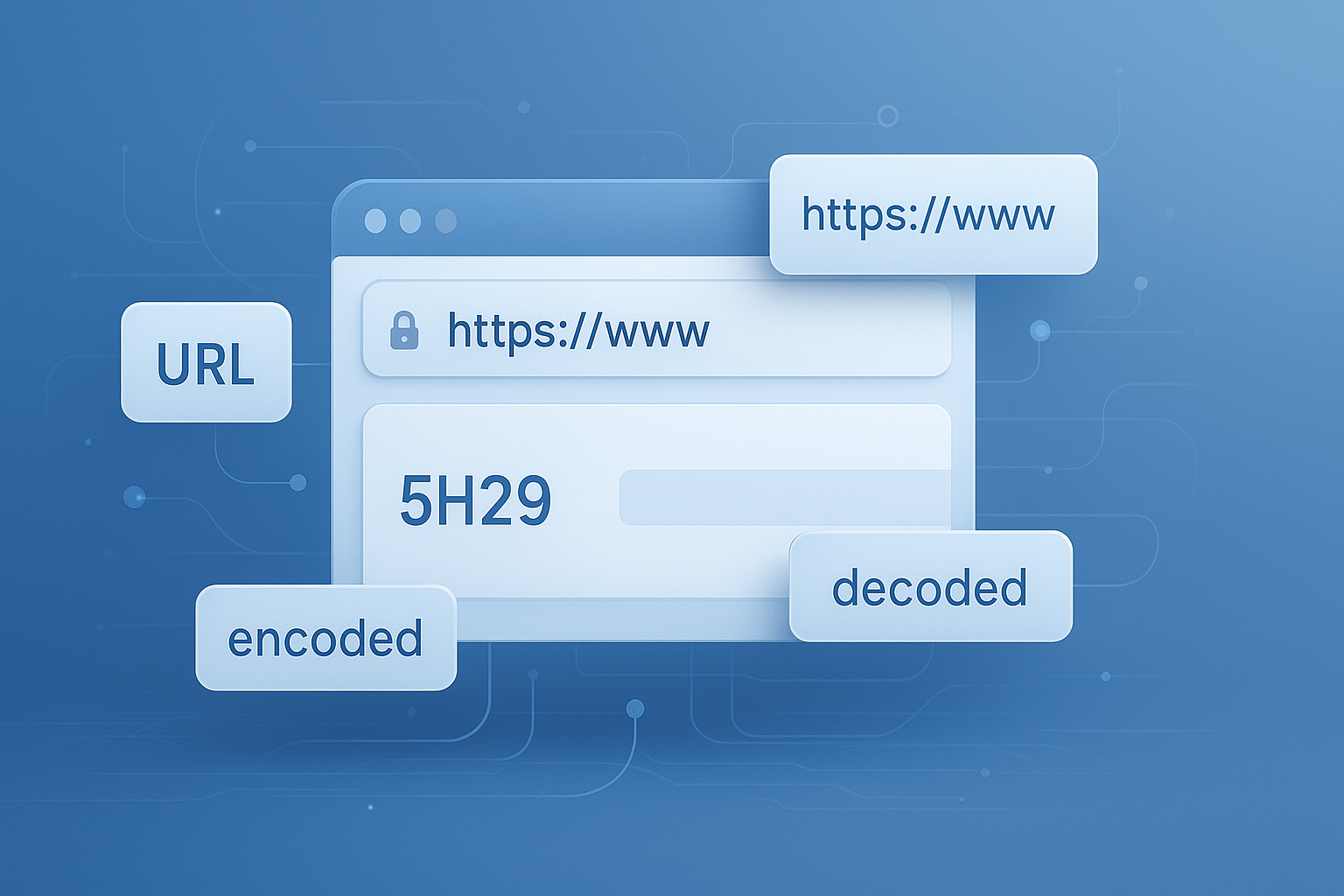
Suggested Image: Technology concept illustration showing a raw URL being transformed into an encoded URL for safe transmission
What is a URL encoder decoder?
A URL encoder decoder is a tool that converts special characters in a URL into a safe format and back again. Encoding replaces reserved or unsafe characters with percent-based values, while decoding restores them to readable text.
For example, a space is not valid in a URL as-is. It is usually encoded as %20. A character like &, which has a special meaning in query strings, may also need encoding when it appears inside a parameter value rather than as a separator.
This behavior follows web standards defined by the WHATWG URL Standard and is widely explained in the MDN documentation for encodeURIComponent.
- Encoding makes a URL safe for transport and parsing
- Decoding helps you read, debug, and validate existing URLs
- Correct usage prevents broken links, malformed requests, and parameter errors
If you regularly work with web utilities, a quick browser-based URL Encoder Decoder tool can speed up debugging and copying safe links across projects.
Why URL encoding matters in real development work
URL encoding matters because browsers, servers, APIs, and analytics tools interpret certain characters in special ways. If those characters are left unencoded in the wrong place, the URL may be parsed incorrectly.
Here’s the problem. Many URLs look fine to a human reader but fail once they hit a router, backend service, or third-party API. This usually happens when a path or query value includes characters that mean something else to the parser.
Common situations where encoding is essential
- Passing search terms with spaces or punctuation
- Sending callback URLs in OAuth or SSO flows
- Including one URL inside another URL
- Building API requests with dynamic parameters
- Tracking campaign links with UTM tags
- Handling user-generated text in query strings
For example, if a user searches for C# basics & .NET, that value should not be inserted raw into a query string. The ampersand would be mistaken for a new parameter separator.
If you also work with request payloads, testing strings, or transformed text, tools like a JSON Formatter Validator can help verify whether your encoded data is being transported in the right structure.
How URL encoding works
URL encoding replaces unsafe or reserved characters with a percent sign followed by two hexadecimal digits. Those digits represent the character’s byte value in UTF-8 or another applicable character encoding context.
Let’s break this down with a few simple examples.
| Character | Encoded Form | Why It Matters |
|---|---|---|
| Space | %20 |
Spaces are not valid raw URL characters |
& |
%26 |
Prevents accidental splitting of parameters |
= |
%3D |
Useful when the equals sign is part of a value |
/ |
%2F |
Prevents a value from being treated as a path delimiter |
# |
%23 |
Avoids starting a fragment unintentionally |
Now comes the important part. Not every part of a URL should be encoded the same way. A full URL, a path segment, and a query parameter value all have different rules.
Reserved vs unreserved characters
According to RFC 3986, some characters are generally safe in URLs, while others have structural meaning.
- Unreserved characters: letters, digits, hyphen, underscore, period, tilde
- Reserved characters:
:/?#[]@!$&'()*+,;=
Reserved characters are not always wrong. They become a problem when they appear inside a value and are mistaken for URL syntax.
When should you encode a URL?
You should encode a URL when user input, dynamic content, or embedded values include characters that could break parsing. In practice, developers most often encode query parameter values, path segments, and return URLs.
This is where many people struggle. They know something needs encoding, but they are not sure whether to encode the whole URL or just one part.
Encode these situations
- Query parameter values
?q=coffee & creamshould become?q=coffee%20%26%20cream - Path segments created from titles or names
Especially when values contain spaces, slashes, or non-English characters - Nested URLs
Example: a redirect parameter containing another full URL - API request parameters
Particularly in GET requests and callback strings - User-generated content passed in links
Such as city names, tags, product filters, or notes
If you’re building clean search snippets and safer links for content pages, it also helps to check how encoded parameters interact with titles and descriptions. For related on-page work, a Meta Tag Generator can help keep page metadata consistent.
What should not be encoded blindly?
You should not blindly encode an entire URL string unless the use case specifically requires it. In many cases, only one component needs encoding, and encoding the whole string can break separators such as :, /, ?, and &.
Here’s a fast comparison that clears up the confusion.
| Use Case | What to Encode | Why |
|---|---|---|
Adding a search term to ?q= |
Only the parameter value | Keeps query separators intact |
| Building a slug from a title | The path segment | Protects spaces and symbols without altering the domain |
| Passing a full URL as a redirect value | The nested URL value | Prevents internal ? and & from breaking outer parameters |
| Displaying a URL for reading | Usually decode for inspection | Helps humans verify the content |
A very common mistake is double-encoding. For instance, %20 becomes %2520 if encoded again because the percent sign itself gets encoded to %25.
Signs you may have double-encoded a URL
- You see many
%25sequences - Redirect URLs stop resolving correctly
- Decoded output still contains encoded fragments
- Analytics parameters look corrupted in reports
When troubleshooting query strings or campaign links, a Text Diff Checker is useful for comparing the original URL against the encoded or decoded version line by line.
URL encoding vs form encoding: what’s the difference?
URL encoding and form encoding are related but not identical. Standard percent-encoding often uses %20 for spaces, while HTML form submissions with application/x-www-form-urlencoded commonly use a plus sign + for spaces.
This small detail changes everything. If you decode a string with the wrong expectations, the output can look inconsistent or incorrect.
Mozilla’s URLSearchParams documentation is a practical reference here because modern browsers handle many of these cases cleanly when used properly.
| Format | Space Handling | Typical Use |
|---|---|---|
| Percent-encoding | %20 |
General URL components |
| Form URL encoding | + |
HTML form submissions and some query builders |
If you work with browser automation, dynamic landing pages, or ad tracking, understanding this difference helps prevent mismatched values between forms, JavaScript, and backend frameworks.
How to encode and decode URLs correctly
The safest way to encode or decode a URL is to work with the correct component rather than treating the full string as plain text. In most workflows, that means encoding parameter values and path parts separately.
Step-by-step approach
- Identify the part you are changing: full URL, path, query value, or fragment
- Leave structural separators alone unless the entire value is nested inside another URL
- Encode only the dynamic content
- Test the final URL in a browser, app, or API client
- Decode suspicious input during debugging to confirm what the server actually receives
JavaScript examples
In JavaScript, developers usually rely on encodeURIComponent() for parameter values and dynamic segments.
const search = encodeURIComponent("C# basics & .NET");
const url = "https://example.com/search?q=" + search;
If you need to encode a complete URL for use as a nested value, you can still encode that full URL as the value of another parameter.
const redirect = encodeURIComponent("https://example.com/page?ref=email&lang=en");
const loginUrl = "https://auth.example.com/login?returnUrl=" + redirect;
Server-side and framework note
Most modern frameworks provide helpers for query strings and routes. Use them when possible. Manual concatenation is where encoding bugs usually begin.
For validation-heavy workflows, pairing URL checks with a Base64 Encode Decode tool can also help when comparing transport-safe text formats used in tokens, callbacks, or API testing.
Practical examples developers run into all the time
Real value comes from seeing where encoding fails in day-to-day work. Below are examples that regularly cause issues in web apps, APIs, and marketing systems.
1. Search query with symbols
Raw input:
red shoes & socks
Unsafe URL:
https://shop.example.com/search?q=red shoes & socks
Safe URL:
https://shop.example.com/search?q=red%20shoes%20%26%20socks
2. Nested URL in a redirect parameter
Raw nested URL:
https://app.example.com/dashboard?tab=billing&plan=pro
Passed safely as a value:
https://auth.example.com/login?returnUrl=https%3A%2F%2Fapp.example.com%2Fdashboard%3Ftab%3Dbilling%26plan%3Dpro
3. International characters in a path
Some applications allow city names, categories, or article titles with accented or non-Latin characters. These should be encoded or slugged correctly to avoid routing problems.
If you need to create cleaner human-readable page paths before encoding, a Text Case Converter can help normalize titles during content prep and documentation workflows.
4. Analytics and campaign parameters
UTM links often break when campaign names include spaces, slashes, or ampersands. The safer approach is to encode every parameter value before publishing links in email, paid ads, or QR campaigns.
Google’s official Google Analytics campaign parameter documentation is useful if you manage tracking links at scale.
Common URL encoding mistakes and how to avoid them
Most encoding problems come from either encoding too much, encoding too little, or encoding at the wrong stage. The fix is usually simple once you understand which URL part is causing the issue.
- Encoding the entire URL by default
This often breaks protocol and structural separators. - Forgetting to encode nested URLs
Return URLs and callback parameters are frequent failure points. - Double-encoding values
A value already encoded by the browser or framework gets encoded again in custom code. - Assuming
+and%20are always interchangeable
They are not identical in every context. - Ignoring Unicode characters
International input should be tested, especially in multilingual sites. - Decoding too early in the pipeline
Decoding before validation or routing can change how the input is interpreted.
Experienced developers also log both the raw and processed URL when debugging. That makes it easier to spot exactly where the corruption happened.
Suggested Screenshot: Side-by-side view of raw URL, encoded URL, and decoded output in a browser-based tool
Best practices for safe link formatting in 2026
Safe link formatting in 2026 means relying less on manual string building and more on standard APIs, tested helpers, and consistent validation. The goal is not just readable links. It’s predictable parsing across browsers, servers, apps, and analytics platforms.
Recommended best practices
- Use native URL and query parameter APIs when available
- Encode only dynamic values, not fixed URL structure
- Test redirects with nested URLs carefully
- Validate links before publishing them in apps or campaigns
- Keep a readable version for debugging and a safe version for transport
- Document encoding behavior across frontend and backend teams
- Watch for framework-specific handling of spaces and plus signs
For HTML-heavy workflows, a HTML Minifier can help clean page output after you’ve finished building links, forms, and embedded resources for production.
If your work extends into technical SEO, Google’s Google documentation on URL structure is worth reviewing. It explains how clean, understandable URLs help both users and crawlers.
How a URL encoder decoder helps with debugging
A URL encoder decoder is not just for formatting. It is one of the fastest debugging tools for identifying malformed query strings, broken redirect chains, and incorrectly escaped characters in logs or browser requests.
Here’s what experienced professionals do differently. They decode suspicious URLs first, inspect the values, then re-encode only the parts that need it.
Useful debugging workflow
- Copy the failing URL from the browser, log, or API client
- Decode it to inspect the actual parameter values
- Check whether separators such as
&or=appear inside values - Look for signs of double-encoding like
%252For%2520 - Rebuild the URL with proper component-level encoding
- Retest the request end to end
This workflow becomes even more useful when working with copied assets, ad links, email links, or imported lists. If a dataset includes URLs inside documents, a PDF to Text tool can help extract and inspect them before cleanup.
Frequently asked questions
Is URL encoding the same as making a URL shorter?
No. URL encoding does not shorten a link. It converts certain characters into a safe format so browsers and servers can process the URL correctly. In many cases, the encoded version is actually longer because one character may become three or more characters, such as a space turning into %20. If your goal is compatibility and safe transport, encoding helps. If your goal is shorter links, you need a different solution entirely.
Should I encode the whole URL or only part of it?
Usually, you should encode only the dynamic part you are inserting, such as a query parameter value or a path segment. Encoding the entire URL blindly can corrupt separators like :, /, ?, and &. A common exception is when one full URL is being passed as the value of another URL parameter, such as a return or redirect URL. In that case, the nested URL should be encoded as a value.
Why do some tools use plus signs instead of percent-20 for spaces?
That happens in form-style encoding, especially with application/x-www-form-urlencoded. In that format, spaces are often represented with + instead of %20. Standard percent-encoding typically uses %20. Both may be valid depending on context, but they are not always interchangeable in every system. If you see inconsistent output, check whether the tool or framework is handling form data, query parameters, or general URL components.
Can URL encoding improve SEO?
Encoding itself is not an SEO tactic, but proper encoding helps preserve valid, crawlable, and shareable URLs. Broken parameters, malformed redirects, and corrupted characters can create indexing issues, bad user experience, or inconsistent analytics data. Search engines prefer clear and stable URL structures. For SEO, it is better to combine correct encoding with readable slugs, proper canonicals, and clean metadata rather than relying on encoding alone.
Is it safe to decode any URL I receive?
Decoding a URL for inspection is generally safe when done in a controlled environment, but you should still handle the output carefully. Decoding may reveal scripts, injected parameters, or unexpected content hidden inside encoded strings. Never assume decoded input is trustworthy. Treat decoded data as untrusted user input unless it comes from a verified source, and validate it before using it in redirects, routing, rendering, or logging systems.
What causes double-encoding?
Double-encoding usually happens when a value is encoded once by your code and then encoded again by a browser, library, CMS, or backend helper. It can also happen when teams are unsure where encoding should occur and apply it at multiple steps in the pipeline. A common sign is seeing %25 in places where you expected a simple encoded value. The best prevention is to define one clear encoding stage and avoid manual concatenation wherever possible.
Do modern frameworks handle URL encoding automatically?
Many modern frameworks and browser APIs handle large parts of URL encoding automatically, especially when you use dedicated URL utilities, route builders, or query parameter helpers. Still, automatic handling is not universal. Problems appear when developers mix helper methods with manual string concatenation or pass nested values without encoding them first. It is smart to test edge cases, especially with redirects, Unicode input,