Emails start bouncing. Sign-up confirmations never arrive. A customer says your site “looks fine,” yet important messages vanish. In many cases, the problem isn’t your app code. It’s reputation.
A blacklist lookup helps you check whether an IP address, email, or domain has been flagged by spam filters, DNS-based blocklists, or reputation systems. For developers, that matters because deliverability problems often appear long before anyone looks at mail logs.
This guide explains how blacklist lookup works, what gets listed, how to check status correctly, and what to do next if something is wrong. If you manage servers, transactional email, contact forms, or customer notifications in 2025, this is one of those checks worth doing before something breaks at scale.
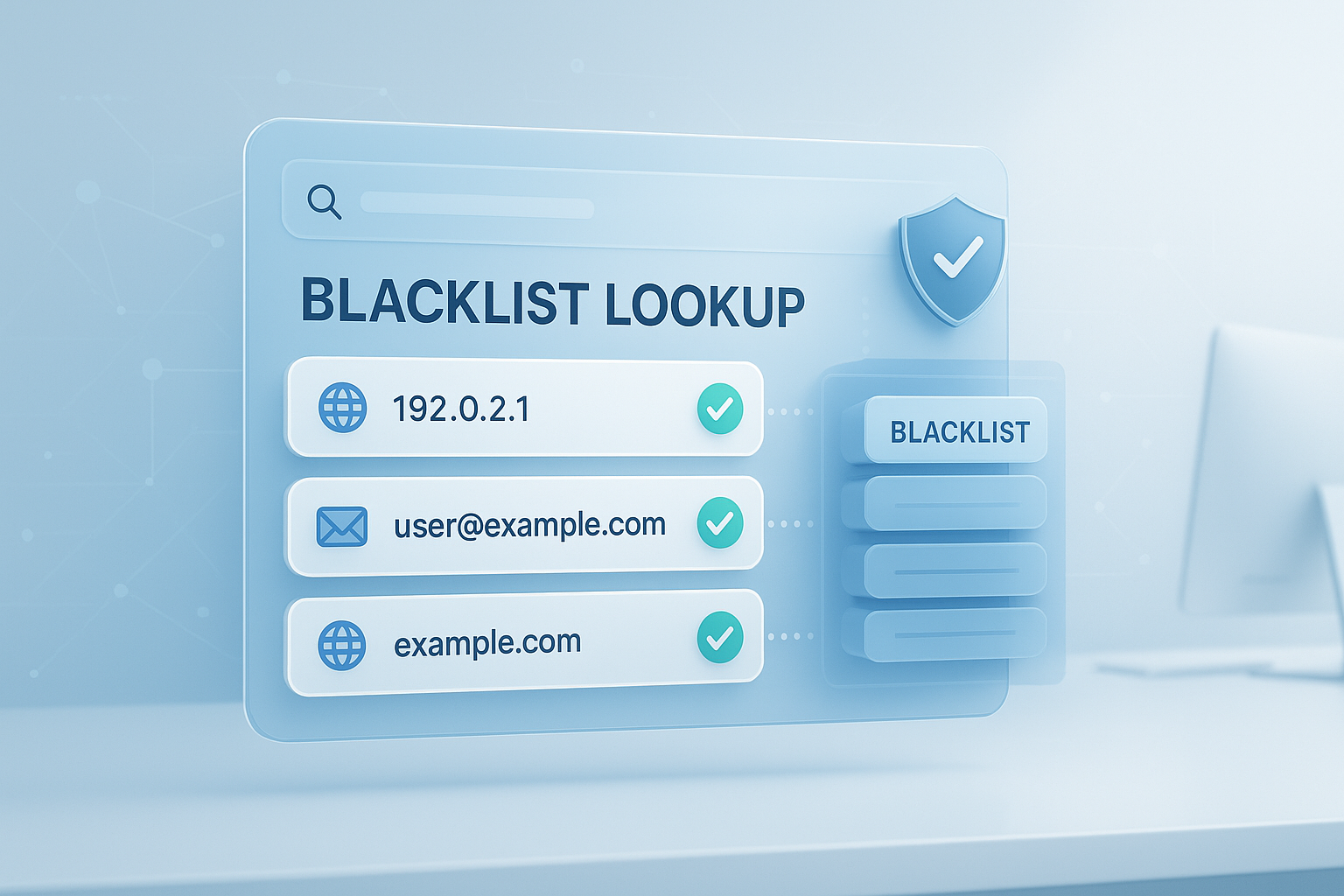
Suggested Image: Technology concept showing IP, email, and domain reputation checks across server and inbox systems
What is a blacklist lookup?
A blacklist lookup is the process of checking whether an IP address, email address, domain, or mail server appears on a blocklist used to detect spam, abuse, malware, or suspicious sending behavior. In practice, it’s a reputation check that helps explain delivery failures, inbox placement issues, and message rejection errors.
Different systems maintain different lists. Some focus on sending IPs. Others evaluate domains, URLs, or sending patterns. That’s why developers often pair blacklist checks with adjacent diagnostics such as a reverse DNS lookup and basic mail authentication validation.
- IP blacklist lookup: Checks whether a sending IP is listed on one or more DNSBLs or reputation services.
- Email blacklist lookup: Usually refers to checking whether an email domain or sending infrastructure has a poor reputation. Individual addresses are less commonly “blacklisted” in a public way.
- Domain blacklist lookup: Verifies whether a domain has been associated with spam, phishing, unsafe links, or malicious hosting behavior.
Here’s the small detail that changes everything: one listing does not always mean total failure. Some lists have limited impact. Others can block delivery immediately depending on the receiving provider.
Why blacklist status matters for developers
Blacklist status affects more than marketing email. It can interfere with password resets, account verification, error alerts, billing notices, webhook notifications, and support messages. If your application sends email, reputation is part of your infrastructure.
This is where many teams struggle. They debug SMTP settings, retry queues, and application logs, but miss the reputation layer. Before you assume the failure is inside your codebase, it helps to inspect DNS records with a DNS lookup tool and compare mail routing behavior.
- Transactional emails may land in spam or get rejected
- Support and contact form messages may never arrive
- Shared hosting IPs can inherit bad reputation from neighbors
- Fresh domains may appear suspicious with low trust history
- Poor authentication can amplify blacklist problems
Major mailbox providers use much more than a simple blacklist, but lists still matter. Microsoft documents sender reputation and filtering signals in its Microsoft email authentication guidance, while Google explains sender best practices in its email sender guidelines.
What can actually be blacklisted?
People often say “my email is blacklisted,” but the real answer depends on what the receiving system is checking. Most of the time, the listed item is not the individual mailbox. It is the sending infrastructure behind it.
| Item | What gets checked | Typical impact |
|---|---|---|
| IPv4 or IPv6 address | Sending IP reputation, abuse history, spam activity, compromised server events | Message rejection, throttling, spam folder placement |
| Domain | Domain reputation, phishing associations, URL-based filtering, authentication alignment | Reduced trust, link blocking, spam classification |
| Email address | Usually internal suppression lists or provider-specific reputation signals | Local blocking, complaint-related filtering |
| Mail server hostname | Reverse DNS consistency, HELO/EHLO identity, infrastructure reputation | Trust reduction at SMTP level |
| URLs inside messages | Malware, phishing, redirect abuse, suspicious domains | Link stripping, message blocking, warning banners |
If you need to verify whether a URL destination is structured correctly before troubleshooting reputation, a quick URL parser can help you inspect the exact host, path, query string, and redirects being referenced inside outbound messages.
How blacklist lookup works behind the scenes
Most traditional IP blacklist lookup systems rely on DNS-based blocklists, often called DNSBLs. A receiving mail server checks the sender’s IP against one or more list operators. If there’s a match, the server may reject, delay, or flag the message.
Let’s break this down. In a DNSBL model, the IP address is reversed and queried against a special DNS zone. For example, a receiving system may query a blocklist using a DNS request rather than a web form. If the query returns a result, the IP is listed.
- Your app or mail server sends a message
- The receiving server extracts the sending IP and related identities
- It checks reputation sources, blocklists, and policy rules
- It evaluates SPF, DKIM, and DMARC alignment
- It accepts, rejects, quarantines, or routes the email to spam
Modern filtering goes far beyond a simple list match. Providers also use rate patterns, complaint data, engagement signals, authentication, historical reputation, and content analysis. For technical reference, the DMARC standard and the SPF specification are useful starting points.
How to perform a blacklist lookup for an IP, email, or domain
A good blacklist lookup starts with the exact thing that sends or appears in your messages: the outbound IP, the visible domain, the return-path domain, and any URLs contained in the email. Checking only one of these can lead to false confidence.
Here’s a practical workflow developers can follow.
1. Identify the real sending infrastructure
Don’t guess. Pull the sending IP from SMTP logs, provider dashboards, or message headers. If you use a third-party email service, the visible From domain may not match the infrastructure that actually sends the mail.
- Check your application mail config
- Review message headers from a delivered message
- Confirm the envelope sender and return-path domain
- List every URL included in templates
2. Check DNS and authentication records
If SPF, DKIM, or DMARC are wrong, mailbox providers may treat even clean senders with more suspicion. This doesn’t automatically mean blacklisting, but it often contributes to poor reputation outcomes.
You can inspect related DNS records using an MX lookup tool when reviewing mail routing, and compare visible host details with a WHOIS lookup if ownership or recent domain changes are part of the issue.
3. Query trusted blacklist and reputation sources
Use reputable lookup services or the blocklist provider’s own lookup page when available. For email security context, many teams also check provider postmaster dashboards if they send at meaningful volume.
- Public DNSBL and URI reputation databases
- Provider-specific sender dashboards
- Threat intelligence and abuse reporting systems
- Hosting or cloud abuse notices tied to your IP range
4. Interpret the result carefully
Now comes the important part. A listing needs context. Ask these questions:
- Is it a major list used by mailbox providers or a niche list with little impact?
- Is the listing recent, active, and still queryable?
- Does it target spam, malware, open relays, or dynamic IP ranges?
- Does the listing affect the same IP or domain currently in use?
5. Verify with a real delivery test
Blacklist lookup is one signal, not the entire diagnosis. Send a test message to controlled accounts across major providers and inspect headers, spam placement, and SMTP responses.
If you are validating related endpoints for debugging links or API callbacks, a quick HTTP status code checker can help confirm whether linked resources return clean responses rather than redirects or errors that damage trust.
Common reasons IPs and domains get listed
Most blacklist events are not random. They usually trace back to sending behavior, security failures, configuration mistakes, or poor list hygiene. The exact trigger differs by list operator, but the patterns are consistent.
- Compromised servers: Malware or unauthorized scripts send spam from your infrastructure.
- Open forms and abuse: Contact or signup forms without rate limiting get used for spam delivery.
- Shared IP problems: Another customer on the same outbound IP damages reputation.
- Cold or sudden volume spikes: New domains that send heavily from day one look suspicious.
- Missing authentication: Weak or broken SPF, DKIM, or DMARC lowers trust.
- High bounce rates: Sending to stale or purchased lists creates negative signals fast.
- User complaints: Recipients marking mail as spam matters more than many teams expect.
- Bad links: URLs in email pointing to risky or newly created domains can trigger filtering.
For form-driven apps, one overlooked fix is frontend and backend validation. If you’re reviewing patterns or regex handling during input checks, a regex tester can be useful when tightening email or domain validation logic before abuse spreads.
Blacklist lookup vs sender reputation: what’s the difference?
A blacklist lookup tells you whether a public list has flagged an asset. Sender reputation is broader. It includes blacklist status, but also mailbox provider data, user engagement, complaint rates, authentication quality, sending consistency, and historical trust.
| Factor | Blacklist lookup | Sender reputation |
|---|---|---|
| Scope | Specific list status | Overall sending trust |
| Data source | Public or provider-maintained lists | Mailbox provider signals, complaints, engagement, authentication |
| Binary result | Often yes or no | Usually a weighted score or internal classification |
| Impact on deliverability | Can be immediate on some systems | Affects inbox placement continuously |
Here’s what experienced professionals do differently: they do not stop after a clean blacklist lookup. They also review bounce logs, complaint metrics, authentication alignment, and provider-specific signals.
What to do if your IP or domain is blacklisted
If a blacklist lookup shows a real listing, don’t rush straight to delisting. First, fix the cause. Removing a listing without solving the underlying problem usually leads to relisting, sometimes within hours.
- Confirm the listing: Check which asset is listed and on which service.
- Read the reason: Many lists explain whether it was spam volume, malware, dynamic IP use, or policy violations.
- Secure the system: Rotate credentials, patch software, audit users, and inspect outbound scripts or cron jobs.
- Review logs: Check SMTP logs, app logs, web server logs, and abuse reports.
- Repair authentication: Fix SPF, DKIM, and DMARC if needed.
- Clean your sending practices: Remove invalid recipients, stop risky campaigns, and reduce burst volume.
- Request delisting: Follow the list operator’s official process only after remediation.
- Monitor after removal: Watch bounces, inboxing, complaint rates, and repeat listings.
For DNS-related cleanup, you may also want to validate TXT record formatting, host targets, and TTL behavior. The Cloudflare DNS overview offers a clear primer, and the ICANN DNSSEC explainer is useful for teams hardening domain trust.
How to prevent future blacklist issues
The best blacklist lookup strategy is preventive. If you monitor reputation before incidents, you can catch warning signs early and avoid a full deliverability problem.
- Use dedicated sending infrastructure when volume justifies it
- Warm up new IPs and domains gradually
- Publish correct SPF, DKIM, and DMARC records
- Implement rate limiting on forms and mail-triggering endpoints
- Require confirmation flows where appropriate
- Monitor bounce and complaint rates every week
- Remove inactive or invalid recipients regularly
- Separate transactional and promotional traffic when possible
- Limit who can deploy mail templates or outbound automation
- Watch domain and IP changes closely after migrations
If your team documents mail flows, endpoints, and domain dependencies internally, even a simple formatted reference can save hours during incident response. For quick documentation cleanup, developers sometimes use tools like a JSON formatter when reviewing provider payloads, webhook logs, or structured bounce responses.
Suggested Screenshot: Example workflow showing DNS records, SMTP logs, and blacklist check results side by side
Best practices for developers managing email infrastructure
Developers usually inherit email systems rather than design them from scratch. That makes operational discipline more important than theory. The goal is to reduce variables so blacklist lookup results are easier to interpret when something goes wrong.
Separate environments
Never send staging or test traffic through the same reputation path as production customer mail unless you truly intend to. Test environments generate odd patterns that can look abusive.
Log enough detail
Store SMTP response codes, timestamps, provider names, envelope sender data, and template identifiers. Without that, blacklist lookup findings are harder to connect to real failures.
Audit templates and links
Review every domain included in buttons, tracking links, images, and webviews. A clean sending IP can still be hurt by suspicious URLs inside the message body.
Respect provider limits
Mailbox providers publish guidance for a reason. Google’s sender rules and Microsoft’s authentication recommendations should not be treated as optional if deliverability matters at scale.
Build a response playbook
Document who checks logs, who reviews DNS, who submits delisting requests, and who pauses campaigns. During an incident, speed depends on clarity.
Common blacklist lookup mistakes
Many blacklist checks fail because the wrong asset gets tested or the result is over-interpreted. A listing can matter a lot, a little, or not at all depending on where your mail goes and which systems your recipients use.
- Checking only the visible From domain and not the sending IP
- Ignoring URLs inside the email body
- Assuming all blocklists have equal weight
- Requesting delisting before fixing the root cause
- Blaming code when the issue is shared IP reputation
- Treating “not listed” as proof of healthy deliverability
- Forgetting about reverse DNS and hostname mismatches
- Sending too much too quickly after a domain or IP change
A practical rule: if your app sends business-critical email, monitor reputation and delivery continuously instead of using blacklist lookup only when users complain.
Frequently asked questions
Does a blacklist lookup show whether my emails will definitely go to spam?
No. A blacklist lookup shows whether an IP, domain, or related asset appears on one or more blocklists. Spam placement depends on many other signals, including authentication, recipient engagement, complaint rates, content, and provider-specific sender reputation. A clean result is helpful, but it does not guarantee inbox placement. Think of blacklist status as one part of a larger mail health check.
Can an individual email address be blacklisted?
Sometimes, but usually not in the public way most people imagine. Public lookup systems more often track sending IPs, domains, or URLs. Individual mailbox addresses may be suppressed or blocked internally by a provider or recipient organization because of complaints, abuse, or policy rules. If one address has trouble but the domain is healthy, check recipient-specific suppression and bounce logs first.
How often should developers run a blacklist lookup?
For business-critical sending, weekly checks are reasonable, and daily monitoring is even better for high-volume systems. You should also check immediately after domain migrations, IP changes, unusual bounce spikes, or abuse reports. In smaller applications, a regular monthly review plus alert-based checks can work, as long as you also watch authentication records and delivery metrics.
What is the difference between being blacklisted and having poor domain reputation?
Being blacklisted usually means a specific list has flagged an IP, domain, or URL. Poor domain reputation is broader and may exist even with no public listing at all. Mailbox providers use private data such as complaint rates, engagement, bounce quality, and history. That means you can pass a blacklist lookup and still have deliverability problems if your overall sending patterns look risky.
Is delisting always free?
Often yes, but it depends on the list operator and the service involved. Many public blocklists provide free checks and delisting requests if you meet their criteria. Some reputation or deliverability platforms are commercial and charge for broader monitoring, dashboards, or support. The important point is not cost. It’s whether you’ve fixed the underlying issue before requesting removal.
Can a shared hosting server cause blacklist problems even if my app is fine?
Yes. On shared infrastructure, another user’s abuse can damage the outbound IP reputation for everyone using that address. That’s one reason transactional mail providers and dedicated sending IPs are often preferred for important application email. If your code is working but delivery is unstable, verify whether your traffic shares reputation with unrelated senders on the same network.
What records should I check along with a blacklist lookup?
Review SPF, DKIM, DMARC, MX, A, PTR, and relevant TXT records. Reverse DNS matters for server identity, and MX helps confirm routing. You should also inspect the domains used in links, images, and tracking redirects. If the sending IP is clean but authentication or naming is inconsistent, mailbox providers may still reduce trust or route messages to spam.
Are blacklist lookup tools safe to use?
They are generally safe when you use reputable providers and official list operator pages. Avoid entering credentials anywhere, and be careful with tools that ask for excessive access or bundle unrelated “security scans.” For sensitive environments, some teams prefer internal DNS-based checks or manual verification against known list sources. The tool is only as trustworthy as the operator behind it.
Final thoughts
A blacklist lookup is one of the fastest ways to investigate email delivery trouble, but it works best when you treat it as part of a bigger diagnostic process. Check the real sending IP, verify domain authentication, inspect message links, and review actual SMTP responses before drawing conclusions.
If you want the next practical step, start with your outbound IP, domain records, and mail routing. Then document what you find so future incidents are easier to resolve. Related tools that can help include a DNS lookup tool, MX lookup tool, reverse DNS lookup, and HTTP status code checker. Used together, they give developers a much clearer picture than a blacklist lookup alone.