Most Amazon listings don’t fail because the product is bad. They fail because the description is vague, repetitive, or written too quickly.
That’s why an AI Amazon product description generator has become useful for businesses in 2026. It helps teams write faster, keep messaging consistent, and turn rough product details into cleaner listing copy. But the tool alone is not the strategy. If the input is weak, the output usually is too.
This guide explains how to use AI to write better Amazon descriptions without sounding generic. You’ll learn what these tools do well, where they fall short, how to shape stronger prompts, and how to turn AI drafts into listing copy that is easier for shoppers to understand and easier for teams to scale.
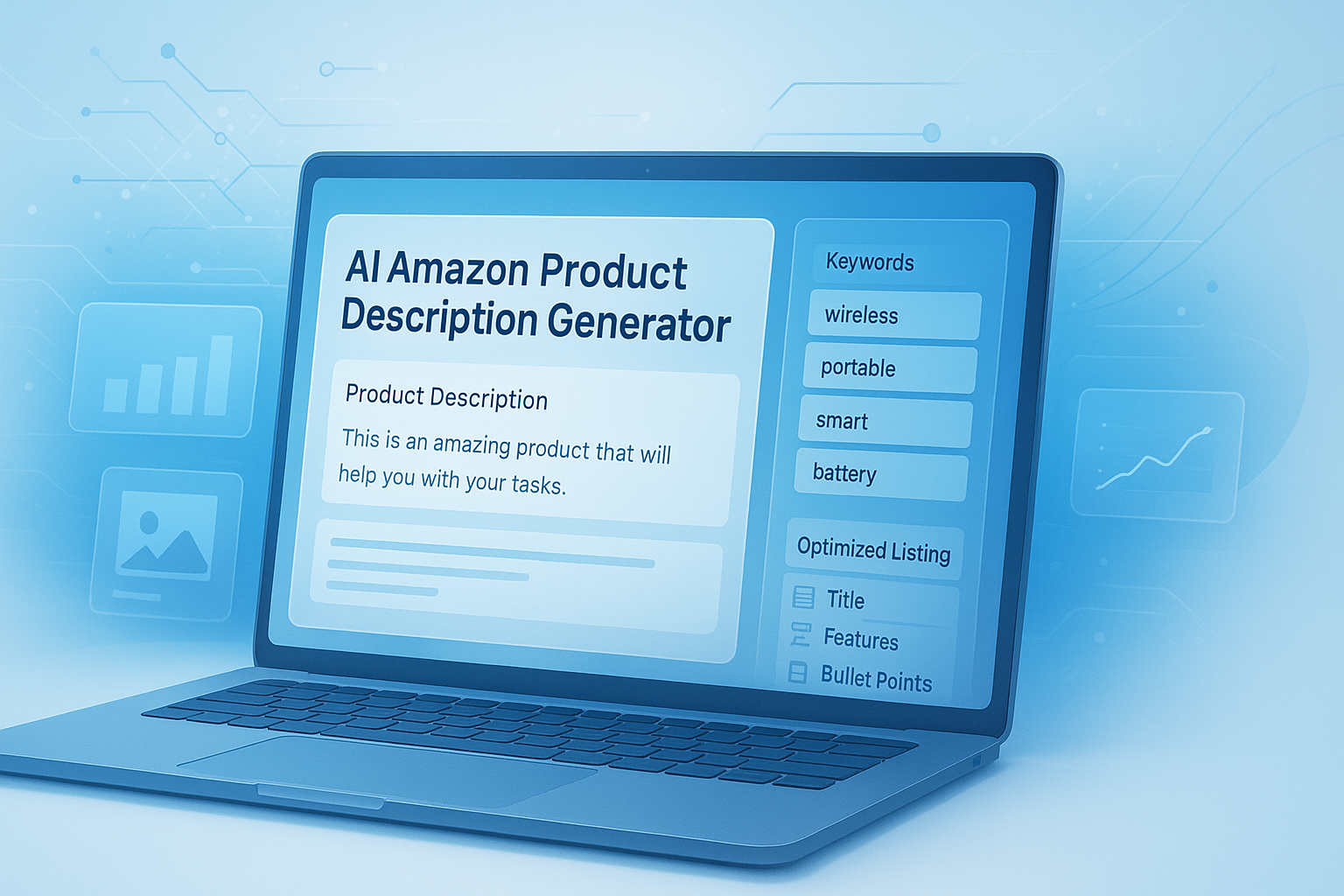
Suggested Image: Technology concept showing AI-generated Amazon listing copy on a laptop dashboard
What is an AI Amazon product description generator?
An AI Amazon product description generator is a writing tool that creates product listing copy based on details such as product type, features, audience, tone, and benefits. It helps businesses speed up copywriting by turning raw product information into readable, structured text for Amazon listings.
Most generators are built on large language models. You provide inputs like:
- Product name
- Key features
- Materials or ingredients
- Target customer
- Brand voice
- Main use case
- Core differentiators
The tool then produces a draft description, and sometimes related listing elements such as bullet points, titles, or keyword suggestions. If you’re refining product assets across channels, a tool like the Image Compressor can also help prepare lightweight visuals for ecommerce pages and content workflows.
Why businesses are using AI for Amazon listings
The appeal is simple: writing product descriptions at scale is slow. AI shortens the first-draft stage, especially for sellers managing large catalogs, frequent launches, or multiple variants.
Here’s the problem. Many teams still spend hours rewriting nearly identical descriptions for products that differ only by size, color, scent, or specification. AI reduces that repetitive work so teams can focus on accuracy, positioning, and conversion.
- It speeds up listing production
- It reduces blank-page copywriting time
- It helps maintain a more consistent tone across products
- It is useful for testing different messaging angles
- It supports catalog expansion without hiring more writers immediately
Amazon also expects listing content to be clear, truthful, and customer-focused. Businesses using AI should still review copy against current marketplace policies and content standards. The most reliable reference point is Amazon Seller Central product detail page rules.
What AI does well and where it still needs human review
AI is excellent at drafting, organizing, summarizing, and rephrasing. It is not automatically reliable for compliance, product accuracy, legal nuance, or persuasive brand storytelling. This is where many people struggle.
| What AI does well | What humans should still check |
|---|---|
| Turns features into readable copy quickly | Accuracy of specifications, dimensions, ingredients, or materials |
| Creates multiple wording variations fast | Brand voice and differentiation |
| Improves sentence clarity | Compliance with Amazon policies and category claims |
| Helps scale large catalogs | Final conversion editing based on customer intent |
| Suggests structure and flow | Removal of unsupported promises or exaggerated claims |
For plain-language product communication, it also helps to review readability guidance from the Plain Language Guidelines. Clear writing improves comprehension, especially on mobile where most shoppers scan quickly.
How to get better results from an AI Amazon product description generator
The quality of your output depends heavily on the quality of your input. Strong prompts give AI context, direction, and constraints. Weak prompts create bland copy that sounds like every other listing.
Start with product facts, not adjectives
Experienced ecommerce teams begin with verified product details. That means exact dimensions, materials, compatibility, package contents, use cases, and limitations. If you need help cleaning or organizing source copy before feeding it into AI, a tool like the Text Case Converter can help normalize messy supplier text.
Better input example:
Stainless steel insulated water bottle, 32 oz, leakproof straw lid, BPA-free, keeps drinks cold up to 24 hours, designed for travel, gym, and office use, target audience: active adults, tone: clear and practical.
Weaker input example:
Write a great Amazon description for my bottle. Make it sound premium and convincing.
Tell the AI who the buyer is
A listing for busy parents should sound different from one aimed at corporate buyers or fitness enthusiasts. Include audience details such as lifestyle, pain points, and what matters during purchase. If you’re mapping audience needs and campaign structure, the SEO and digital marketing resources section can support broader message planning.
Ask for outcomes, not just features
Features matter, but shoppers buy what those features do. Instead of only listing “double-wall insulation,” ask the tool to explain the benefit: “keeps drinks cold during long commutes and workouts.”
Set style boundaries
Now comes the important part. If you don’t define style, AI often defaults to generic promotional language. Ask for short sentences, plain English, no exaggerated claims, and no keyword stuffing.
- Use a neutral or brand-specific tone
- Avoid hype words such as revolutionary or unbeatable
- Focus on clarity and use cases
- Keep claims factual and supportable
- Write for scanning, especially on mobile
A practical prompt template you can adapt
A useful prompt gives AI enough direction to write clearly without inventing details. The best prompts define product facts, audience, structure, and what to avoid.
Create an Amazon product description for [product name]. Target audience: [buyer type]. Use a [tone] tone. Include these verified features: [feature list]. Explain practical benefits for the customer. Keep the copy clear, specific, and easy to scan. Avoid exaggerated claims, filler, and unsupported promises. Mention [primary use cases]. Limit the description to [length].
You can also request variants:
- One version focused on premium quality
- One version focused on everyday practicality
- One version optimized for clarity on mobile
- One version for a more technical buyer
If you’re preparing bulk drafts in spreadsheets or documents, the Word Counter is handy for keeping descriptions within internal limits before publishing.
What makes an Amazon product description actually convert?
A strong description helps shoppers answer one question quickly: Is this right for me? Good copy reduces uncertainty. It explains what the product does, who it’s for, and why it is worth choosing without forcing the sale.
Here’s what effective Amazon descriptions usually include:
- Clear product identity: What it is in plain words
- Relevant benefits: How it helps in real use
- Specific details: Materials, size, fit, compatibility, care, or performance
- Practical use cases: Home, office, travel, gifting, fitness, and so on
- Trust signals: Easy-to-understand facts instead of inflated claims
This small detail changes everything: shoppers often skim before they read deeply. Structuring descriptions around real decision points usually works better than stuffing in every possible keyword.
Feature vs benefit example
| Feature-only wording | Benefit-focused wording |
|---|---|
| 600D waterproof fabric | Helps protect contents from light rain, spills, and daily wear during travel |
| Ergonomic handle | More comfortable to carry when the bag is fully packed |
| USB-C fast charging | Reduces downtime so users can recharge quickly between work sessions |
How to optimize descriptions for Amazon and search visibility
Amazon SEO and traditional SEO are not identical, but they overlap in one important way: both reward useful, relevant content. Your description should support product discovery while remaining easy for humans to read.
Google’s own advice consistently emphasizes helpful, people-first content. That principle matters here too. See Google’s helpful content guidance for the broader standard.
For product listings, focus on these basics:
- Use the main product term naturally
- Add relevant secondary terms only where they fit
- Reflect how customers describe the item
- Avoid repeating the same phrase mechanically
- Keep the copy readable and specific
Examples of relevant language might include:
- material names
- size or capacity
- compatible devices or environments
- buyer type
- use-case phrases
If you’re assembling keyword themes from multiple drafts, the Remove Duplicate Lines tool can help clean repeated keyword lists before you finalize your content set.
Common mistakes businesses make with AI-generated Amazon copy
AI saves time, but it also makes it easy to publish weak copy faster. Most problems come from overtrusting the first draft or giving the tool too little context.
- Using generic prompts: Results sound bland and interchangeable
- Overloading keywords: Copy becomes unnatural and harder to read
- Leaving claims unchecked: This creates legal and policy risk
- Ignoring audience intent: Features are listed without explaining value
- Publishing without editing: The description keeps filler and vague phrasing
- Forgetting product differences: Variants end up with inaccurate copy
The FTC advertising and marketing guidance is also worth reviewing when your copy includes performance claims, comparisons, or product promises. AI should never be used to invent substantiation.
A simple workflow businesses can use at scale
The most effective teams treat AI as part of a controlled content process, not a one-click publishing tool. A repeatable workflow protects quality while still saving time.
- Collect verified inputs
Pull data from product specs, packaging, supplier files, customer support insights, and brand guidelines. - Create a structured prompt
Specify product type, target audience, tone, required details, and banned phrases. - Generate two to four versions
Ask for different angles such as practical, premium, or gift-focused. - Edit for clarity and compliance
Remove hype, fix inaccuracies, and check policy-sensitive wording. - Add customer language
Use phrasing that reflects how real buyers describe the need. - Review mobile readability
Shorten long sentences and front-load important information. - Test and improve
Track changes in conversion, returns, and customer questions over time.
Suggested Infographic: AI Amazon listing workflow from product specs to final edited description
If product information comes from PDFs or supplier documents, the PDF to Word Converter can make it easier to extract and edit content before using it in prompts.
How AI-generated descriptions compare with manual copywriting
The answer depends on one thing: whether speed or nuance is the bigger challenge for your business. AI wins on speed. Human writers still win on category insight, persuasion, and brand nuance.
| Factor | AI-generated draft | Manual copywriting |
|---|---|---|
| Speed | Very fast | Slower |
| Scalability | High for large catalogs | Resource intensive |
| Brand nuance | Moderate unless well prompted | Usually stronger |
| Accuracy risk | Needs review | Still needs review but easier to control |
| Cost per draft | Lower | Higher |
In practice, many businesses get the best results from a hybrid model: AI for the first draft, human review for the final version.
Example: turning product data into a stronger Amazon description
Let’s break this down with a simple example. Imagine a business sells a standing desk mat. The raw product data is factual but not persuasive.
Raw inputs
- Product: standing desk mat
- Material: high-density foam
- Size: 20 x 32 inches
- Use case: home office and commercial workspace
- Features: non-slip base, beveled edges, waterproof surface
- Audience: people who stand for long periods while working
Weak AI description
This standing desk mat is designed with premium material and advanced comfort technology. It is a great choice for many users and offers high quality performance for everyday needs.
Improved AI-assisted description after better prompting and editing
This standing desk mat is designed for people who spend hours on their feet at a workstation. The high-density foam surface adds cushioning for greater comfort during long work sessions, while the non-slip base helps keep the mat stable on hard floors. Beveled edges reduce the chance of catching your foot when stepping on or off, and the waterproof top layer makes daily cleanup easier. Sized at 20 x 32 inches, it fits neatly in most home office and commercial desk setups.
The second version is not louder. It is simply clearer. That usually matters more.
Best practices for editing AI product descriptions
Good editing is where average copy becomes useful copy. The goal is not to make the text sound fancy. It is to make it believable, easy to scan, and true to the product.
- Cut filler such as premium quality, best-in-class, and must-have
- Replace abstract phrases with product-specific details
- Make sure every feature has a practical reason to matter
- Check that dimensions, quantities, and compatibility are accurate
- Remove duplicated ideas and repeated keywords
- Read the copy out loud to catch awkward wording
For writing teams that repurpose copy into web pages or structured layouts, MDN’s HTML basics guide can help maintain clean content formatting when moving between content systems.
How to measure whether your AI-generated listing copy is working
You do not need to guess whether the new description is better. Track the metrics that reflect shopper understanding and buying confidence.
Useful metrics include:
- Conversion rate
- Click-through rate from search results
- Return rate
- Customer questions before purchase
- Review language mentioning clarity, quality, fit, or expectations
If returns rise after a copy change, the new description may be overselling or creating false expectations. If customer questions drop, your listing may be doing a better job answering the basics up front.
When testing multiple copy versions, the Random List Picker can even help small teams organize simple rotation experiments during early content reviews.
Frequently asked questions
Is an AI Amazon product description generator good for small businesses?
Yes, especially if you manage many products and do not have a dedicated copywriter. It helps small businesses create first drafts quickly and stay more consistent across listings. The main requirement is review. You still need to verify facts, remove generic phrases, and shape the copy around your customer. For smaller catalogs, AI works best as a time-saver, not a replacement for judgment.
Can AI-generated Amazon descriptions improve conversions?
They can, but not automatically. Conversion improves when the description becomes clearer, more relevant, and easier to trust. If AI helps you explain benefits better, reduce confusion, and match buyer intent, results may improve. If it creates vague or exaggerated copy, conversion can suffer. The writing method matters less than the quality of the final listing.
Should I use AI for bullet points, titles, and backend keywords too?
AI can help with all three, but each area needs different rules. Titles require tight structure and category awareness. Bullet points should highlight the strongest buying reasons quickly. Backend keywords need careful research and should not be guessed. AI is useful for brainstorming and drafting, but the final choices should reflect actual search behavior, compliance, and your product’s specific category requirements.
How do I stop AI descriptions from sounding generic?
Give the tool richer inputs. Include exact features, materials, dimensions, audience details, product use cases, and the tone you want. Ask it to avoid hype and unsupported claims. Then edit hard. Generic copy usually comes from generic prompts. The more precise your instructions are, the more distinct and useful the output becomes.
Are AI-generated product descriptions safe to publish as-is?
No, not without review. AI can invent details, overstate benefits, or use wording that creates compliance issues. Publishing without checking is risky, especially in categories involving health, safety, performance, or compatibility claims. The safer approach is to treat AI output as a draft. Confirm every factual statement before it goes live.
What’s the ideal length for an Amazon product description?
The ideal length depends on the product category and how much explanation the buyer needs. In general, shorter and clearer beats longer and repetitive. A simple household item may need only a tight summary, while a technical product may need more context. Focus on answering key buying questions quickly rather than trying to fill space.
Can AI help with large Amazon catalogs that have many product variants?
Yes. This is one of the strongest use cases. AI can generate variant-specific drafts much faster than manual writing, especially for color, size, or feature differences. The key is to feed each variation the correct data and review the final copy carefully. Variant confusion is one of the most common ecommerce content problems, and AI can widen that problem if the inputs are sloppy.
What should I do after generating a description with AI?
Review accuracy first. Then improve clarity, trim filler, and make sure the copy matches how customers actually shop for the product. Check claims, formatting, and mobile readability. If possible, compare the new version against the old one using conversion and customer feedback. AI should shorten your drafting process, but the final polish should always be intentional.
Final thoughts
An AI Amazon product description generator can save businesses a lot of time, but better listings still come from better thinking. The strongest results happen when AI handles the draft and humans handle the details that matter most: accuracy, clarity, audience fit, and trust.
If you want to improve your workflow, start with one product line. Build a prompt template, generate a few versions, edit them carefully, and measure the impact. Then scale what works.
To keep refining your listing process, related FreeToolr resources such as the AI Paragraph Generator, AI Title Generator, Keyword Density Checker, and Plagiarism Checker can help you tighten drafts, test messaging, and maintain cleaner content across your catalog.