Ever paste a finished draft into an editor, hit “check grammar,” and still feel unsure about the result? That’s the problem many professionals run into with AI article grammar correction. The tool may catch obvious issues, but polished writing needs more than red underlines and quick fixes.
Good grammar affects more than correctness. It shapes trust, readability, SEO performance, and how clearly your ideas land with readers. If you publish blog posts, reports, landing pages, product pages, or client content, weak grammar can quietly reduce results.
This guide explains how AI article grammar correction works, where it helps most, where it can go wrong, and how to use it well without flattening your voice. You’ll also see practical workflows, examples, and review tips you can apply right away in 2026.
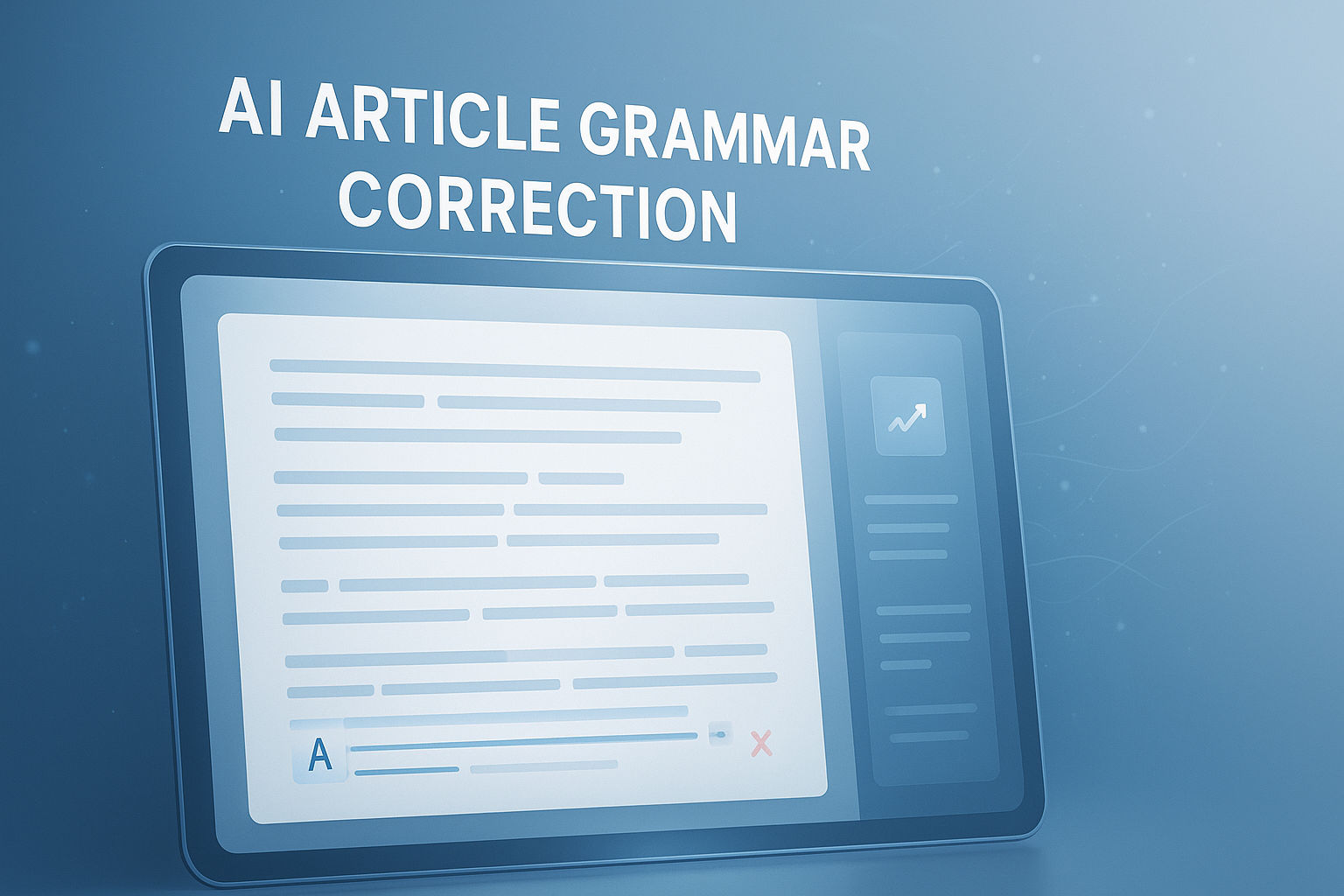
Suggested Image: Technology concept showing AI proofreading interface with grammar suggestions on an article draft
What is AI article grammar correction?
AI article grammar correction is the use of artificial intelligence to detect and improve grammar, punctuation, spelling, sentence structure, and clarity in written content. It goes beyond basic spellcheck by evaluating context, tone, and readability across full sentences and paragraphs.
Traditional grammar tools mostly flag isolated mistakes. Modern AI systems can do more. They can suggest cleaner phrasing, identify awkward repetition, fix subject-verb agreement, reduce wordiness, and sometimes improve flow. That makes them useful for writers, editors, marketers, and teams publishing at scale.
For professionals managing content across formats, AI-based editing often works best when paired with a structured review process. If you also publish SEO-driven content, using supporting resources such as the SEO meta description generator can help keep your grammar improvements aligned with search presentation.
- Grammar: verb tense, agreement, sentence correctness
- Punctuation: commas, apostrophes, quotation marks, colons
- Spelling: typos, misspellings, regional consistency
- Clarity: awkward wording, vague phrasing, redundancy
- Readability: sentence length, flow, scannability
- Consistency: capitalization, formatting, style choices
Why AI grammar correction matters for professional writing
AI article grammar correction matters because readers judge quality fast. Clean writing is easier to trust, easier to scan, and more likely to keep someone engaged long enough to act.
Here’s the problem. Many articles today are published quickly. Teams work across multiple writers, freelancers, editors, and clients. That creates inconsistency. AI can reduce avoidable mistakes before content goes live, especially when deadlines are tight.
For professionals, the benefits usually show up in four places:
- Credibility: error-free content feels more reliable and expert
- Efficiency: editors spend less time on basic cleanup
- SEO support: readable content generally improves engagement signals
- Scalability: larger content teams can maintain better consistency
Google has long emphasized helpful, people-first content in its helpful content guidance. Grammar alone does not improve rankings, but poor grammar can make useful content feel low quality. Strong writing supports comprehension, usability, and trust.
If your article also includes visuals, grammar improvements work even better when the full page experience is clean. For example, compressed graphics from the Image Compressor can improve speed while your revised copy improves clarity.
What AI grammar tools actually fix well
AI tools are strongest at identifying recurring writing issues that humans often miss after reading the same draft too many times. They are especially helpful during self-editing, first-pass cleanup, and content standardization.
1. Surface-level grammar issues
These are the easiest wins. AI usually catches them fast and accurately.
- Misspellings
- Missing articles
- Incorrect verb forms
- Subject-verb disagreement
- Repeated words
- Basic punctuation mistakes
2. Awkward sentence construction
This is where many people see the biggest value. AI can flag sentences that are grammatically valid but difficult to read.
- Run-on sentences
- Fragments
- Overly passive phrasing
- Cluttered clauses
- Unclear pronoun references
3. Wordiness and repetition
Professionals often write quickly, which leads to padding. AI can trim unnecessary phrases and highlight repeated terms. If you’re editing SEO content, this helps avoid bloated copy while keeping the topic intact. You can also pair drafts with the keyword density checker to spot overused terms after grammar changes.
4. Tone and readability adjustments
Some systems can soften harsh phrasing, simplify complex wording, or adapt content for a broader audience. This is useful for blog articles, help center content, email copy, and executive communication.
| What AI Usually Fixes Well | What It May Miss or Misjudge |
|---|---|
| Typos and basic grammar | Brand voice and audience nuance |
| Punctuation consistency | Industry-specific terminology |
| Wordiness and repetition | Intentional style choices |
| Simple clarity improvements | Fact accuracy or logic gaps |
| Sentence flow fixes | Subtle meaning shifts after edits |
Where AI article grammar correction can go wrong
AI article grammar correction is useful, but it isn’t an editor with real judgment. It predicts better wording patterns. That means it can make confident suggestions that sound cleaner while changing your meaning.
This small detail changes everything. A sentence can be grammatically improved and still become weaker, flatter, or less accurate. That happens often in technical writing, thought leadership, legal content, and brand-driven copy.
Common risks include:
- Voice loss: your writing starts sounding generic
- Meaning drift: the revised sentence says something slightly different
- Over-correction: natural phrasing gets replaced with stiff alternatives
- False confidence: clean grammar hides weak ideas or factual errors
- Style inconsistency: edits conflict with your house style
The Microsoft guide on active vs. passive voice is a good reminder that clearer writing is not just about rules. Context matters. Passive voice is not always wrong. Sometimes it is the better choice.
If your writing process involves multiple file versions, it also helps to keep formatting stable while reviewing changes. Tools like the PDF to Word tool can make article revisions easier when source drafts arrive in less editable formats.
AI grammar correction vs traditional proofreading
AI is fast and scalable. Human proofreading is slower but better at judgment. Most professional workflows need both.
Let’s break this down. AI is ideal for first-pass cleanup, style consistency, and repetitive error detection. Human editors are better at nuance, argument structure, persuasion, source integrity, and brand voice. The strongest setup is not AI or human. It is AI first, human last.
| Editing Method | Best Use Case | Main Limitation |
|---|---|---|
| Basic spellcheck | Quick typo detection | Little contextual understanding |
| AI grammar correction | Fast sentence-level improvement | Can flatten meaning or tone |
| Human proofreading | Final quality review and nuance | More time and cost |
| Human developmental editing | Strategy, structure, persuasion | Not practical for every draft |
How to use AI article grammar correction without losing your voice
The best results come from treating AI as an assistant, not an authority. Accepting every suggestion is one of the fastest ways to make strong writing sound generic.
Here’s what experienced professionals do differently. They review edits in layers. First for correctness. Then for meaning. Then for tone. That order keeps the article clean without sacrificing personality or precision.
- Finish your draft before editing. Don’t interrupt your thinking every sentence.
- Run one grammar pass. Fix obvious mistakes first.
- Review suggestion by suggestion. Reject anything that changes intent.
- Read the article aloud. This catches stiffness AI often introduces.
- Restore brand voice. Reinsert phrasing that sounds like you or your company.
- Do a final human check. Especially for headlines, claims, examples, and CTAs.
If you’re also refining title tags and metadata, the Title Case Converter can help standardize capitalization after editorial cleanup.
A simple example
Original: The platform helps teams to better manage content workflows in a way that is more efficient and easier to scale.
AI suggestion: The platform helps teams manage content workflows more efficiently and at scale.
Human-reviewed final: The platform helps content teams manage workflows more efficiently as publishing demands grow.
The AI version is cleaner. The human-reviewed version is cleaner and more specific.
A practical workflow for blogs, articles, and SEO content
A reliable workflow makes AI article grammar correction much more effective. Instead of editing everything at once, break the article into distinct review stages.
This matters most for blog posts and SEO articles because content quality depends on more than grammar. Structure, search intent, headings, examples, and metadata all affect performance.
- Draft for ideas first. Focus on substance, not polish.
- Check structure. Make sure headings answer real reader questions.
- Run AI grammar correction. Clean up the language.
- Edit for search intent. Confirm the article actually solves the searched problem.
- Trim repetition. Remove duplicate ideas or keyword overuse.
- Check readability on mobile. Short paragraphs win.
- Verify facts and links. Grammar tools do not fact-check reliably.
- Write final metadata. Keep title and description clear and human.
For content teams publishing web pages, checking page experience also matters. Google’s SEO Starter Guide is useful for aligning polished writing with broader search best practices.
If you want to refine article structure after editing, try the FreeToolr blog resources for related writing and SEO guidance.
Suggested Screenshot: Side-by-side view of draft paragraph, AI grammar suggestions, and final human-edited version
Best practices for different types of professional content
Not all writing needs the same editing rules. A thought leadership article, product page, and technical how-to each need different levels of grammar strictness, tone control, and simplification.
For blog articles
- Prioritize readability and flow
- Break long paragraphs
- Keep examples natural
- Remove keyword stuffing after edits
For technical documentation
- Protect terminology consistency
- Review every suggested rewrite carefully
- Avoid replacing precise terms with simpler but less accurate ones
- Cross-check wording with official standards where relevant, such as MDN Web Docs
For business communication
- Use AI to improve concision
- Watch for tone becoming too blunt or too formal
- Review important emails and proposals line by line
For SEO landing pages
- Keep important keywords natural
- Protect conversion-focused phrasing
- Do not let AI strip out benefit language
- Check headings, title tag, and meta description after revisions
If the article includes screenshots or downloadable assets, file size can affect user experience. The PDF Compressor is helpful when sharing polished content in portable format.
Common mistakes people make with AI grammar tools
Most problems come from overtrusting the tool or using it too early. AI works best on a complete draft, not on half-formed ideas still being shaped.
- Accepting every suggestion: this often removes personality
- Editing too soon: early corrections can disrupt drafting momentum
- Ignoring factual review: grammar fixes do not validate claims
- Forgetting audience level: a “clearer” sentence may become too basic or too vague
- Changing keywords carelessly: important search phrasing may disappear
- Using one-pass editing: grammar, flow, accuracy, and SEO should not be checked all at once
The PlainLanguage.gov guidelines are a strong reference point here. Clear writing is not about sounding simplified. It is about making information easier to understand and use.
How AI grammar correction supports SEO and AI search visibility
AI article grammar correction supports SEO indirectly by making content easier to read, easier to trust, and easier for search systems to interpret. It does not rank a page on its own, but it helps remove friction.
Now comes the important part. Search engines and AI answer engines favor content that is understandable, well-structured, and aligned with intent. Grammar cleanup helps by improving sentence clarity, heading quality, and extraction-friendly answers.
Well-edited content is more likely to support:
- Clear featured snippet answers
- Better dwell time from easier reading
- Reduced confusion around key topics
- Stronger trust signals for professional audiences
- More consistent entity and topic clarity for AI systems
Schema, technical SEO, and content quality still matter. If your workflow includes code snippets or structured markup checks, the JSON Formatter can help validate structured data or content-related code blocks during publishing.
Google also explains how crawlers process page content in its broader Google Search Central documentation. Clean language helps machines extract meaning, but clear topic organization helps even more.
How to review AI-corrected content before publishing
A final review is where good content becomes publish-ready. Even strong AI suggestions should be checked in context, especially in articles written for clients, leadership teams, or public-facing brands.
- Check the headline. Does it still sound specific and useful?
- Review the introduction. Make sure it creates interest without sounding mechanical.
- Scan every subheading. They should match reader questions.
- Spot-check examples. AI often smooths language but weakens specificity.
- Confirm terminology. Brand names, product terms, and technical language must stay correct.
- Read for rhythm. Too many similarly shaped sentences can sound synthetic.
- Test skimmability. On mobile, can someone get the key points fast?
Suggested Infographic: 7-step review checklist for AI-corrected professional articles
Frequently asked questions
Can AI article grammar correction replace a human editor?
No. It can reduce the time a human editor spends fixing mechanical issues, but it does not fully replace editorial judgment. Human editors are still better at preserving voice, checking logic, improving structure, and spotting subtle meaning changes. For routine blog updates, AI may handle much of the cleanup. For expert content, client-facing content, or high-stakes publishing, a human final review is still the safer choice.
Is AI grammar correction good for SEO content?
Yes, if it is used carefully. AI article grammar correction can improve readability, remove awkward phrasing, and help create cleaner answers for users and AI search engines. But it should not be allowed to erase important keywords, flatten intent, or weaken conversion messaging. The best approach is to use AI for cleanup, then manually review headings, examples, and search-focused language before publishing.
Will grammar correction tools make my writing sound robotic?
They can if you accept too many suggestions without review. This happens most often when tools replace natural phrasing with generic sentence patterns. To avoid that, review edits individually, read the piece aloud, and restore any wording that sounds too polished in an artificial way. Short, direct writing usually works best, but it still needs rhythm, specificity, and a human point of view.
What’s the difference between spellcheck and AI grammar correction?
Spellcheck mainly catches typos and obvious misspellings. AI grammar correction looks at broader context. It can detect punctuation errors, sentence structure problems, repetition, unclear wording, and readability issues. Some tools also suggest tone improvements. In short, spellcheck fixes isolated errors, while AI grammar systems try to improve how complete sentences and paragraphs work together.
Should I use AI grammar correction before or after writing the full article?
Usually after the first full draft. Running corrections too early can interrupt your thinking and make drafting slower. It can also push you toward cleaner wording before your ideas are fully developed. A better workflow is to write first, organize second, run grammar correction third, and then do a final human review for voice, accuracy, and publishing quality.
Are AI grammar tools safe for confidential business writing?
The answer depends on the tool, its privacy policy, and your organization’s rules. Some services may store or process submitted text. Before using any grammar platform for confidential material, review the vendor’s security and data handling documentation. If the content includes proprietary, legal, medical, or client-sensitive information, follow internal policy first. When in doubt, use approved tools only or edit sensitive content offline.
How much should I trust AI grammar suggestions for technical content?
Use caution. AI can improve grammar in technical writing, but it may replace precise language with vague alternatives that sound simpler while becoming less accurate. That risk is higher with documentation, code explanations, product specifications, and regulatory content. Always review terms, instructions, and definitions manually. In technical content, correctness matters more than style smoothness.
What is the best professional workflow for AI-corrected articles?
A strong workflow looks like this: draft the content, review structure, run AI grammar correction, fact-check the revised version, restore brand voice, then complete a final manual read-through. For SEO pieces, also check title tags, metadata, headers, and keyword use after the grammar pass. This layered process is faster than manual correction alone and safer than relying on AI suggestions without review.
Conclusion
AI article grammar correction is most useful when you treat it as a sharp editing assistant, not as the final decision-maker. It can fix obvious errors, improve readability, and speed up publishing. But the final quality still depends on human judgment, especially when tone, accuracy, persuasion, and trust matter.
If you want better writing, start with a complete draft, use AI to clean the language, and then review the piece for meaning and voice. That is how professionals get the speed benefits without ending up with flat, generic copy.
As a practical next step, review one existing article with this process and compare the result. If you’re refining the full publishing workflow, the SEO meta description generator, keyword density checker, Title Case Converter, and Image Compressor can help you improve clarity, consistency, and page usability alongside grammar.