
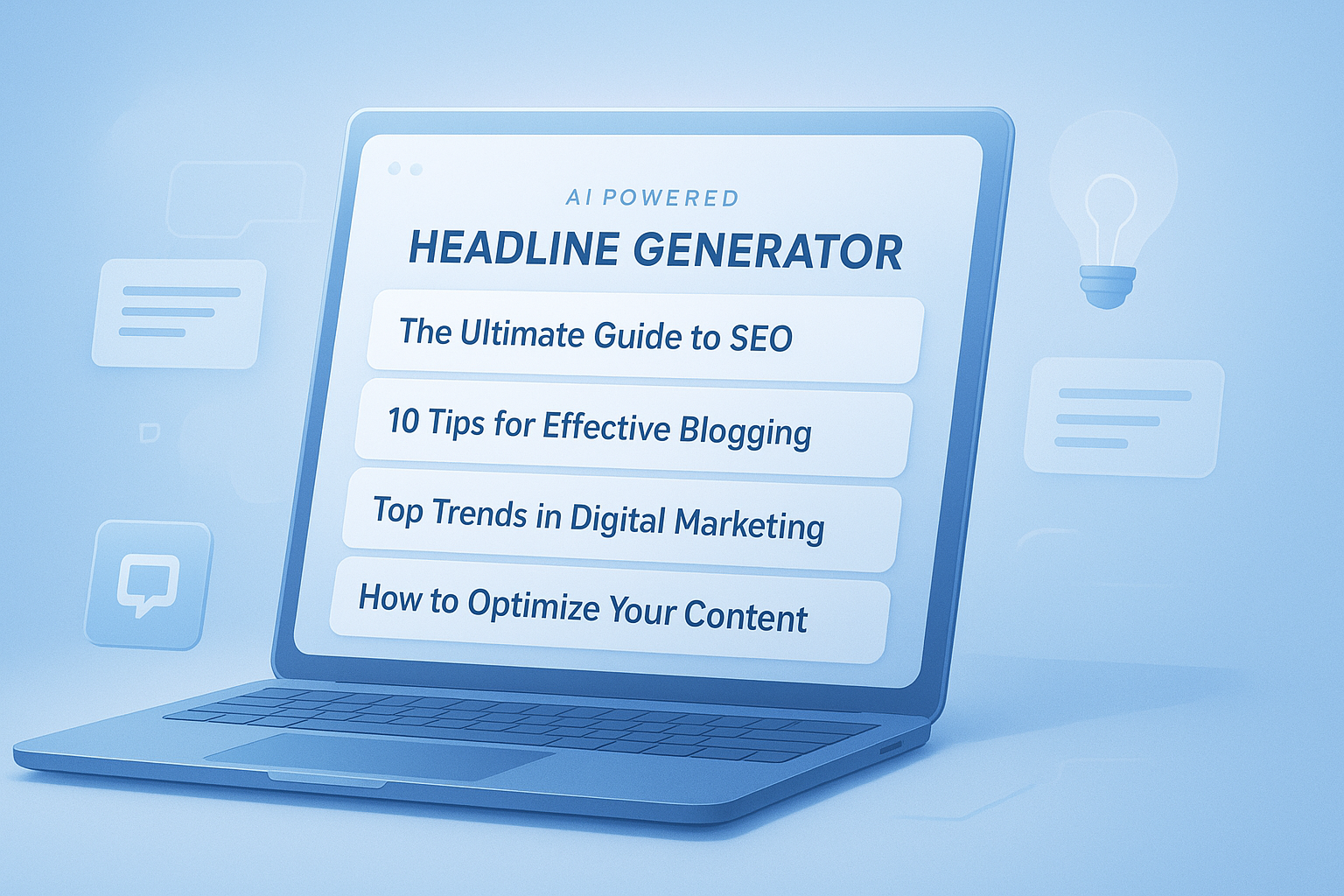
Staring at a blank title field can waste more time than writing the actual content. That’s why a good headline generator matters. It helps marketers move faster, test more ideas, and avoid weak titles that get ignored.
The challenge isn’t creating any headline. It’s creating one that earns attention without sounding forced, vague, or clickbait. A strong title has to work for search, social, ads, email, and real human readers at the same time.
This guide explains how a headline generator works, when to use one, where it falls short, and how to turn rough suggestions into better titles fast. You’ll also see practical examples, common mistakes, and a simple workflow you can use in 2026 and beyond.
Suggested Image: Modern illustration of a marketer testing multiple headline ideas on a laptop dashboard
What is a headline generator?
A headline generator is a tool that creates title ideas based on a topic, keyword, product, or audience angle. Marketers use it to speed up brainstorming, spot new framing options, and improve click-through potential before publishing.
At its best, a headline generator does three things well:
- Turns one topic into many usable title directions
- Surfaces angles you might miss on your own
- Helps balance clarity, curiosity, and relevance
That matters because titles influence more than clicks. They shape search visibility, reader expectations, and conversion intent. Google has also made it clear through its helpful content guidance that content should be written for people first. A better headline supports that goal by accurately describing the value on the page.
If you’re already refining content structure, tools like the Word Counter can help you tighten headline length and supporting copy before publishing.
Why marketers rely on headline generators
Most marketers don’t need more ideas. They need better options faster. A headline generator shortens the path from topic to publishable title, especially when you’re creating multiple assets for different channels.
Here’s where it helps most:
- Blog post titles for SEO content
- PPC ad variations
- Email subject line ideation
- Landing page hero headlines
- Social post hooks
- YouTube or webinar title drafts
Now comes the important part. A headline generator is not a replacement for judgment. It is a starting point. The strongest marketers use generated titles the same way copywriters use rough drafts: as raw material.
For campaign planning, this usually works best alongside search behavior research. Google’s SEO Starter Guide is still one of the best references for aligning page titles with search intent and page purpose.
If you’re building keyword-driven pages, a related workflow often includes cleaning copy, extracting structure, and formatting drafts. That’s where tools such as the Text to Slug can help create clean URLs after the title is finalized.
How a headline generator actually improves titles
A useful headline generator improves titles by expanding possibilities. Instead of producing one obvious title, it gives you multiple frames based on intent, emotion, format, and keyword placement.
It helps you explore different angles
This is where many people struggle. They latch onto the first decent title and stop. A generator pushes you past that point.
- How-to angle: practical and instructional
- Benefit angle: outcome-focused
- Problem-solution angle: pain-driven
- Question angle: curiosity and relevance
- List angle: scannable and specific
- Comparison angle: decision-focused
For example, a topic like “email automation” can become:
- Email Automation for Small Teams: A Simple Setup Guide
- 7 Email Automation Mistakes That Cost You Leads
- How to Build Email Automation That Actually Converts
- Email Automation vs Broadcast Campaigns: What Works Better?
It helps match titles to intent
The answer depends on one thing: what the reader wants right now. Informational users look for explanations. Commercial users compare options. Transactional users want action.
A strong title aligns with that intent. According to Google’s title link documentation, title relevance and page-level signals both affect how titles appear in search. In other words, your title should describe the page honestly, not just try to get a click.
It helps reduce weak wording
Generated drafts often make weak patterns easier to spot. Once you see ten versions of a title, filler words and vague phrasing become obvious.
Common weak words include:
- Best ever
- Amazing
- Ultimate
- Revolutionary
- Game-changing
Those words are not always wrong. They’re just overused and often unsupported.
What makes a headline effective?
An effective headline is clear first, compelling second. If readers don’t understand the topic immediately, curiosity won’t save it. Strong titles promise specific value and match the content that follows.
| Element | Why It Matters |
|---|---|
| Clarity | Readers should instantly know what the page is about |
| Keyword relevance | Helps search engines connect the page to queries |
| Specific value | Shows what benefit, answer, or result the reader gets |
| Natural language | Improves readability and trust |
| Emotional pull | Encourages attention without misleading the reader |
| Channel fit | A blog title, ad headline, and email subject line need different treatment |
Here’s what experienced professionals do differently. They don’t ask, “Is this title catchy?” They ask:
- Would the right reader click this?
- Does it reflect the page accurately?
- Is the benefit obvious?
- Does it sound human?
- Could a competitor say the same thing?
If the answer to the last question is yes, the title probably needs work.
Suggested Infographic: Breakdown of the six elements of a high-performing headline
How to use a headline generator the right way
The best way to use a headline generator is to treat it as idea expansion, not final copy. Generate options, sort by intent, edit for clarity, then test the strongest contenders.
- Start with one clear topic. Don’t enter a vague phrase if your goal is precision. “Local SEO for dentists” is better than “SEO tips.”
- Add your primary keyword. This helps keep the suggestions anchored to search relevance.
- Choose the audience if possible. A title for founders should not sound like one for enterprise SEO managers.
- Generate multiple styles. Pull benefit-based, list-based, question-based, and how-to options.
- Filter out generic ideas. Delete anything vague, repetitive, or overhyped.
- Edit for tone and accuracy. Make the title sound like your brand and match the page content.
- Check length. Keep search display and readability in mind.
- Test where possible. Use A/B tests for ads, emails, and landing pages.
If you’re drafting alternate copies for campaigns, the Case Converter can be handy for quickly reformatting title styles while preparing creative variants.
A simple headline editing formula
Use this formula after generation:
Keyword + audience or use case + benefit or outcome + specificity
Example:
- Weak: Better Email Marketing Tips
- Stronger: Email Marketing Tips for SaaS Teams That Improve Open Rates
Best headline types for blogs, ads, and landing pages
Not every title format works equally well everywhere. A headline generator becomes much more useful when you know which structure fits the channel.
| Headline Type | Best Use | Example |
|---|---|---|
| How-to | Blog posts, guides, tutorials | How to Write Headlines That Improve CTR |
| List-based | Blogs, social, email | 11 Headline Formulas Marketers Still Use |
| Question | Search-focused content, FAQs | Why Do Some Headlines Get More Clicks? |
| Benefit-driven | Landing pages, ads | Create Better Titles in Minutes |
| Problem-solution | Blog intros, lead gen pages | Struggling With Low CTR? Fix Your Headlines First |
| Comparison | Commercial intent content | AI Headline Generator vs Manual Copywriting |
Marketers working across formats also need clean final assets. If headline drafts are going into social graphics or web mockups, a tool like the Image Resizer can help prepare supporting visuals for each channel.
Headline generator vs writing titles manually
A headline generator saves time, but manual editing is still essential. The real question isn’t which is better. It’s where each method performs best in your workflow.
| Approach | Strengths | Limitations |
|---|---|---|
| Headline generator | Fast ideation, many variations, useful for overcoming blank-page friction | Can produce repetitive, generic, or mismatched suggestions |
| Manual writing | Better nuance, brand voice, strategic precision | Slower, harder to generate broad variation quickly |
| Hybrid workflow | Combines speed with editorial quality | Still requires careful review and testing |
For most teams, the hybrid approach wins. Start with generated options, then rewrite with context, data, and audience awareness. Microsoft also stresses clarity and usefulness in digital content design through Microsoft Learn’s writing style guidance, which is highly relevant when refining titles for real users.
Common headline mistakes that hurt clicks
Bad headlines usually fail for simple reasons: they’re too vague, too clever, too long, or disconnected from user intent. A headline generator can help expose these issues, but it won’t fix them automatically.
- Leading with cleverness instead of clarity. Wordplay often confuses more than it persuades.
- Using empty superlatives. Words like “ultimate” and “best” need proof.
- Ignoring the keyword. If search matters, relevance has to be visible.
- Overpromising. Clickbait damages trust and increases bounce risk.
- Writing titles that are too broad. Specificity usually improves performance.
- Making every headline look the same. If all your titles follow one rigid template, they blend in.
Readability matters too. If you’re cleaning up awkward phrasing or trimming clutter, the Remove Duplicate Lines tool can speed up headline list editing when you’re comparing many generated variations.
Practical examples: turning weak headlines into stronger ones
Let’s break this down. The easiest way to improve generated titles is to see what changes actually make them better. Usually, the fix is more specificity, cleaner wording, or tighter alignment with intent.
Example 1: blog article
- Weak: Social Media Tips for Business
- Better: Social Media Tips for Small Businesses That Need More Engagement
- Why it works: It names the audience and clarifies the outcome.
Example 2: SEO landing page
- Weak: Improve Your SEO Today
- Better: SEO Content Optimization for Teams That Need Faster Organic Growth
- Why it works: It sounds more concrete and less generic.
Example 3: email subject line angle
- Weak: Don’t Miss This Marketing Update
- Better: 5 Marketing Changes to Review Before Your Next Campaign
- Why it works: It creates urgency with useful specificity.
Example 4: tool page title
- Weak: Free Headline Tool Online
- Better: Headline Generator for Better Titles Fast
- Why it works: It uses clear language, includes the keyword, and communicates direct value.
Suggested Screenshot: Before-and-after headline examples in a content editor
How to make generated headlines more SEO-friendly
SEO-friendly headlines are not about stuffing keywords into awkward phrases. They’re about relevance, accuracy, and wording that matches how people search and decide.
Here are practical ways to improve generated titles for SEO:
- Place the primary keyword naturally near the beginning when it fits
- Keep the title closely aligned with the page’s main topic
- Add meaningful modifiers like “for beginners,” “checklist,” “guide,” or “examples” when useful
- Use the same core language readers use in search queries
- Make sure the page content fully delivers on the title
Google does not use a single ideal title length rule, but concise and descriptive titles tend to display more cleanly. You can review broader search presentation guidance in Google’s snippet and appearance documentation.
Once the headline is finalized, technical polish still matters. Clean page assets, readable design, and structured formatting all support performance. If you’re publishing visual-heavy pages, the Image Compressor can help reduce file sizes and improve load times.
How to evaluate headline quality before publishing
A quick review process catches most weak titles before they go live. You don’t need a complex scoring model. You just need a few consistent checks.
- Check clarity. Can someone understand the topic in three seconds?
- Check relevance. Does it reflect the actual content on the page?
- Check specificity. Is there a clear audience, outcome, or angle?
- Check uniqueness. Does it sound distinct from generic industry titles?
- Check usability. Will it work in search results, tabs, and social previews?
- Check tone. Does it sound credible and human?
If you’re managing title testing in spreadsheets or long brainstorm lists, the Random Picker can even help teams shortlist finalists for review sessions when debate turns subjective.
Best practices for using a headline generator in 2026
As AI-assisted content creation becomes more common, average titles are becoming easier to spot. That means marketers need to use a headline generator more carefully, not more blindly.
Best practices right now include:
- Use AI-generated suggestions as drafts, not defaults
- Edit every headline for brand voice and audience fit
- Avoid exaggerated clickbait because trust matters more than short-term clicks
- Match the promise of the title to the real depth of the page
- Test variants in channels where performance data is available
- Build headline libraries by intent, not just by format
This small detail changes everything: your title should be optimized for selection, not just visibility. People see hundreds of headlines every day. Winning titles feel relevant at the exact moment they appear.
For teams repurposing content into downloadable assets, the PDF Merger can help package headline tests, drafts, and content briefs into a single review file.
Frequently asked questions
Is a headline generator good for SEO?
Yes, a headline generator can support SEO when it helps you create clearer, more relevant, keyword-aligned titles. The tool itself does not improve rankings. The benefit comes from producing better title options faster, then editing them to match search intent and page content. If the title accurately describes the page and uses natural language, it can improve search visibility and clicks without sounding manipulated.
Can I use a headline generator for ads and landing pages too?
Absolutely. Many marketers use a headline generator for blog titles first, but it’s also useful for PPC ads, landing page hero text, email subject lines, and social hooks. The key is to adapt the tone and structure to the channel. Blog headlines can be slightly longer and more descriptive, while ad headlines usually need tighter wording and a more direct value proposition.
What’s the difference between a headline generator and an AI writer?
A headline generator focuses on short-form title ideas. An AI writer usually produces longer content such as outlines, paragraphs, or full drafts. In practice, a headline generator is more useful when you need quick variation and fast ideation. An AI writer may help with broader content creation, but you still need to judge whether the titles and messaging fit the audience and the actual page purpose.
How many headline options should I generate before choosing one?
A useful range is 10 to 25 options for a single page or campaign asset. Fewer than that may limit creativity. Too many can create decision fatigue. The goal is not volume for its own sake. It’s enough variation to compare different angles, such as benefit-driven, problem-solution, question-based, and list-style titles. After that, shortlist three to five strong contenders and refine them manually.
Should the primary keyword always be at the beginning of the headline?
Not always. Putting the primary keyword near the beginning can help with search clarity, but forcing it can make the title awkward. If the headline reads naturally and still makes the topic obvious, a slightly later placement may work just as well. Clarity matters more than rigid placement. Use the keyword where it supports both readability and relevance.
Are free headline generators accurate enough for professional marketing?
They can be useful, but accuracy depends on how you use them. Free tools are often strong at idea generation and pattern expansion. They are not always strong at nuance, audience context, or brand voice. For professional use, the safest approach is to generate ideas quickly, remove weak suggestions, and then rewrite the best ones with strategic intent. That gives you speed without sacrificing quality.
How do I know if a generated headline is too clickbait?
Ask whether the content truly delivers what the title promises. If the headline exaggerates the result, hides the topic behind vague curiosity, or uses dramatic language without substance, it likely crosses into clickbait. A strong headline creates interest while staying honest. If a reader clicks and immediately feels misled, the title may increase short-term traffic but reduce trust and engagement.
What should I do after choosing a headline?
Once you’ve chosen a headline, check the page slug, meta title, opening paragraph, and on-page formatting so everything stays aligned. Then review how the headline appears in search previews, social shares, and browser tabs. If the content includes visuals or downloadable assets, optimize those too. The headline is important, but it performs best when the full page experience supports the same promise.
Conclusion
A headline generator is most valuable when it helps you think better, not just faster. Used well, it can uncover stronger angles, improve SEO relevance, and speed up campaign production across blogs, ads, and landing pages.
The best results come from a simple process: generate options, edit ruthlessly, match the title to intent, and test where you can. That’s how you turn a rough list of ideas into titles people actually notice and click.
If you want to keep improving your workflow, start with a better draft process and tighter page assets. Helpful next-step tools include the Word Counter for tightening copy, the



