Messy links can quietly damage both rankings and trust. If your pages use long strings of symbols, random parameters, or file names that mean nothing to humans, visitors hesitate to click and search engines get less context. That’s exactly where a URL rewriting tool becomes useful.
For marketers, clean URLs are not just a technical detail. They influence click-through rates, help organize site structure, and make content easier to share. A better URL can turn a confusing page address into something readable, memorable, and far more useful.
This guide explains how a URL rewriting tool works, why rewritten URLs matter for SEO, when to use them, and how to avoid the mistakes that often create crawling and indexing problems. If you want cleaner, search-friendly links in 2026 and beyond, this is the practical starting point.
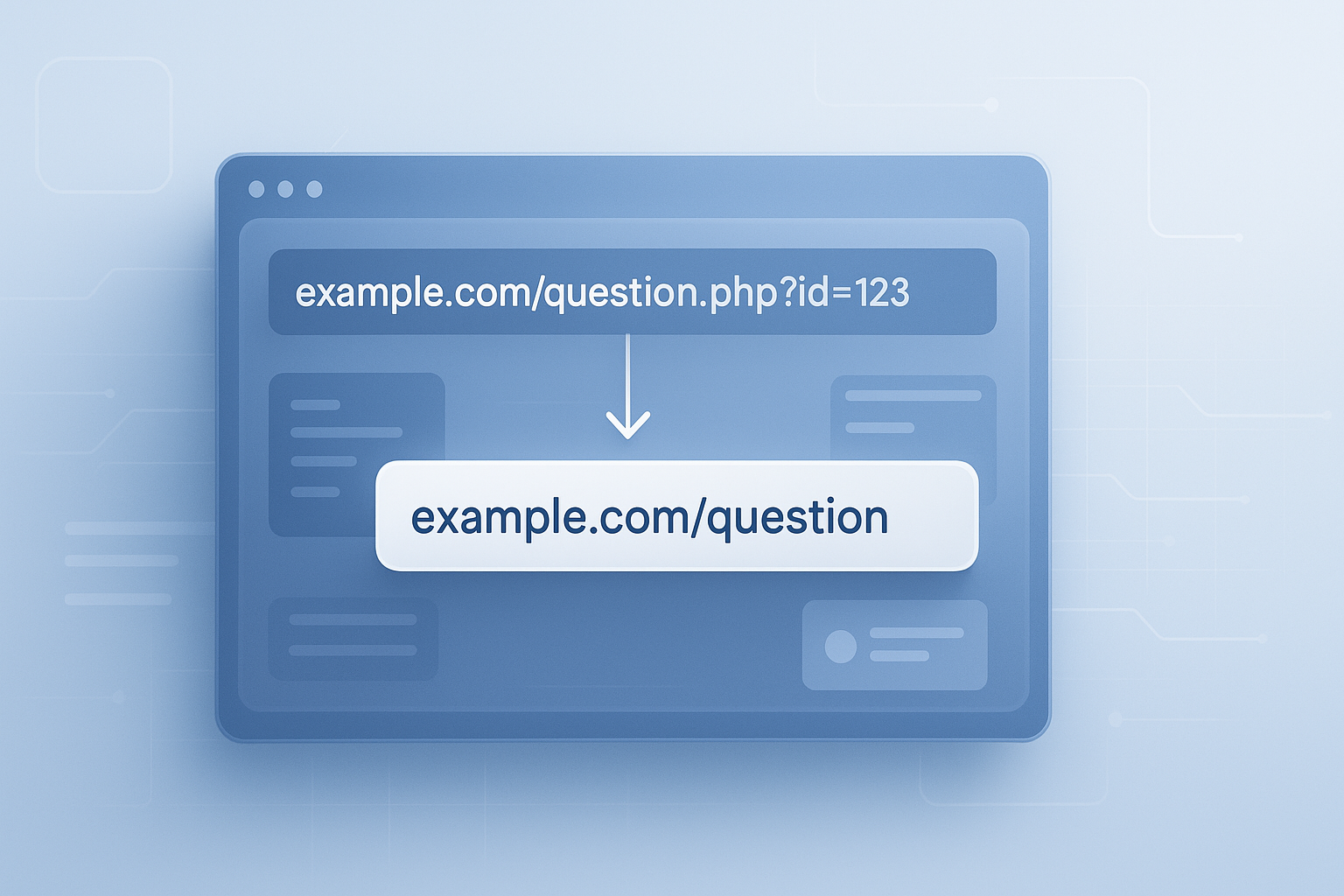
Suggested Image: Technology concept showing messy URLs transforming into clean SEO-friendly URLs
What is a URL rewriting tool?
A URL rewriting tool helps turn complex or unattractive web addresses into cleaner, easier-to-read URLs without changing the actual content users see on the page. It usually works by rewriting the URL structure behind the scenes so the browser shows a friendlier version.
For example, a page like example.com/product.php?id=1847&cat=12 can become example.com/mens-running-shoes. The page still loads, but the new address is easier for people and search engines to understand.
In practical terms, URL rewriting is often used for:
- Removing query strings from public-facing URLs
- Creating keyword-relevant page addresses
- Improving readability and trust
- Making URLs shorter and easier to share
- Supporting better site architecture
If you’re reviewing the technical quality of your website, it also helps to audit page performance and assets. For example, heavy images often appear on poorly maintained pages, so using an Image Compressor can support a cleaner overall page experience.
Why clean URLs matter for SEO and user experience
Clean URLs help users predict what a page is about before they click. They also give search engines another contextual signal about the page topic, although URL quality alone will not guarantee rankings.
Here’s the problem. Many marketers focus on title tags and content while ignoring URL structure. That usually leads to links that are technically functional but strategically weak.
Benefits of SEO-friendly URLs
- Improved readability: Visitors can understand the page topic instantly
- Better shareability: Short links look more trustworthy in emails, chats, and social posts
- Stronger relevance signals: A descriptive URL supports page context
- Easier site management: Logical structures help teams maintain content at scale
- Cleaner analytics: Organized naming conventions make reporting easier
Google recommends creating simple, descriptive URLs and avoiding overly complex constructions. Their official guidance on URL structure best practices is worth reviewing if you manage content at scale.
From a UX angle, clean page addresses support clarity in the same way well-structured content does. If you’re also refining article readability, tools like a Word Counter can help you tighten the copy that appears on those pages.
URL rewriting vs redirects: what’s the difference?
URL rewriting changes how a URL appears or is handled internally, while a redirect sends users and crawlers from one URL to another. The difference matters because these two methods solve different problems.
| Aspect | URL Rewriting | Redirect |
|---|---|---|
| Purpose | Creates cleaner displayed URLs or maps friendly paths internally | Moves users and bots from one URL to another |
| User experience | User often sees the clean version immediately | User lands on a different destination URL |
| SEO use case | Improves structure and readability | Preserves rankings when pages move or consolidate |
| Common implementation | Server rules, framework routing, CMS settings | 301, 302, server config, CDN rules |
This is where many people struggle. They rewrite a URL but forget to redirect old versions. That can leave duplicate or inaccessible paths floating around the site. If your workflow includes formatting slug logic or checking path consistency, a Text Case Converter can also help standardize naming before implementation.
For redirect and canonical decisions, Google’s guidance on consolidating duplicate URLs is especially useful.
How a URL rewriting tool works behind the scenes
A URL rewriting tool usually takes an incoming or planned URL pattern and converts it into a cleaner structure based on rules. Those rules can be handled by the server, a CMS, or an application framework.
At a simple level, the process looks like this:
- A user requests a clean URL such as
/blog/url-rewriting-guide - The server or application matches that request to a rewrite rule
- The system internally maps it to the real resource, such as
/index.php?page=seo-guide&id=24 - The user sees the clean URL, but the correct content still loads
Common technologies used for rewriting
- Apache: Often uses
.htaccessand mod_rewrite - Nginx: Uses rewrite directives in configuration files
- CMS platforms: WordPress and similar systems use permalink settings and routing
- Frameworks: Laravel, Django, Next.js, and others manage route patterns directly
If you work with development teams, Mozilla’s MDN documentation on .htaccess configuration offers helpful technical background, while the Apache mod_rewrite documentation explains rule behavior in more detail.
Suggested Screenshot: Example of a dynamic URL being rewritten into a keyword-based slug
What makes a URL SEO-friendly?
An SEO-friendly URL is short, descriptive, readable, and closely aligned with the page topic. It avoids unnecessary characters, session IDs, and vague naming while making the page purpose obvious to both users and crawlers.
Let’s break this down. A good URL is not stuffed with keywords. It is simply clear.
Best practices for URL structure
- Use words people recognize
- Keep the URL as short as possible without losing meaning
- Include the primary topic naturally
- Use hyphens instead of underscores
- Avoid dates unless they are essential to the content
- Remove unnecessary parameters from indexable pages
- Keep category paths logical and stable
- Use lowercase to avoid duplicate path issues
Examples of better URL structure
| Weak URL | Improved URL |
|---|---|
/post?id=9281 |
/url-rewriting-tool-guide |
/category/seo/article-2026-final-v2 |
/seo/url-rewriting-guide |
/Products/ViewItem.asp?Item=8472 |
/products/wireless-keyboard |
If you need to clean messy encoded URLs or check special characters before publishing, a URL Encoder Decoder can help verify how paths and parameters behave.
When marketers should use a URL rewriting tool
A URL rewriting tool is most useful when your existing URLs are hard to read, generated dynamically, or inconsistent across sections of the site. It is especially valuable during SEO cleanups, CMS migrations, and content scaling projects.
Here are common situations where rewriting makes sense:
- Your product or blog URLs contain IDs instead of descriptive slugs
- You’re moving from an old CMS to a cleaner permalink structure
- Your site uses uppercase, symbols, or duplicate path formats
- You want more consistent category and subcategory naming
- Your campaign landing pages need readable, branded links
Real-world examples
Ecommerce: A store changes /item.php?sku=447733 to /running-shoes/mens-lightweight-trainer. That makes the link easier to trust, remember, and share.
Publishing: A media site removes date-heavy URLs like /2022/11/14/article923 and replaces them with evergreen slugs that remain useful long term.
B2B marketing: A software company turns ad landing pages into short readable URLs that work better in presentations and sales emails.
If you’re planning new page naming at scale, teams often map slugs in spreadsheets first. During that process, utility tools like a Remove Duplicate Lines tool can be surprisingly helpful for cleaning URL lists before implementation.
How to use a URL rewriting tool effectively
The best results come from planning structure first and applying rewrite rules second. Rewriting without a clear URL strategy often creates inconsistency, duplicate content, and lost internal equity.
Here’s what experienced professionals do differently. They define naming rules before touching the server.
- Audit current URLs
Export your existing indexable pages and identify patterns that are confusing, too long, or parameter-heavy. - Create a URL format standard
Decide how categories, product names, blog slugs, and location pages will be structured. - Map old URLs to new ones
Document every important URL change so redirects can be applied properly. - Implement rewrite rules
Use your server, CMS, or framework to display the cleaner version. - Set redirects where needed
Make sure retired URLs resolve correctly, especially if they already have backlinks or rankings. - Update internal links
Navigation, XML sitemaps, canonicals, and contextual links should point to the preferred versions. - Test thoroughly
Check desktop, mobile, analytics, canonical tags, sitemap entries, and crawl behavior.
If you’re working with long lists of path rules, a Line Break Remover can make bulk cleanup easier before importing them into configuration files or spreadsheets.
To validate indexability after launch, use guidance from Google’s sitemap documentation and confirm that all preferred URLs appear correctly.
Common URL rewriting mistakes that hurt SEO
Most URL problems come from rushed implementations, not from rewriting itself. A clean URL structure can help SEO, but a careless rollout can reduce crawl efficiency, split signals, or create broken pages.
- Changing URLs without redirects: This often leads to 404 errors and lost authority
- Creating multiple working versions of the same page: Duplicate content issues become more likely
- Keyword stuffing slugs: Over-optimized URLs look spammy and add little value
- Frequent URL changes: Stable URLs are usually better than “perfect” URLs that keep changing
- Using unclear category structures: Deep, inconsistent paths make site architecture harder to manage
- Forgetting canonical tags: Canonicals still matter when similar URLs can appear across filters or parameters
- Blocking rewritten URLs accidentally: Robots rules, noindex tags, or bad configurations can undo the benefits
This small detail changes everything: rewritten URLs should support your information architecture, not fight against it. If your team is also simplifying technical content for stakeholders, a Paraphrasing Tool can help turn developer notes into clearer implementation docs.
URL rewriting and site migrations
During a migration, a URL rewriting tool can help preserve a cleaner structure while your redirects protect existing equity. This is one of the highest-stakes scenarios because even small errors can affect rankings, traffic, and conversion paths.
The answer depends on one thing: whether important URLs are changing. If they are, every valuable old URL needs a mapped destination.
Migration checklist
- Export all live URLs before changes begin
- Identify top-performing pages, backlinks, and conversion pages
- Decide which URLs will stay, change, merge, or retire
- Build a redirect map before launch
- Test status codes and canonicals on staging
- Update internal links and navigation
- Resubmit XML sitemaps after deployment
- Monitor Search Console for crawl and indexing errors
Microsoft also provides developer guidance for web infrastructure and routing through Microsoft Learn, which can be useful if your stack runs on Microsoft technologies.
Best practices for rewriting URLs in 2026
The core principles have not changed: keep URLs clear, stable, and aligned with page intent. What has changed is how visible poor structure becomes in AI-powered search summaries, browser previews, and shared links across multiple platforms.
In 2026, good URL practices should include:
- Entity clarity: Use slugs that clearly reflect the topic, product, or service
- Consistency across templates: Category pages, articles, and product pages should follow predictable patterns
- Shorter public URLs: AI systems and search snippets often display cleaner links more favorably
- Stable slug policy: Avoid changing URLs just to chase minor keyword variations
- Cross-team documentation: SEO, content, and development teams should work from one naming standard
Now comes the important part. A URL rewriting tool is not a ranking shortcut. It is a structural improvement. The strongest results happen when it supports better content, stronger internal linking, faster page experience, and cleaner crawl paths.
Suggested Infographic: URL rewriting workflow from audit to implementation to redirect testing
Frequently asked questions
Does a URL rewriting tool directly improve rankings?
Not by itself. A URL rewriting tool does not magically move pages up in search results. What it does is improve URL clarity, which can support crawlability, user trust, internal organization, and topic relevance. Those improvements can contribute to better SEO performance when combined with strong content, technical health, and proper redirects.
Should I rewrite every URL on my website?
No. If your current URLs are already clean, readable, and stable, changing them may create more risk than value. Rewrite URLs when there is a clear problem to solve, such as unreadable parameters, inconsistent structures, or migration-related cleanup. Stability often matters more than making small cosmetic changes.
What is the difference between a slug and a rewritten URL?
A slug is the readable part of the URL that identifies a specific page, such as url-rewriting-guide. A rewritten URL is the broader result of transforming an original path into a cleaner format. In many cases, the slug is one component of that rewritten structure, along with folders or categories.
Can URL rewriting break my website?
Yes, if it is implemented incorrectly. Common issues include broken internal links, redirect loops, duplicate URLs, missing pages, and incorrect canonical signals. That’s why teams should test rewrite rules in a staging environment, validate redirects, and crawl the site after launch before treating the implementation as complete.
Are dynamic URLs always bad for SEO?
No. Search engines can crawl many dynamic URLs just fine. The problem starts when those URLs are too long, contain unnecessary parameters, generate duplicate versions, or make page intent unclear. If a dynamic URL is clean and stable, it may not need rewriting. If it is messy or duplicated, rewriting becomes much more useful.
What should marketers check after URL rewriting goes live?
Review status codes, redirects, canonical tags, XML sitemaps, internal links, analytics tracking, and Search Console indexing data. Also verify that important landing pages still convert properly. The launch is only the beginning. Post-launch monitoring usually reveals issues that do not appear during isolated technical testing.
Is a URL rewriting tool enough for a full technical SEO cleanup?
No. It solves one part of the technical SEO picture. You may also need to review crawl directives, duplicate pages, image size, internal links, metadata, structured data, and performance. Clean URLs help, but they work best as part of a broader site quality process.
Do shorter URLs always perform better?
Not always, but shorter URLs are usually easier to read, copy, and share. The goal is not to make every URL extremely short. The goal is to make it concise and descriptive. If removing a word makes the page less clear, the shorter version is not necessarily the better one.
Final takeaway
A URL rewriting tool helps turn confusing web addresses into cleaner, more useful URLs that support both SEO and user experience. It won’t replace strong content or technical discipline, but it can remove friction that hurts visibility and trust.
If you’re planning a cleanup, start with an audit, define your URL rules, and test changes carefully before rollout. Keep structures stable, use redirects when needed, and aim for clarity over cleverness.
As a next step, you may also find these FreeToolr resources useful while refining your pages and workflows: Image Converter for media preparation, Keyword Density Checker for on-page optimization review, and Meta Tag Generator for cleaner metadata support across newly structured pages.