Staring at a blank content calendar is frustrating, especially when you know consistency matters. That’s exactly where an ai blog post idea generator can help. Instead of guessing what to write next, marketers can use AI to uncover topic angles, identify search-friendly themes, and speed up planning without sacrificing quality.
But here’s the problem. Not every AI idea is worth publishing. Some are too broad. Some are repetitive. Others sound useful but won’t bring in qualified traffic. The real value comes from knowing how to turn raw AI suggestions into a content plan that supports SEO, audience needs, and publishing goals.
In this guide, you’ll learn how an AI blog post idea generator works, when to use it, what results to expect, and how to turn idea lists into stronger content strategies in 2025. You’ll also see practical workflows, common mistakes, and ways to improve performance with supporting tools.
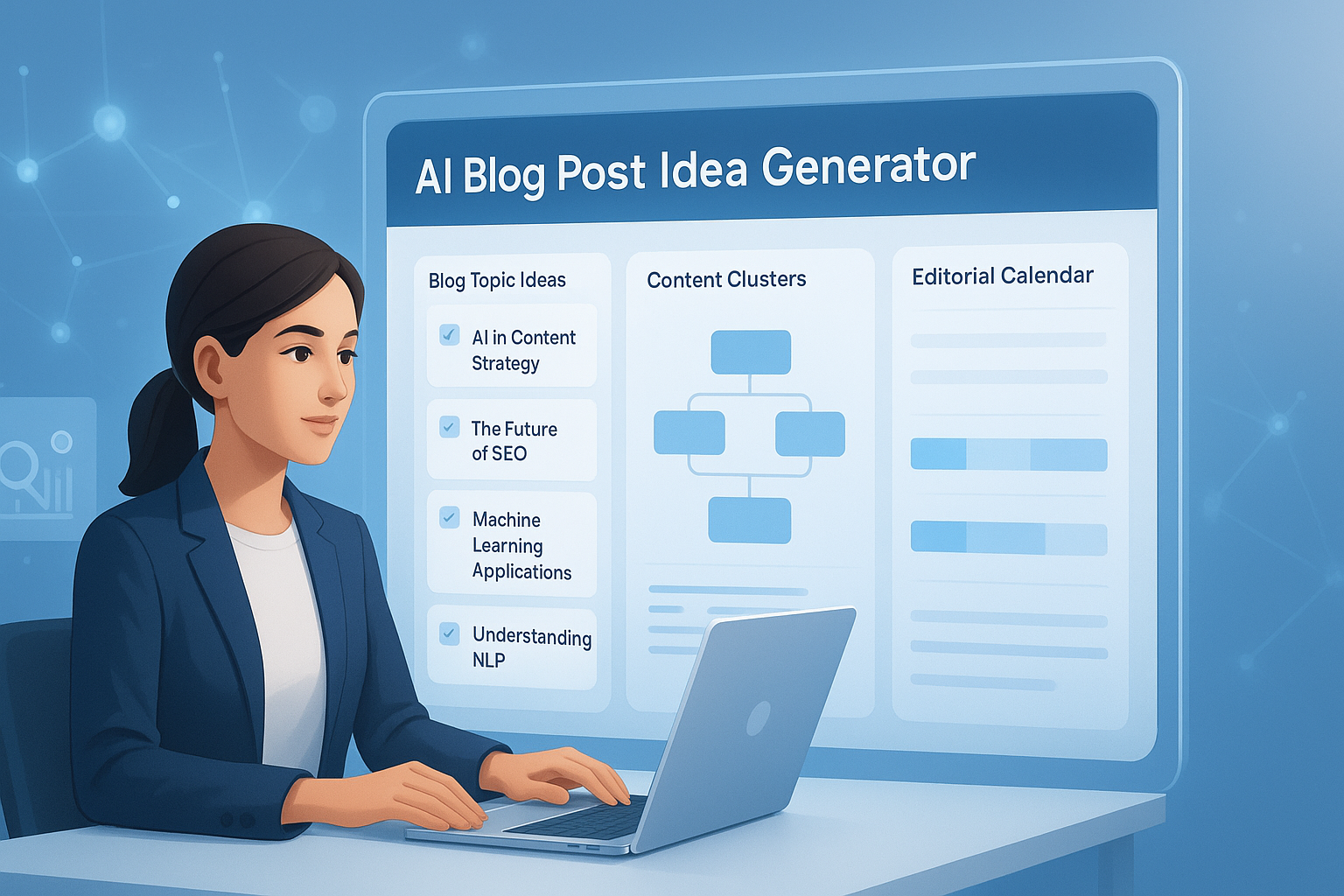
Suggested Image: Technology concept showing AI generating blog topic ideas on a content planning dashboard
What is an AI blog post idea generator?
An ai blog post idea generator is a tool that creates blog topic suggestions based on a keyword, audience, industry, or content goal. It helps marketers move from a vague topic to a usable list of angles, headlines, subtopics, and search-focused ideas faster than manual brainstorming alone.
At a basic level, these tools use language models, topic associations, and prompt patterns to suggest content ideas. A better tool doesn’t just produce random titles. It helps you explore different intent types, content formats, and audience questions.
- Keyword-based topic ideas
- Question-driven blog prompts
- Beginner, intermediate, and advanced content angles
- SEO-friendly title variations
- Cluster ideas for pillar and supporting content
- Seasonal or trend-based suggestions
For marketers who also need writing support after ideation, an AI Paragraph Generator can help expand a promising topic into a draft outline or opening section.
Why marketers use AI for content planning
Marketers use AI for content planning because it reduces time spent brainstorming and increases the number of viable topic opportunities. Used correctly, AI helps teams build a fuller editorial pipeline, discover missed keyword angles, and keep publishing when internal ideas start drying up.
Here’s why that matters. Content planning usually breaks down in one of three places:
- The team runs out of fresh ideas
- Topics don’t match search intent
- The plan becomes inconsistent across funnel stages
An AI idea generator helps solve the first problem quickly and can support the other two when guided well.
According to Google’s guidance on creating helpful content, content should be made for people first. AI can help with ideation, but it still needs human judgment. That’s why experienced marketers use AI as a planning assistant, not as a replacement for strategy.
AI is especially helpful when you need to:
- Build a new content calendar
- Support SEO campaigns at scale
- Create cluster content around one main topic
- Refresh underperforming categories
- Find long-tail questions your audience is already asking
- Develop content briefs for writers faster
If your workflow includes drafting and cleanup, tools like the Grammar Checker are useful later in the process to improve readability before publishing.
How an AI blog post idea generator works
An AI blog post idea generator typically takes a short input, such as a keyword or niche, and expands it into multiple possible blog directions. The output depends heavily on the quality of the prompt and how specific your input is.
Most generators follow a pattern like this:
- You enter a seed topic, such as “email marketing” or “technical SEO.”
- The system predicts related concepts, common questions, and useful content formats.
- It generates titles, angles, or outlines based on those relationships.
- You review, filter, refine, and group the best ideas into a content plan.
Some advanced systems also consider user intent patterns, headline structures, and semantically related terms. They may produce:
- How-to topics
- List posts
- Comparison posts
- Mistake-based content
- Case study prompts
- Trend commentary
- FAQ articles
To understand search demand and query behavior more deeply, marketers often cross-check ideas with Google Search Console and Google Trends.
What makes a good AI-generated blog idea?
A good AI-generated blog idea is specific, relevant, searchable, and useful to a defined audience. If the topic is too vague, too obvious, or disconnected from a business goal, it may fill a calendar but fail to produce real results.
Here’s what to look for when reviewing AI suggestions:
- Clear audience fit: The topic should solve a real reader problem.
- Search intent alignment: It should match what users want to learn.
- Reasonable specificity: Broad enough to matter, narrow enough to rank.
- Content opportunity: There should be room to say something useful and original.
- Business relevance: The topic should support awareness, trust, or conversion.
For example, “content marketing tips” is weak. It’s broad, crowded, and hard to differentiate. “How B2B marketers can use AI to build monthly topic clusters” is much stronger. It defines the user, solution, and angle right away.
When shaping headlines, an AI Title Generator can help test stronger title variations without locking you into shallow clickbait.
AI idea generator vs manual brainstorming
AI is faster than manual brainstorming, but manual thinking is still better for strategic judgment. The strongest content plans usually combine both. AI expands possibilities. Humans choose what deserves attention.
| Method | Best For | Main Strength | Main Limitation |
|---|---|---|---|
| AI idea generator | Speed and volume | Produces many angles quickly | Can create generic or repetitive suggestions |
| Manual brainstorming | Strategic planning | Better audience nuance and positioning | Slower and harder to scale |
| Combined workflow | SEO content teams | Balances speed with editorial quality | Requires review and prioritization |
This is why experienced professionals rarely accept the first AI output as final. They use it to uncover patterns, then bring in audience insight, product knowledge, and SEO judgment.
How to use an AI blog post idea generator for better content planning
The best way to use an ai blog post idea generator is to connect idea generation to your full planning process. Don’t stop at titles. Turn ideas into topic clusters, publishing priorities, and briefs that support traffic and conversions.
1. Start with one clear seed topic
Use a focused input rather than a broad category. “Local SEO for dentists” is better than “SEO.” A precise input gives you more relevant suggestions and fewer generic results.
2. Add audience context
Include who the content is for. For example:
- For SaaS marketers
- For ecommerce brands
- For startup founders
- For in-house SEO teams
This small detail changes everything. The same topic can lead to very different article ideas depending on the audience.
3. Ask for multiple content angles
Request different formats, such as:
- Beginner guides
- Advanced tips
- Common mistakes
- Comparison posts
- Checklist posts
- Case study ideas
That gives you more than a list of titles. It gives you range.
4. Group ideas by search intent
Sort results into informational, commercial, navigational, or transactional categories. For blog planning, most topic ideas will be informational, but some can support product comparisons or solution-aware audiences too.
5. Build clusters instead of isolated posts
Now comes the important part. Instead of publishing disconnected articles, turn one strong topic into a group of related posts. This supports internal linking, topical authority, and content organization.
For teams mapping topics and related pages, the Text to List tool can help convert rough idea dumps into cleaner working lists.
6. Validate ideas before assigning them
Review each AI suggestion using simple criteria:
- Does this solve a real reader problem?
- Can we add unique insight?
- Does it align with our brand or offer?
- Does the search intent match a blog article?
- Is there enough depth for a complete post?
7. Turn approved ideas into briefs
Once you’ve filtered the list, create content briefs with target audience, keyword focus, angle, and article structure. If you need to generate first-draft supporting copy, an AI Content Generator can help speed up production while the final article remains editor-led.
Prompt examples that produce better AI blog ideas
The quality of your result depends on the quality of your prompt. Generic prompts create generic ideas. Specific prompts generate more useful, rankable, and audience-relevant content suggestions.
Here are better prompt patterns marketers can use:
- Generate 20 blog post ideas for B2B marketers about marketing automation, grouped by beginner, intermediate, and advanced search intent.
- Create SEO-friendly blog topic ideas for a SaaS company targeting small business owners interested in email deliverability.
- Suggest long-tail blog post ideas around local SEO for law firms, including question-based topics.
- Give me blog title ideas about AI content planning that can fit a topic cluster strategy.
- Generate content ideas based on common mistakes ecommerce brands make with product page SEO.
Strong prompts often include:
- Industry or niche
- Target audience
- Search intent
- Content format
- Level of expertise
- Business goal
If your output needs quick cleanup for reuse in spreadsheets or briefs, a Remove Duplicate Lines tool can help eliminate repeated ideas from long AI-generated lists.
Practical use cases for marketers
An AI blog post idea generator is useful in more situations than most teams realize. It’s not just for “what should we write next?” It can support campaign planning, audience segmentation, and editorial scaling across channels.
Content calendar building
Use AI to generate 30 to 50 ideas around one service category, then narrow them into monthly publishing themes.
Topic cluster development
Start with a pillar topic, then ask for supporting posts, question-based articles, and comparison pieces that naturally link back to the core page.
Refreshing stale categories
If a blog section hasn’t been updated in months, AI can suggest new subtopics, trend angles, and missed audience questions.
Supporting SEO briefs
AI can provide initial title directions, subtopic ideas, FAQ starting points, and search-intent variations that writers can refine.
Campaign-specific ideation
If you’re launching a product, feature, or webinar, AI can help generate supporting educational content around the campaign theme.
Google’s title link best practices are also worth reviewing when converting raw AI ideas into article headlines that work in search results.
Common mistakes when using AI to generate blog topics
Most failures happen after the tool does its job. The problem usually isn’t idea generation itself. It’s poor filtering, weak strategy, or publishing AI suggestions that were never challenged.
- Using broad prompts: This leads to shallow ideas anyone else could publish.
- Skipping intent review: A title may sound good but not match what searchers want.
- Chasing volume only: High-volume topics are not always the best fit.
- Publishing every idea: More ideas do not mean more useful content.
- Ignoring brand knowledge: AI can’t replace customer insight from real conversations.
- Missing content overlap: Teams often generate duplicate posts without realizing it.
This is where many people struggle. They assume AI removes the need for editorial standards. In reality, it increases the need for them.
If you manage content in documents before publishing, the Word Counter can help writers keep article length aligned with the brief and search intent.
How to evaluate AI-generated blog ideas before publishing
Before adding any idea to your content calendar, review it with a simple evaluation framework. This prevents low-value topics from taking up time, budget, and editorial attention.
| Evaluation Factor | What to Ask | Why It Matters |
|---|---|---|
| Audience fit | Will our target reader care about this? | Improves relevance and engagement |
| Search intent | Does this match an informational query? | Supports SEO performance |
| Original angle | Can we add something useful or different? | Reduces generic content |
| Business relevance | Does it connect to our services, expertise, or funnel? | Improves commercial value |
| Depth potential | Can this support a complete and helpful article? | Prevents thin content |
For search quality guidance, review Google’s SEO Starter Guide. It won’t tell you what to write, but it does clarify how search engines evaluate crawlable, useful content.
Can AI-generated ideas improve SEO?
Yes, AI-generated ideas can improve SEO when they help you discover targetable topics, cluster opportunities, and audience questions you would have otherwise missed. The tool itself does not improve rankings. Better topic selection does.
Let’s break this down. SEO gains typically come from four outcomes:
- You publish more consistently
- You cover more relevant long-tail topics
- You create stronger internal linking structures
- You align content more closely with search intent
AI can support all four, but only if the output is reviewed and connected to a real strategy. Search engines reward helpfulness, clarity, and relevance, not the mere use of AI.
For teams publishing visuals alongside blog content, tools like the Image Compressor can help improve page speed by reducing image size before upload. That supports usability and performance without changing your content itself.
Best practices for using AI ideas in a real editorial workflow
The smartest teams treat AI ideation as one part of a structured workflow. They don’t let it run the strategy. They use it to enrich planning, then apply editorial review, SEO validation, and audience knowledge.
- Set topic goals first. Decide whether you need awareness, traffic growth, topical authority, or sales support.
- Use narrow prompts. Include audience, niche, and angle.
- Generate in batches. Ask for 20 to 50 ideas at a time so patterns become visible.
- Tag by intent and funnel stage. This prevents a top-heavy blog full of only beginner posts.
- Remove overlap. Merge duplicate titles and combine similar ideas into stronger articles.
- Validate with search data. Use Search Console, keyword tools, and customer questions.
- Create briefs, not just calendars. A title alone is not a content asset.
- Review performance quarterly. Compare which AI-assisted topics actually performed.
Suggested Infographic: AI blog ideation workflow from seed keyword to published content cluster
Example workflow: from one keyword to a month of content
One of the best uses of an ai blog post idea generator is turning a single seed topic into a focused monthly plan. This makes content planning faster while keeping related content organized.
Let’s use the seed keyword: email segmentation.
Step 1: Generate broad idea categories
- Beginner guides
- Common mistakes
- Advanced tactics
- Tool comparisons
- Industry-specific use cases
Step 2: Expand into article ideas
- What is email segmentation and why does it matter?
- 7 email segmentation mistakes that hurt conversions
- How ecommerce brands use behavior-based segmentation
- Demographic vs behavioral segmentation: which works better?
- How to measure email segmentation performance
- Best segmentation ideas for B2B nurture campaigns
- How AI can improve email list segmentation
- Email segmentation examples for welcome flows
Step 3: Map by funnel stage
- Top of funnel: Definitions, beginner guides, examples
- Middle of funnel: Comparisons, mistakes, workflows
- Bottom of funnel: Tool selection, implementation, optimization advice
Step 4: Connect internal links and assets
At this stage, you can connect supporting resources, visuals, templates, and tools. If article assets include screenshots or diagrams, compression before upload helps maintain speed and readability.
Frequently asked questions
Is an AI blog post idea generator good for beginners?
Yes, it can be very useful for beginners because it removes the pressure of starting from nothing. It helps new marketers see how one keyword can turn into many content angles. That said, beginners should still review each suggestion for audience relevance and search intent. The tool gives you options, not a finished strategy.
Can AI-generated blog ideas rank on Google?
Ideas themselves do not rank. Published content does. If the AI helps you choose useful topics that match search intent and your final article is genuinely helpful, then yes, those ideas can support rankings. What matters is the quality of the final content, the structure of the site, and how well the article answers the searcher’s question.
How many blog ideas should I generate at once?
A good working range is 20 to 50 ideas per topic batch. That gives you enough variety to spot patterns without creating so much noise that review becomes difficult. If you’re building clusters, start wider, then narrow aggressively. The goal is not maximum volume. The goal is finding the best few ideas worth developing well.
What’s the biggest mistake marketers make with AI topic generators?
The biggest mistake is accepting the output too quickly. Many marketers paste in a broad keyword, take the first list of titles, and schedule them without checking overlap, intent, or business fit. That usually leads to generic content. Strong teams edit, combine, refine, and validate AI suggestions before writers ever begin drafting.
Should I use AI ideas for every blog post?
No. AI is a tool, not a rule. It’s helpful when you need more coverage, more angles, or a faster planning process. But some of your best content may come from sales calls, customer support questions, product updates, internal expertise, or market trends. Use AI where it adds speed and range, not where it weakens originality.
Are AI blog idea tools safe to use for SEO?
Yes, using AI for ideation is generally safe for SEO because the tool is helping with planning rather than manipulating rankings. The main risk is not the tool itself. The risk comes from publishing low-value, repetitive, or inaccurate content based on unreviewed outputs. Human editorial review keeps the process useful and trustworthy.
Do free AI blog idea generators work well enough?
Many free tools work well for initial brainstorming, especially if your prompts are specific. They’re often enough for finding raw angles, title directions, and question-based ideas. Paid platforms may offer more workflow features, integrations, or deeper content research. For many marketers, though, a free tool is enough to improve planning if used carefully.
What should I do after generating blog ideas?
After generating ideas, sort them by search intent, remove duplicates, group them into clusters, and validate the best topics against audience needs and SEO goals. Then create briefs with angle, target reader, outline direction, and internal linking plans. This step is what turns inspiration into a content system that can actually publish and perform.
Final thoughts on using an AI blog post idea generator
An ai blog post idea generator is most useful when it helps you think better, not just faster. For marketers, the real win is not producing hundreds of titles. It’s identifying the few topics that deserve publishing, support SEO, match audience intent, and fit into a clear content plan.
If you want better results, start with a narrow keyword, add audience context, generate multiple angles, and review every suggestion with editorial judgment. Then turn the strongest