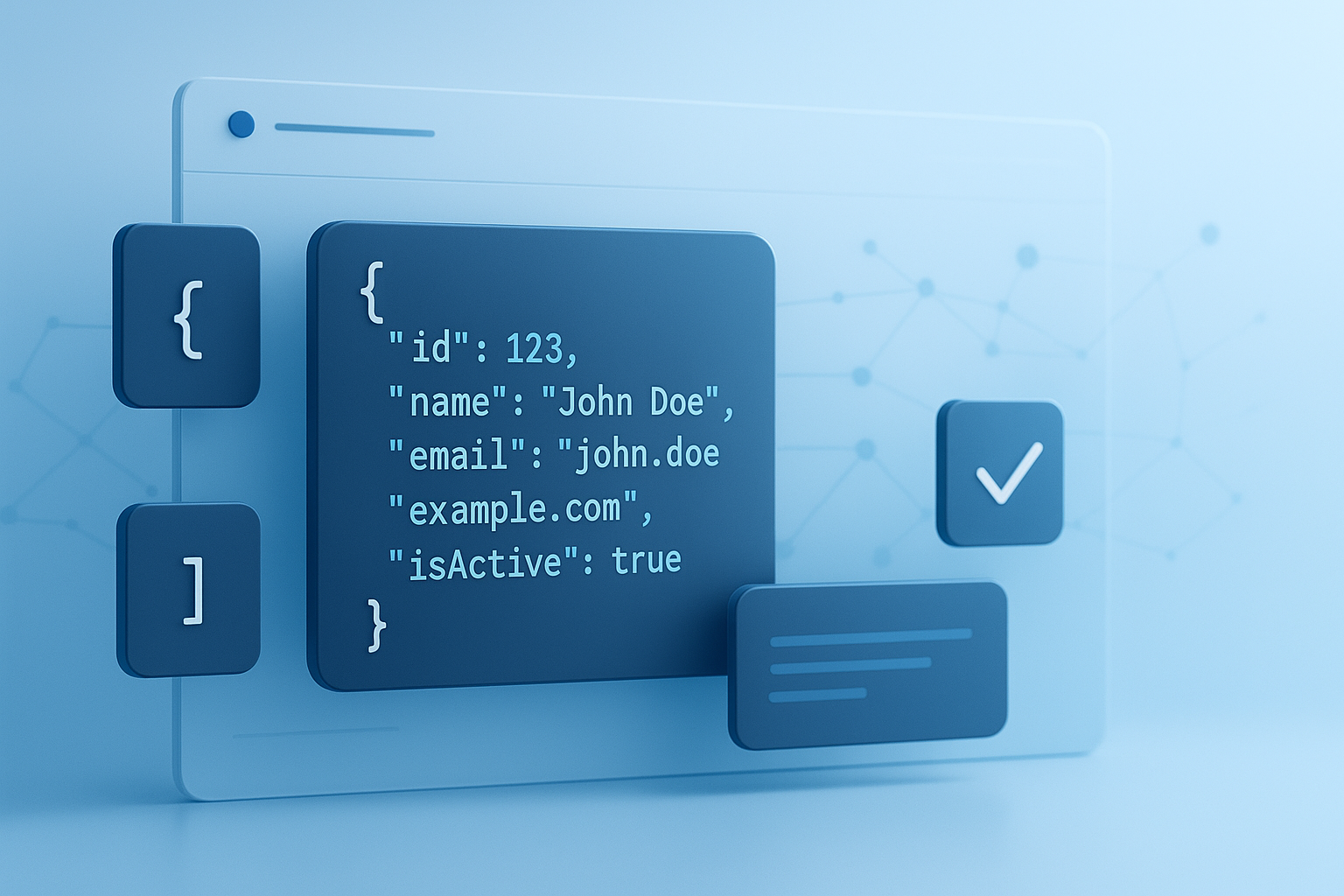
One missing quote can break an API request. One trailing comma can stop a deployment. That’s why a solid JSON formatting guide matters more than most developers expect.
JSON looks simple at first glance, but clean and valid JSON is the difference between data that moves smoothly through apps and data that causes silent failures, parsing errors, and hard-to-trace bugs. If you work with APIs, configuration files, web apps, or automation workflows, getting the format right saves time fast.
This JSON formatting guide explains how JSON should be structured, what makes it valid, how to keep it readable, and which mistakes to avoid. You’ll also see practical examples, formatting rules, and validation tips you can use right away.
Suggested Image: Technology concept showing structured JSON data flowing between applications and APIs
What is JSON and why does formatting matter?
JSON, short for JavaScript Object Notation, is a lightweight text format used to store and exchange structured data. Good formatting makes JSON valid for machines, readable for humans, and consistent across systems, which is essential for APIs, app settings, logs, and data pipelines.
According to the official JSON specification overview, JSON is built from objects and arrays using strict syntax rules. It’s widely used because it is compact, language-independent, and easy for software to parse.
Here’s why formatting matters in real projects:
- APIs reject malformed payloads
- Frontend apps can fail during parsing
- Config files become risky to edit manually
- Teams struggle when naming and structure are inconsistent
- Debugging takes longer when data is hard to read
If you also work with payload size and front-end performance, tools like an Image Compressor can help reduce overall request weight when JSON is sent alongside media assets.
The basic rules of valid JSON
Valid JSON follows a small set of strict syntax rules. Most parsing errors come from violating one of them: incorrect quotes, trailing commas, invalid values, or mismatched brackets.
Here are the core rules every developer should follow:
- Objects use curly braces:
{ } - Arrays use square brackets:
[ ] - Keys must be wrapped in double quotes
- Strings must use double quotes
- Key-value pairs use a colon
- Items are separated with commas
- No trailing commas are allowed
- Values must be one of these types: string, number, object, array, boolean, or null
Example of valid JSON
This is correctly formatted JSON:
{

  "userId": 42,

  "name": "Lena",

  "isActive": true,

  "roles": ["admin", "editor"],

  "profile": {

    "country": "US",

    "timezone": "UTC-5"

  }

}
Example of invalid JSON
This version will fail because it uses single quotes and a trailing comma:
{

  'userId': 42,

  "name": "Lena",

}
For formal syntax details, MDN’s JSON documentation is one of the best references for working developers.
JSON data types explained simply
Understanding JSON data types helps you avoid subtle bugs. The format only supports a limited set of values, so you need to know what is allowed and what is not.
| Type | Example | Notes |
|---|---|---|
| String | "hello" |
Must use double quotes |
| Number | 25, 3.14 |
No quotes for numeric values |
| Boolean | true, false |
Lowercase only |
| Null | null |
Represents no value |
| Object | { "id": 1 } |
Contains key-value pairs |
| Array | [1, 2, 3] |
Ordered list of values |
Common values that are not valid in standard JSON include:
undefined- Functions
- Comments
- Dates as native objects
NaNandInfinity
When working with numeric values in payloads, an accurate Percentage Calculator can help when API fields depend on computed discounts, rates, or growth values that later need to be serialized into JSON.
How to format JSON for readability
Valid JSON is only the starting point. Readable JSON is easier to debug, review, diff, and maintain. That means using indentation, consistent naming, and a predictable structure.
Here’s what experienced developers usually do differently:
- Indent nested structures with 2 or 4 spaces
- Keep property names consistent across objects
- Use clear keys such as
createdAtinstead of vague names likec1 - Group related fields together
- Keep arrays uniform when possible
- Order keys logically, especially in config files
Readable vs hard-to-read JSON
| Poorly formatted | Cleanly formatted |
|---|---|
{"id":1,"name":"Mia","settings":{"theme":"dark","alerts":true}} |
{ |
If you often paste JSON into documents, specs, or exported files, you may also find a PDF to Word Converter useful when turning API docs into editable working notes for teams.
Best practices for API-ready JSON
When JSON is used in APIs, formatting is not just about syntax. It also affects reliability, versioning, and developer experience. Good API JSON is predictable, stable, and easy for clients to consume.
Use these best practices when designing or sending API payloads:
- Keep key names consistent
Choose one naming style, such as camelCase or snake_case, and stick to it. - Avoid unnecessary nesting
Deeply nested objects are harder to parse and validate. - Use explicit null values carefully
Know the difference between a field being missing and a field being present withnull. - Return predictable data shapes
Don’t alternate between object and array for the same field. - Standardize date formats
ISO 8601 strings are a safe default, such as"2026-07-23T10:30:00Z". - Escape special characters correctly
Especially in strings that include quotes, backslashes, or line breaks. - Validate before sending
Never assume generated JSON is correct.
For broader guidance on APIs and JSON payload exchange, the official JSON standard RFC 8259 remains the canonical technical reference.
Suggested Screenshot: API request body with cleanly indented JSON in a REST client
Common JSON formatting mistakes that cause errors
Most issues come from small syntax problems, not complex architecture. The frustrating part is that one tiny formatting mistake can invalidate the entire document.
Here are the most common JSON mistakes developers make:
- Using single quotes instead of double quotes
- Leaving a trailing comma after the last item
- Forgetting to quote key names
- Mixing strings and numbers inconsistently
- Using comments inside JSON files
- Leaving brackets or braces unmatched
- Encoding special characters incorrectly
- Sending invalid UTF-8 text
Quick examples of broken JSON
{name: "Alex"}
The key is not quoted.
{"items": [1,2,3,]}
The array has a trailing comma.
{"enabled": True}
Boolean values must be lowercase in JSON.
{"note": "She said "hello""}
The inner quotes must be escaped.
When checking text length, escaped characters, or copied payload content from docs, a Word Counter can be surprisingly useful for spotting bloated fields and oversized content before submission.
JSON formatting conventions teams should agree on
Teams waste time when JSON is technically valid but stylistically inconsistent. A shared convention makes reviews easier and reduces avoidable changes in pull requests.
Agree on these formatting choices early:
- Key naming: camelCase, snake_case, or kebab-case for file names only
- Indentation: 2 spaces or 4 spaces
- Property order: required fields first, optional fields later
- Null handling: omit empty fields or include explicit
null - Date format: ISO 8601 across all services
- ID format: numeric IDs, UUID strings, or both where necessary
| Convention area | Recommended approach | Why it helps |
|---|---|---|
| Field names | camelCase | Common for JavaScript-heavy stacks |
| Indentation | 2 spaces | Compact and readable |
| Dates | ISO 8601 strings | Removes timezone ambiguity |
| Optional values | Document omit vs null behavior | Prevents client-side confusion |
If your team documents data formats across multilingual products, a Language Translator can help localize internal examples, field notes, or developer onboarding materials without changing the original JSON structure.
How to validate JSON before using it
Validation catches syntax problems before they reach production. In practice, developers should validate JSON at three points: while editing, before sending, and when receiving external data.
Here’s a simple validation workflow:
- Paste the JSON into a validator or IDE with syntax checking
- Confirm quotes, commas, and brackets are correct
- Verify data types match what the API expects
- Check required fields are present
- Test real payloads, not only sample objects
- Use schema validation for production systems
This small detail changes everything: syntax validation only tells you whether JSON is valid text. Schema validation tells you whether the structure and content are correct for your application.
Syntax validation vs schema validation
| Validation type | Checks | Example |
|---|---|---|
| Syntax validation | Whether JSON is properly written | Missing quote or trailing comma |
| Schema validation | Whether JSON matches required structure and types | Field must be a number, not a string |
For schema-based projects, the JSON Schema official site is the best place to learn structured validation rules.
JSON vs JavaScript object: what’s the difference?
Many formatting problems happen because developers confuse JSON with JavaScript object literals. They look similar, but they are not the same thing.
JSON is a text format. A JavaScript object is a runtime language structure. JavaScript allows features that JSON does not.
| Feature | JSON | JavaScript object |
|---|---|---|
| Key quotes required | Yes | Not always |
| Strings use double quotes | Yes | Single or double quotes allowed |
| Comments allowed | No | Yes in source code contexts |
| Functions allowed | No | Yes |
| Trailing commas allowed | No | Sometimes yes, depending on context |
This distinction becomes especially important when serializing data with JSON.stringify() or parsing external payloads with JSON.parse(). The MDN JSON object reference covers those methods clearly.
If you need to extract code from images or screenshots of payloads before cleaning them up, an Image to Text Converter can speed up manual reformatting.
How to handle special characters, escaping, and Unicode
Strings are where many valid-looking JSON documents fail. Quotes, backslashes, line breaks, and non-ASCII characters must be handled carefully so parsers interpret the content correctly.
Use escaping when needed:
\"for double quotes inside strings\\for backslashes\nfor line breaks\tfor tab characters\uXXXXfor Unicode escapes when required
Example
{

  "message": "She said \"hello\" from folder C:\\Projects\\App",

  "emojiNote": "Supported if encoded correctly"

}
Now comes the important part: modern systems in 2026 usually handle UTF-8 well, but problems still appear when legacy exports, spreadsheets, or manual copy-paste workflows introduce broken encoding. The UTF-8 RFC documentation is useful if you need a deeper technical reference.
Practical JSON formatting examples for real use cases
Examples make a JSON formatting guide useful. Different situations call for slightly different structure choices, even when the syntax rules stay the same.
API request payload
{

  "email": "[email protected]",

  "password": "securePass123",

  "rememberMe": false

}
Configuration file
{

  "appName": "InventoryDashboard",

  "environment": "production",

  "port": 8080,

  "logging": {

    "level": "info",

    "enabled": true

  }

}
Nested ecommerce order data
{

  "orderId": "ORD-1049",

  "customer": {

    "id": 88,

    "name": "Jordan Lee"

  },

  "items": [

    {

      "sku": "BK-100",

      "quantity": 2,

      "price": 19.99

    },

    {

      "sku": "PN-220",

      "quantity": 1,

      "price": 4.5

    }

  ],

  "currency": "USD"

}
If you need quick math checks on totals, quantities, or unit price adjustments before serializing order data, a Fraction Calculator may help for measurement-based inventory or manufacturing workflows that rely on partial quantities.
Frequently asked questions about JSON formatting
1. What is the easiest way to tell if JSON is valid?
The fastest way is to paste it into a JSON validator, IDE, or code editor with syntax highlighting. If the parser fails, check for missing quotes, trailing commas, unmatched braces, or invalid values like undefined. For production work, syntax validation alone is not enough. You should also confirm the payload matches the expected schema, required fields, and field types.
2. Can JSON use single quotes instead of double quotes?
No. Standard JSON requires double quotes for both keys and string values. Single quotes may work in some JavaScript contexts, but that does not make them valid JSON. This is one of the most common reasons API requests fail. If your editor auto-converts formats, always revalidate before sending the payload.
3. Are comments allowed in JSON files?
Not in standard JSON. Comments such as // this is a note or /* comment */ will cause parsers to reject the document. Some tools accept JSON-like formats with comments, but those are extensions, not plain JSON. If you need documentation, keep notes outside the file or use a separate schema or README.
4. Should I use null or omit empty fields?
The answer depends on how your API is designed. Use null when you want to explicitly show that a field exists but has no value. Omit the field when absence has meaning or when compact payloads matter. The key is consistency. Document the behavior clearly so client applications know how to handle both cases.
5. What naming style is best for JSON keys?
There is no universal winner, but camelCase is common in JavaScript-heavy environments, while snake_case appears often in backend systems. The best choice is the one your stack and team can apply consistently. Changing naming styles across endpoints creates confusion, increases mapping logic, and makes documentation harder to maintain.
6. How do I format dates in JSON safely?
Use ISO 8601 date strings whenever possible, such as "2026-07-23T10:30