What Is FreeToolr? A Guide to 1,000+ Free Online Tools
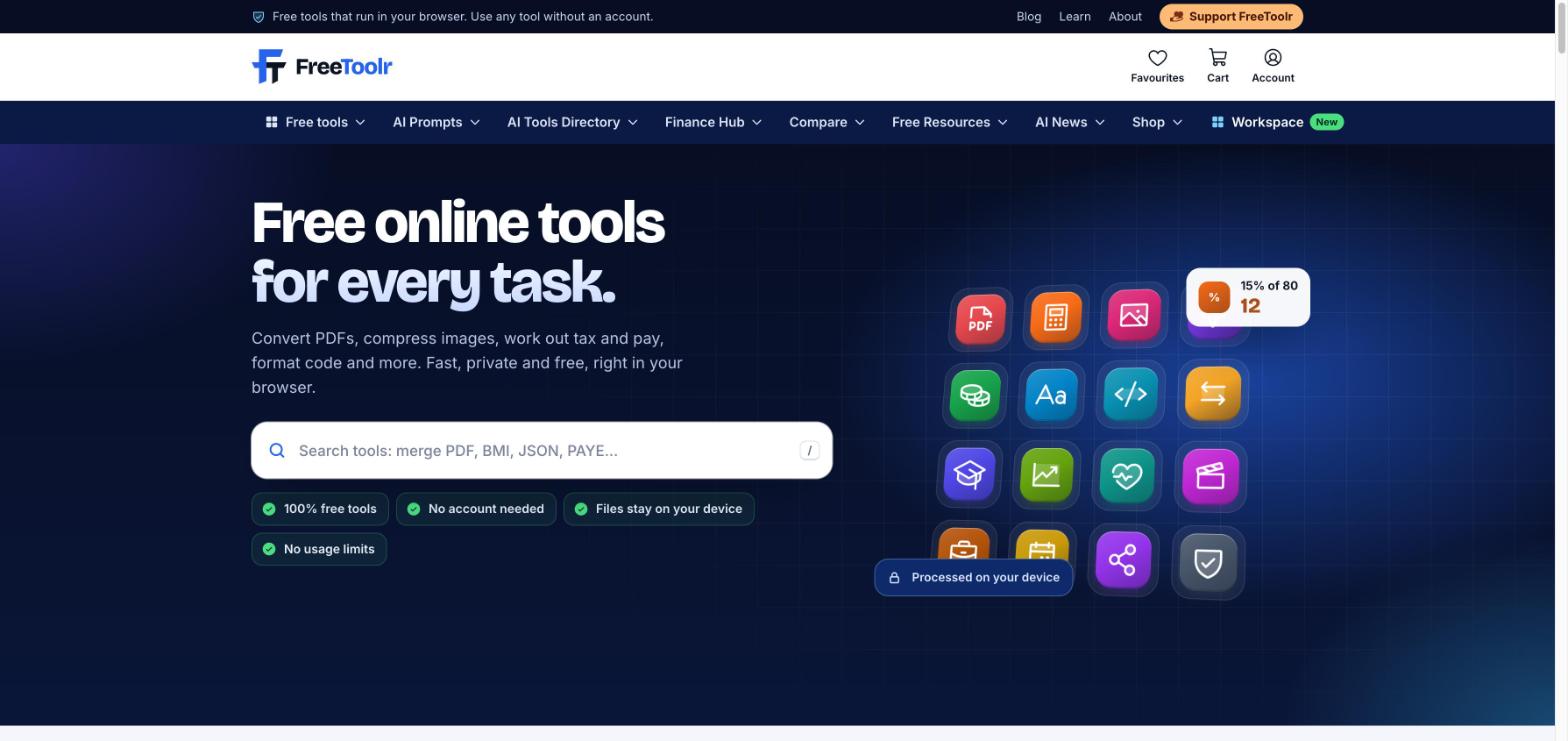
FreeToolr is a free website with 1,066 online tools for everyday work: PDF and image tools, calculators, unit converters, finance and health calculators, SEO and developer utilities, text tools and AI writing helpers. Every tool is free to use in full, with no subscription, no login and no usage limit, and the PDF and image tools run inside your browser, so your files stay on your device.
This guide explains what FreeToolr is, why it was built, what you will find in each section and how to get the most out of it, whether you are a student, a freelancer, a small business owner or a developer.
What is FreeToolr?
FreeToolr is an all-in-one free online tools platform. Instead of opening one website to merge a PDF, another to resize a photo and a third to work out a loan payment, you can do all of it in one place.
Here is the short version:
- 1,066 tools in 16 categories, from PDF Tools to Security Tools. You can browse them all on the A to Z list.
- Free in full. There is no free trial that runs out, no premium tier and no daily limit.
- No account needed. Open a tool and use it. A free account is optional and only adds syncing.
- Private by design. PDF, image, video and audio tools process your files in your browser. They are not uploaded to our servers.
- Made for where you live. Pay, tax and finance calculators follow local rules for the United States, the UK and Europe, Nigeria and the Gulf.
FreeToolr is run by Dotdunia Technologies in Hyderabad, India, and was started in March 2024 by its founder, AK Shine.
Why FreeToolr was built
Many good online tools sit behind a paid plan. You start a task, upload your file, and only then find a payment screen, a daily limit or a sign-up wall. Many of the tools that are free are slow, full of pop-ups or simply not good enough.
People who can afford premium subscriptions can buy them. Students, freelancers, small shops and families who cannot afford them still need the same tools to get through the day: a student checking marks, a shop owner making an invoice, a developer formatting JSON, a family planning a budget.
In the founder's words: "I started FreeToolr because good tools should not depend on whether you can pay for them. Everyone deserves premium tools."
That idea shapes every rule on the site:
- No paid subscription. Every tool is complete and free for everyone.
- No login required. You never have to register to use a tool.
- No forced registration. The free account exists for people who want their favourites on every device, and nothing more.
- Every day, every tool, free. The site is supported by advertising, which is kept away from the tools themselves so it never gets in the way of your work.
You can read the full story on the About FreeToolr page.
What kinds of tools are on FreeToolr?
The tools are grouped into 16 categories. Each category has its own hub page with sections, so you can find the right tool quickly.
PDF Tools (59 tools)
The PDF Tools hub covers the everyday document jobs: Merge PDF, Split PDF, Compress PDF, Rotate PDF, JPG to PDF, PDF to JPG, Word to PDF and PDF to Word. Files are processed in your browser and never leave your device.
Image Tools (60 tools)
The Image Tools hub lets you compress images, resize images, resize many at once, convert formats, remove a background and pull text out of a picture with OCR.
Calculators (129 tools)
The Calculators hub has the maths you need every day: a percentage calculator, a scientific calculator, a fraction calculator and many more. Each calculator page shows the formula it uses and a worked example, so you can check how the answer was reached.
Finance Calculators (121 tools)
The Finance Calculators hub covers loans, savings, salary and tax: a loan calculator, a mortgage calculator, an EMI calculator and a SIP calculator. Regional tools include the US paycheck calculator, the UK take-home pay calculator, the Nigeria PAYE tax calculator and the UAE gratuity calculator. Results are estimates; for big money decisions, confirm with a qualified adviser.
Health Calculators (59 tools)
The Health Calculators hub includes a BMI calculator, a body fat calculator and an ideal weight calculator. They give general estimates and are not medical advice.
Converters (89 tools)
The Converters hub turns one unit into another: length, weight, temperature, area, volume, speed, currency and number systems.
Date and Time Tools (51 tools)
The Date and Time Tools hub has an age calculator, a date difference calculator, a time zone converter and tools for working days, deadlines and countdowns.
Student Tools (50 tools)
The Student Tools hub helps with grades and study: a GPA calculator, a CGPA calculator, a 5-point CGPA calculator used in Nigerian universities, and grade converters.
Text Tools (65 tools)
The Text Tools hub has a word counter, a character counter, a case converter and tools to clean, sort and compare text.
Developer Tools (100 tools)
The Developer Tools hub covers daily coding chores: a JSON formatter, a JSON validator, a Base64 encoder and decoder, a regex tester, hash generators and code formatters.
SEO Tools (81 tools)
The SEO Tools hub helps site owners check their pages: a website SEO audit, an SEO site comparison, a page speed checker and a mobile friendly test, plus meta tag and keyword helpers.
AI Tools (58 tools)
The AI Tools hub has writing helpers such as an AI summarizer, an AI paraphrasing tool, an AI tone changer and an AI email writer. These tools send your text to an AI model to write the answer, which is the one case where your input leaves the browser. It is used to make the result, then discarded.
Video and Audio, Social Media, Business and Security
- Video and Audio Tools (35): trim, compress and convert video, or save the audio as MP3, in your browser.
- Social Media Tools (35): YouTube thumbnail, tag and embed helpers, caption and hashtag tools.
- Business Tools (45): an invoice generator, receipt and quotation generators and a QR code generator.
- Security Tools (29): a password generator, a password strength checker and passphrase and PIN generators.
Beyond the tools: the other sections of FreeToolr
FreeToolr is more than a list of tools. These sections help you choose tools, learn and stay organised.
Your free Workspace
The Workspace is a free personal space inside FreeToolr. It brings together:
- Renewal reminders for domains, hosting and subscriptions, so nothing expires by surprise.
- Tasks with list, today, priority matrix and board views, steps inside each task and repeating tasks.
- A focus timer for short, distraction-free work sessions.
- Notes for quick ideas and checklists.
- Your favourite tools in one place.
The free FreeToolr account
Every tool works without an account. If you create a free account, your favourites, saved results and Workspace sync across your phone and laptop. There is nothing to pay and no upgrade screen.
AI Tools Directory
The AI Tools Directory lists AI apps worth your time, with plain notes on what each one does, what it costs (with the date the price was checked), its strengths and limits, and what to use instead. Makers can submit their AI tool for free. Each submission is checked automatically and written up in the same honest style; nobody can pay for a better review.
AI Prompt Library
The AI prompt library has ready-to-use prompts for ChatGPT, Claude, Gemini and image models, sorted by job and tested before they are added.
Compare
The Compare section puts popular apps side by side, such as ChatGPT vs Gemini or Canva vs Adobe Express, with a clear pick for each kind of user.
Free Resources and the free ebook
Free Resources has guides, cheat sheets and templates you can download and keep, including the free online tools ebook.
Regional hubs and role pages
If you live in Nigeria, the UAE and the Gulf, the United States or the UK and Europe, the regional hubs collect the tools built for your local tax, pay and calendar rules. Role pages such as tools for students, tools for freelancers and tools for small business group the tools each kind of user reaches for most.
Blog and AI news
The FreeToolr blog has how-to guides that pair with the tools, and AI news explains the day's AI updates in plain words.
How to use FreeToolr
- Search or browse. Type what you need into the search box on the home page, for example "merge PDF", "BMI" or "JSON", or open the A to Z list.
- Open the tool and add your input. Drop in a file, type a number or paste your text. There is no sign-up step.
- Get your result. Copy it, download it or share a link to it. Calculator pages show the formula and a worked example under the tool.
- Save what you use often. Tap the heart on any tool to add it to your favourites. With a free account, favourites follow you to every device.
- Try the next step. Each tool suggests related tools, so after merging a PDF you can compress or rotate it straight away.
Is FreeToolr safe and private?
Privacy is built into how the tools work:
- PDF, image, video and audio tools run in your browser. Your files are not uploaded to our servers.
- Calculators and converters also run on your device once the page has loaded, so many of them keep working offline.
- Tools that need the internet, such as website checks or AI writing helpers, say so on the page, and we do not keep what you enter.
- Tool pages show when the tool was last checked and who reviewed it. You can read how we test on the How we test tools page and our rules in the editorial policy.
Who is FreeToolr for?
FreeToolr is for anyone who needs a good tool without paying for one:
- Students working out GPA, converting units or merging assignment PDFs.
- Freelancers and small businesses making invoices, quotations and QR codes, or checking take-home pay.
- Developers and site owners formatting JSON, testing regex or auditing a page for SEO.
- Families and everyday users checking a loan payment, a BMI or the number of days until a date.
Help keep FreeToolr free
FreeToolr stays free because people use it and share it. If a tool saved you time, share it with a friend, tell us which tool to build next through the contact page, or support FreeToolr.
Start with the full list of free tools, or pick a category above and try one now.
Questions people ask
Is FreeToolr really free?
Yes. Every one of the 1,066 tools is free to use in full, with no trial, no premium tier and no daily limit. The site is supported by advertising, which is kept away from the tools themselves.
Do I need to create an account to use FreeToolr?
No. You can open any tool and use it straight away. A free account is optional and only syncs your favourites, saved results and Workspace across your devices.
Are my files uploaded when I use FreeToolr?
No. PDF, image, video and audio tools process your files inside your browser, so they never leave your device. Only AI writing tools and website checks send your input online, and they say so on the page.
What kinds of tools does FreeToolr have?
There are 16 categories: PDF, image, calculators, finance, health, converters, date and time, student, text, developer, SEO, AI, video and audio, social media, business and security tools. You can see every tool on the A to Z list at freetoolr.com/tools/.
What is the FreeToolr Workspace?
The Workspace is a free personal space with renewal reminders for domains, hosting and subscriptions, tasks with list, today, matrix and board views, a focus timer, notes and your favourite tools.
Who runs FreeToolr?
FreeToolr was started in March 2024 by its founder, AK Shine, and is managed by Dotdunia Technologies in Hyderabad, India. You can reach the team at [email protected].
FreeToolr articles are written and checked by our editors. Found a mistake? Email [email protected]. Read our editorial policy.