Ever fixed title tags, published better content, and still watched rankings go nowhere? That usually points to a technical problem, not a content problem. Search engines can only rank pages they can crawl, understand, and index properly.
A strong technical SEO checklist helps you find the issues that quietly hold back performance: broken crawl paths, slow pages, duplicate URLs, weak internal linking, and messy site architecture. These problems often sit behind the scenes, but they affect visibility in a big way.
This guide walks through the practical checks that matter most in 2026 for marketers, in-house teams, and site owners. You’ll learn what to review, why it matters, and how to prioritize fixes without getting lost in developer jargon.
Suggested Image: Technical SEO dashboard showing crawlability, indexing, speed, and structured data status
What is a technical SEO checklist?
A technical SEO checklist is a structured review of the systems that help search engines access, render, interpret, and index your website. It focuses on crawlability, index control, site speed, mobile usability, URL consistency, structured data, and other backend or sitewide factors that influence search performance.
Think of it this way: on-page SEO improves the message, while technical SEO makes sure that message can actually be found and processed. If your pages are blocked, duplicated, too slow, or poorly linked, better content alone won’t solve the problem.
- Crawlability checks whether bots can access important pages
- Indexing checks whether those pages appear in search indexes
- Rendering checks whether search engines can process page content correctly
- Performance checks whether pages load fast enough for users and search engines
- Structure checks whether your site is easy to navigate and understand
If your team also works with page assets, reducing oversized visuals with an Image Compressor can support better load times during technical cleanup.
Technical SEO checklist: the priorities that matter most
If you only have time for a focused review, start here. These are the checks that most often influence organic performance because they affect whether search engines can discover pages, process them correctly, and trust your site architecture.
- Confirm indexability: Check whether key pages are blocked by
robots.txt,noindex, or canonical misconfiguration. - Review crawl health: Look for crawl errors, redirect chains, broken links, and orphan pages.
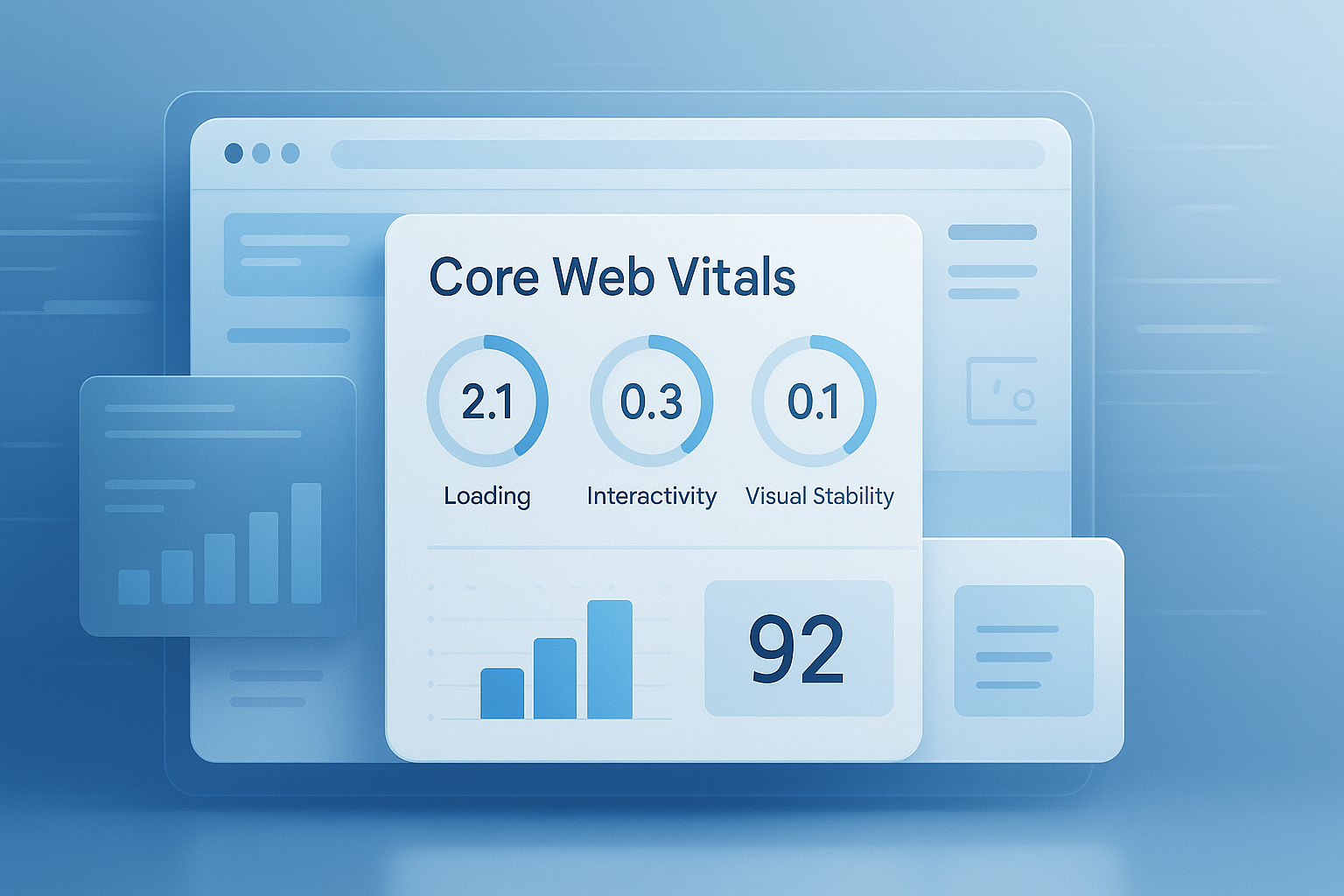
- Improve site speed: Prioritize Core Web Vitals, image size, script load, and caching.
- Validate mobile usability: Make sure layouts, navigation, and content render properly on mobile devices.
- Fix duplicate URL issues: Standardize protocols, trailing slashes, parameters, and canonicals.
- Strengthen internal linking: Help search engines understand page relationships and page importance.
- Use XML sitemaps correctly: Include canonical, indexable URLs only.
- Add structured data where relevant: Support richer search understanding through schema markup.
For teams mapping site sections and URL groups, an Word Counter can also help during content inventory work when you need quick size checks across important templates and landing pages.
How to check crawlability and indexing
Crawlability and indexing are the foundation of any technical SEO checklist. A page that can’t be crawled or indexed has little chance of ranking, no matter how useful the content is.
Here’s what experienced professionals check first:
1. Review robots.txt
Your robots.txt file tells crawlers which areas they may or may not access. It’s useful, but it’s also easy to misuse. One accidental disallow rule can hide large parts of a site.
- Confirm important sections are not blocked
- Check staging or development rules were not pushed live
- Include your XML sitemap location where appropriate
- Test rules against real URL patterns
Google explains the behavior of robots controls clearly in its robots.txt documentation.
2. Check noindex tags and X-Robots-Tag directives
Pages may be blocked at the meta or header level. This is common after migrations, redesigns, or CMS template changes.
- Inspect page source for
noindex - Review server headers for X-Robots-Tag rules
- Make sure revenue or conversion pages are not accidentally excluded
3. Audit XML sitemaps
An XML sitemap should help search engines find your preferred URLs. It should not be a dump of every page your CMS has ever created.
- Include only indexable, canonical URLs
- Remove redirects, 404s, duplicate pages, and parameter URLs
- Split large sitemaps logically if needed
- Submit the sitemap in Google Search Console
4. Find orphan pages
Orphan pages exist without internal links pointing to them. Search engines may still find them through sitemaps or external links, but they usually perform poorly because they sit outside your site structure.
This is where many teams struggle. A page can be technically indexable and still underperform because nothing in the site signals its importance.
Site architecture and internal linking checks
Good site structure helps users navigate and helps search engines understand the relationship between pages. If your architecture is messy, crawl efficiency drops and important pages receive less internal authority.
What a strong architecture looks like
- Clear top-level categories
- Logical URL hierarchy
- Important pages reachable within a few clicks
- Internal links that support topic relevance
- Consistent navigation and breadcrumbs
Now comes the important part: internal linking is not only about navigation. It also affects how search engines interpret topical clusters and page priority.
| Issue | Why It Hurts SEO | Best Fix |
|---|---|---|
| Orphan pages | Weak discovery and low contextual relevance | Add links from related hub or category pages |
| Too-deep pages | Lower crawl priority and poor user access | Bring key pages closer to main navigation |
| Generic anchor text | Less topical clarity | Use descriptive anchor text naturally |
| Broken internal links | Waste crawl budget and damage UX | Update destinations or restore missing pages |
If you’re reviewing anchor text length, content modules, or link-heavy templates, a quick Character Counter can help you keep navigation labels and SERP-facing elements concise.
URL structure, canonicals, and duplicate content control
Duplicate URL issues confuse search engines. When the same or similar content appears across multiple URL versions, ranking signals can split instead of consolidating.
Here’s what to check in your technical SEO checklist:
- HTTP vs HTTPS versions
- www vs non-www versions
- Trailing slash and non-trailing slash variations
- Uppercase and lowercase URL inconsistencies
- Parameter-based duplicates
- Printer-friendly or filtered versions of the same page
Canonical tag best practices
A canonical tag tells search engines which URL is the preferred version. It is a strong hint, not a command, so it works best when the rest of your signals are consistent.
- Use self-referencing canonicals on indexable pages
- Point duplicate versions to the preferred URL
- Avoid canonicalizing unrelated pages together
- Do not combine
noindexand confused canonical signals without a clear reason
Google’s official guidance on canonicalization and duplicate URLs is worth bookmarking for developers and marketers alike.
Page speed and Core Web Vitals
Page speed affects both user experience and search performance. It will not fix weak content by itself, but poor performance can absolutely suppress conversions, engagement, and crawl efficiency.
The answer depends on one thing: where the bottleneck is. On most sites, the problem is not one giant issue. It’s a stack of smaller delays.
What to review first
- Large images and uncompressed media
- Render-blocking CSS or JavaScript
- Third-party scripts
- Poor caching policy
- Slow hosting or server response time
- Unused code on template-heavy pages
For practical field and lab metrics, use PageSpeed Insights and compare it with user behavior in analytics. If oversized visuals are slowing key templates, cleaning them up with a second pass in an Image Resizer can make asset preparation easier before upload.
Core Web Vitals in simple terms
- LCP: How quickly the main content becomes visible
- INP: How responsive the page feels when users interact
- CLS: How stable the layout remains while loading
Google maintains current guidance for these metrics in its Core Web Vitals documentation.
Mobile SEO and rendering checks
Most sites are evaluated primarily through their mobile version, so mobile rendering problems can become search visibility problems fast. A page that looks fine on desktop may still fail on mobile due to hidden content, poor script execution, or intrusive UI elements.
Key mobile checks
- Content should match desktop in substance
- Navigation must remain usable on small screens
- Font sizes should be readable without zooming
- Tap targets should be spaced properly
- Interstitials should not block core content
- Lazy-loaded content should still be discoverable
For technical front-end behavior and standards-based rendering issues, MDN Web Docs is one of the best references available.
Structured data and search understanding
Structured data helps search engines interpret the meaning of your content more clearly. It does not guarantee rich results, but it improves machine readability and supports AI-powered search systems that summarize information across the web.
This small detail changes everything: schema should reflect visible page content accurately. Markup that exaggerates, mislabels, or hides information creates trust problems and may become ineligible for enhanced search features.
Schema types often relevant for marketers
- Organization
- Article
- Breadcrumb
- FAQ
- Product
- Review
- HowTo
Use Google’s structured data guidelines to validate implementation decisions.
Suggested Screenshot: Example of valid structured data test results for an article page
Technical on-page signals marketers shouldn’t ignore
Technical SEO isn’t only server logs and crawl tools. Some on-page elements sit at the intersection of technical setup and content clarity, and they often influence indexing, click-through rate, and page understanding.
- Unique title tags
- Useful meta descriptions
- Proper heading structure
- Descriptive image alt text
- Clean pagination logic where applicable
- Consistent breadcrumb markup
When writing title tags or refining meta descriptions at scale, an Meta Description Length Checker can help teams stay within practical SERP display ranges.
HTTPS, security, and trust signals
Security is a baseline requirement. If users see certificate issues, mixed content warnings, or suspicious redirects, trust drops immediately. Search engines also prefer secure, stable browsing experiences.
Security items to include in your checklist
- Every public page should resolve on HTTPS
- HTTP should 301 redirect to HTTPS
- Mixed content should be removed
- Certificates should be valid and current
- Login areas and forms should load securely
- Unwanted indexed subdomains should be reviewed
Also check that analytics scripts, chat widgets, and embedded assets do not reintroduce insecure resources after deployment.
Redirects, errors, and crawl waste
Redirects are normal, but badly managed redirects create friction for both bots and users. The goal is not zero redirects. The goal is clean, intentional URL handling.
What to fix
- Long redirect chains
- Redirect loops
- Internal links pointing to redirected URLs
- Soft 404 pages
- Broken links to removed content
- Mass 302 use where 301 is more appropriate for permanent moves
Search engines can follow redirects, but every extra step adds complexity. On large sites, those inefficiencies add up.
| Status/Issue | What It Means | Recommended Action |
|---|---|---|
| 301 | Permanent move | Use for lasting URL changes |
| 302 | Temporary redirect | Use only when the move is temporary |
| 404 | Page not found | Restore, redirect, or leave if intentionally removed |
| Soft 404 | Thin or missing content with misleading response | Return proper status or improve the page |
International SEO, faceted navigation, and large-site complications
Some technical SEO issues only appear at scale. Ecommerce, multilingual sites, marketplaces, and large content libraries often struggle with crawl dilution, duplicate paths, and parameter sprawl.
For international sites
- Use hreflang carefully and consistently
- Match canonical and language targeting signals
- Provide localized URLs where possible
- Avoid sending all regional pages to one generic version
For faceted navigation
- Limit indexable combinations
- Control unnecessary crawl paths
- Decide which filter pages deserve search visibility
- Prevent duplicate or near-duplicate parameter pages from multiplying
If you are cleaning parameter-heavy URLs or reviewing encoded strings, a quick URL Encoder Decoder can be useful during audits and developer handoff.
How to prioritize technical SEO fixes
Not every issue deserves equal attention. The best technical SEO checklist is not the longest one. It is the one that helps you separate minor cleanup from problems that block revenue-driving pages.
Here’s a simple prioritization model:
- Fix anything that blocks crawling or indexing
- Fix issues affecting high-value pages first
- Resolve widespread template-level problems before one-off page issues
- Address performance issues hurting mobile experience
- Clean up lower-risk edge cases after the major blockers are solved
| Priority Level | Examples | Impact |
|---|---|---|
| High | Noindex on key pages, blocked sections, broken canonicals | Direct ranking and indexing loss |
| Medium | Slow templates, redirect chains, weak internal linking | Reduced efficiency and weaker visibility |
| Low | Minor metadata inconsistencies, low-value old archive issues | Incremental improvement |
Common technical SEO mistakes marketers make
Many technical SEO issues are not caused by negligence. They happen because content teams, developers, and stakeholders work in separate systems. That disconnect creates avoidable problems.
- Publishing pages before adding internal links
- Migrating content without redirect mapping
- Letting tag pages or internal search pages get indexed by accident
- Using JavaScript-heavy templates without testing rendered output
- Submitting low-quality URLs in XML sitemaps
- Measuring success only by crawl errors instead of business impact
- Fixing vanity issues before critical indexing problems
Here’s what experienced professionals do differently: they connect every technical recommendation to a page type, a search behavior, and a measurable outcome.
Technical SEO checklist for ongoing maintenance
Technical SEO is not a one-time project. Sites change constantly. New templates launch, plugins update, pages move, and performance shifts over time. A monthly or quarterly review keeps small issues from becoming sitewide problems.
Monthly checks
- Search Console coverage and indexing trends
- Sudden traffic drops by page type
- New crawl errors
- Broken internal links
- Unexpected noindex or canonical changes
Quarterly checks
- Template performance by device
- Structured data validation
- Sitemap hygiene
- Redirect map review
- Internal linking opportunities
- Log-based crawl pattern analysis where available
Suggested Infographic: Monthly vs quarterly technical SEO maintenance checklist
Frequently asked questions
1. What is the difference between technical SEO and on-page SEO?
Technical SEO focuses on how search engines access, crawl, render, and index your website. On-page SEO focuses on the content and signals within the page itself, such as titles, headings, copy, and search intent alignment. You need both. Technical SEO makes pages discoverable and processable, while on-page SEO improves relevance and user value. If one side breaks, the other side becomes less effective.
2. How often should I run a technical SEO checklist?
For most websites, a light check every month and a deeper audit every quarter works well. If your site publishes frequently, changes templates often, or runs on ecommerce filters and dynamic pages, check more often. Also run a full review after migrations, redesigns, platform changes, major plugin updates, or sudden ranking drops. The more complex the site, the more important regular monitoring becomes.
3. Do small websites need technical SEO?
Yes. Small websites usually have fewer issues, but they can still suffer from crawl blocks, duplicate URLs, weak mobile performance, and poor internal linking. In fact, one technical mistake on a small site can affect a large percentage of total pages. The checklist may be shorter, but the basics still matter: indexing, speed, mobile usability, canonical consistency, and secure page delivery.
4. Can technical SEO improve rankings without changing content?
Sometimes, yes. If your site already has useful content but search engines struggle to access, index, or interpret it, technical fixes can unlock existing ranking potential. Common examples include removing accidental noindex tags, fixing redirect chains, improving internal links, speeding up core templates, and resolving duplicate URL issues. Technical SEO won’t make weak pages excellent, but it can remove hidden barriers that suppress good content.
5. What tools should marketers use for technical SEO?
Start with Google Search Console, PageSpeed Insights, browser inspection tools, and a reliable crawler. Search Console helps with indexing and coverage. PageSpeed Insights shows speed and Core Web Vitals signals. Browser developer tools help debug rendering and asset behavior. For workflow support, teams may also use practical utilities like an image compressor, URL encoder decoder, or meta description length checker during implementation and cleanup.
6. Is structured data required for SEO?
Structured data is not required for ranking, but it is strongly recommended when it accurately matches visible page content. It helps search engines understand entities, page types, and relationships more clearly. It can also support eligibility for rich results, stronger machine readability, and better interpretation by AI-driven search systems. The key is correctness. Misleading or incomplete markup can cause problems instead of benefits.
7. What are the most common indexing problems?
Frequent indexing problems include blocked pages in robots.txt, accidental noindex tags, broken canonical tags, duplicate URL versions, poor internal linking, thin or low-value pages, and slow rendering on JavaScript-heavy templates. Another common issue is submitting the wrong URLs in