Ever opened a token, email attachment, or inline image string and wondered why the data looks like a long block of random letters, numbers, plus signs, and slashes? That’s usually Base64 encoding at work. Developers run into it everywhere, from APIs and JSON payloads to JWTs, HTML data URLs, and file uploads.
Base64 encoding is simple in concept, but it’s also easy to misuse. Many developers treat it like encryption, store huge files in it without thinking about size overhead, or forget there are different Base64 variants. Those small mistakes can lead to bugs, broken integrations, and security confusion.
This guide explains how Base64 encoding works, when to use it, when not to use it, and how to handle it safely in modern applications. If you work with text, files, APIs, or authentication, this is one of those fundamentals worth understanding well.
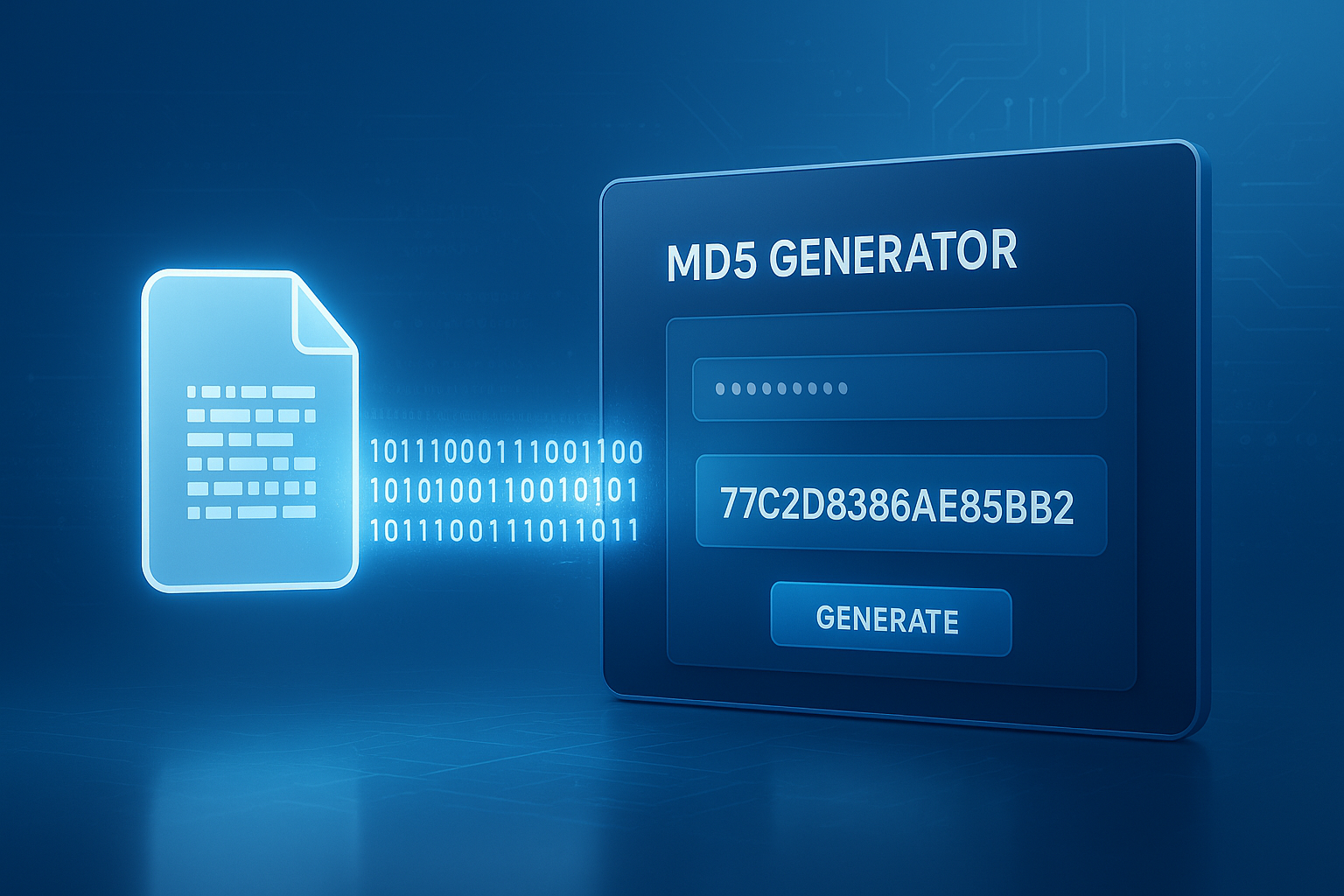
Suggested Image: Technology concept showing binary data converted into Base64 text for APIs, files, and web applications
What is Base64 encoding?
Base64 encoding is a method for converting binary data into plain-text characters. It represents raw bytes using a set of 64 printable characters so the data can travel through systems that are designed to handle text more reliably than binary.
The standard Base64 character set includes:
- Uppercase letters A to Z
- Lowercase letters a to z
- Numbers 0 to 9
- The symbols + and /
- = as optional padding
In practice, Base64 makes binary content safe to include in places like:
- JSON request bodies
- XML documents
- Email MIME content
- HTML or CSS data URLs
- Cookies and tokens
- URL parameters when using a URL-safe variant
If you often inspect encoded payloads, a quick way to analyze related values is with tools like an binary to decimal converter or an ASCII to text converter. They help make lower-level byte handling easier to reason about.
Why do developers use Base64 encoding?
Developers use Base64 encoding because some systems handle plain text more safely than raw binary. The goal is compatibility, not secrecy. It helps preserve data integrity when binary content moves through text-only channels or formats with character restrictions.
Here’s why it remains common in 2025:
- Some protocols and storage layers still expect text
- APIs often exchange data through JSON or XML
- Inline assets need printable characters
- Authentication and token formats frequently rely on compact text encoding
- It avoids corruption caused by control characters or unsupported bytes
Common developer use cases include:
- Embedding images directly in HTML or CSS
- Sending files through REST APIs
- Encoding credentials in the HTTP Authorization header for Basic Auth
- Representing binary payloads inside logs or config files
- Packaging data into JWT segments, usually with Base64URL
When testing how string size changes after encoding, companion utilities such as a word counter or character counter can be useful for estimating payload growth in documentation, API fields, or content limits.
How does Base64 encoding work?
Base64 encoding takes binary data, groups it into 24-bit chunks, then splits those chunks into four 6-bit values. Each 6-bit number maps to one Base64 character. That’s the entire idea.
Let’s break it down step by step.
Step 1: Start with bytes
Every file or string is ultimately a sequence of bytes. For example, the text Man is represented as three ASCII bytes:
M= 77a= 97n= 110
Step 2: Convert bytes to binary
M=01001101a=01100001n=01101110
Together that becomes:
010011010110000101101110
Step 3: Split into 6-bit groups
The 24 bits are divided into four groups:
010011010110000101101110
Step 4: Map each value to a Base64 character
Those 6-bit values map to decimal indexes:
010011= 19010110= 22000101= 5101110= 46
Using the Base64 alphabet, those indexes become:
TWFu
So Man encoded in Base64 is TWFu.
What happens when the input length is not divisible by 3?
This is where padding comes in. Base64 works in 3-byte chunks. If the input has 1 or 2 leftover bytes, the output is padded with = so the final encoded string length remains a multiple of 4.
- 1 leftover byte produces 2 output characters plus
== - 2 leftover bytes produce 3 output characters plus
=
If you want to explore text transformations while debugging encoded strings, tools such as a text case converter can help clean sample payloads before testing, especially in docs or developer notes.
Base64 alphabet and padding rules
The Base64 alphabet is standardized, which is why encoded output looks familiar across languages. Padding is optional in some variants, but standard Base64 often keeps it to preserve alignment and decoding consistency.
| Range | Characters |
|---|---|
| 0 to 25 | A to Z |
| 26 to 51 | a to z |
| 52 to 61 | 0 to 9 |
| 62 | + |
| 63 | / |
Padding rules:
- No padding is needed when input length is divisible by 3
=fills one missing output position==fills two missing output positions- Some systems intentionally omit padding, especially URL-safe implementations
The canonical specification is defined in RFC 4648, which also covers Base64URL and other related encodings.
Base64 vs Base64URL: what’s the difference?
Standard Base64 uses + and /, which can be awkward in URLs and filenames. Base64URL replaces those characters with URL-safe alternatives and often drops padding. That small difference matters a lot in web apps and token-based auth.
| Feature | Standard Base64 | Base64URL |
|---|---|---|
| Character 62 | + | – |
| Character 63 | / | _ |
| Padding | Usually included | Often omitted |
| Best use case | General text-safe transport | URLs, JWTs, web tokens |
You’ll commonly see Base64URL in JWTs. If you inspect token structure, the MDN Base64 reference is a reliable starting point, and many token formats also follow guidance in RFC 7519 for JSON Web Tokens.
Is Base64 encoding secure?
No. Base64 encoding is not encryption, hashing, or obfuscation you should rely on for protection. It only transforms data into a text-safe representation. Anyone can decode it with standard tools in seconds.
This is one of the most important points for developers to remember.
| Technique | Purpose | Reversible | Security Function |
|---|---|---|---|
| Base64 encoding | Data representation | Yes | No |
| Encryption | Confidentiality | Yes, with key | Yes |
| Hashing | Integrity and verification | No | Yes, depending on use |
Common security mistakes include:
- Storing secrets in Base64 and assuming they’re protected
- Logging sensitive payloads because they “look unreadable”
- Using Base64 as a substitute for encryption at rest
- Passing credentials in Basic Auth without HTTPS
For web security decisions, it’s worth reviewing MDN’s HTTP authentication documentation and the broader recommendations in OWASP guidance.
When should you use Base64 encoding?
Use Base64 encoding when binary data must move through a text-based format or system. It’s the right choice when compatibility matters more than size efficiency or readability.
Good use cases include:
- Embedding a small image in HTML or CSS as a data URL
- Sending file content in JSON when multipart upload is not available
- Representing binary values in configuration files
- Encoding email attachments in MIME messages
- Transporting token segments in web auth workflows
For example, a small icon can be embedded directly into markup. If you’re optimizing asset delivery, pairing Base64 decisions with tools like an Image Compressor helps reduce bloat before encoding.
When should you avoid Base64 encoding?
Avoid Base64 when raw binary transport is supported or when payload size matters. Base64 increases data size by roughly 33%, and that overhead becomes expensive with large files, high-volume APIs, or performance-sensitive applications.
Here’s where many people struggle. Base64 feels convenient during development, but convenience can turn into unnecessary cost in production.
Situations where Base64 is usually a poor fit:
- Uploading large files through JSON
- Storing media blobs in databases as encoded text
- Sending images inline when caching would be better
- Using it for secrets management
- Encoding data that already travels safely as binary
If you need to move PDFs or images more efficiently, it may be better to keep them as files and optimize them separately with tools like a PDF Compressor before transport or storage.
How much larger does Base64 make data?
Base64 typically increases the size of data by about 33%. This happens because every 3 bytes of binary input become 4 bytes of encoded output. That overhead is normal and should be accounted for in API limits, storage design, and performance budgets.
Quick formula:
Encoded size ≈ 4 × ceil(original bytes ÷ 3)
| Original Size | Approximate Base64 Size | Increase |
|---|---|---|
| 3 bytes | 4 bytes | 33% |
| 300 KB | About 400 KB | 33% |
| 3 MB | About 4 MB | 33% |
This small detail changes everything when requests hit gateway limits or mobile clients work on slow connections. If you’re tracking bytes, percentages, or request growth, practical helper tools like a percentage calculator can simplify quick estimates.
Base64 encoding examples in real development work
Base64 encoding shows up across the stack. Once you know the patterns, you’ll recognize it immediately in auth headers, JSON payloads, browser APIs, and asset pipelines.
1. Basic Auth headers
HTTP Basic Authentication combines username and password into a string like username:password, then Base64-encodes it. Important detail: the security comes from HTTPS, not from Base64 itself.
Reference: MDN Authorization header documentation.
2. JWT token segments
JWT headers and payloads are generally encoded using Base64URL. That makes them safe for transport inside HTTP headers, cookies, or URLs. The encoded content can still be read if not encrypted, so never put sensitive data there casually.
3. Data URLs for small assets
You can embed images directly in markup:
data:image/png;base64,iVBORw0KGgo...
This can reduce separate network requests for tiny assets, but for larger images it may hurt caching and page size. If you’re tuning front-end performance, related resources like the FreeToolr blog can support broader optimization workflows.
4. File uploads in APIs
Some systems accept files encoded into JSON, especially when clients are simple or multipart form uploads are awkward. It works, but for large payloads it can become slow, memory-heavy, and expensive.
5. Binary values in logs or transport layers
When debugging, Base64 can help render raw bytes in a text-safe way. Just be careful not to log private data or tokens in production systems.
Suggested Screenshot: Example of a JSON API request containing a Base64-encoded file payload
How to encode and decode Base64 safely
Safe Base64 handling means validating input, choosing the correct variant, and avoiding assumptions about security. The encoding and decoding functions themselves are simple. The bugs usually come from context, not syntax.
- Know your input type. Are you encoding text, bytes, a file stream, or structured JSON?
- Use the right character encoding. UTF-8 is the default choice for modern apps.
- Choose Base64 or Base64URL intentionally. Don’t swap them blindly.
- Validate before decoding. Reject malformed content early.
- Set size limits. Decoding unbounded input can waste memory and CPU.
- Never treat Base64 as protection. Encrypt sensitive data when needed.
- Avoid unnecessary round trips. Re-encoding repeatedly adds complexity and cost.
For JavaScript-specific encoding nuances, especially with Unicode handling, the MDN explanation of the Unicode problem in Base64 is particularly useful.
Common Base64 mistakes developers make
Most Base64 problems are not algorithm problems. They’re integration mistakes. Developers often know what Base64 is, but subtle implementation details still cause failures in production.
- Confusing encoding with encryption. This is still the biggest mistake.
- Using the wrong variant. Standard Base64 and Base64URL are not interchangeable in all contexts.
- Forgetting padding behavior. Some decoders accept missing padding, some do not.
- Breaking Unicode text. Text must be converted to bytes correctly before encoding.
- Putting large files inside JSON. It works until performance becomes a problem.
- Logging secrets. Encoded tokens and credentials are still readable data.
- Ignoring content type. Encoded bytes are only half the story; the receiving side also needs format context.
Here’s what experienced professionals do differently: they treat Base64 as a transport format, not a storage strategy and not a security layer.
Best practices for Base64 encoding in modern applications
Use Base64 deliberately, not by habit. The right implementation is usually small, predictable, and easy to maintain. The wrong implementation creates larger payloads, messy debugging, and security misunderstandings.
- Prefer binary transfer when your protocol supports it
- Use Base64 for compatibility, not compression
- Keep encoded inline assets small
- Use Base64URL for tokens and URLs
- Document whether padding is expected
- Validate input length and format before decoding
- Keep sensitive data encrypted separately
- Monitor request sizes in API gateways and client apps
If encoded assets end up in documents, forms, or exported content, adjacent utilities like a PDF to JPG converter can sometimes help restructure how files are delivered rather than embedding everything into one text-heavy payload.
Frequently asked questions about Base64 encoding
1. Is Base64 encoding the same as encryption?
No. Base64 encoding only converts data into a text-safe format. It does not hide the contents in any meaningful way because decoding is trivial and does not require a secret key. If you need confidentiality, use encryption. If you need integrity checks, use hashes or signatures. Base64 is useful for transport and storage compatibility, not for protecting sensitive information.
2. Why does Base64 use the = character at the end?
The = character is padding. Base64 processes data in 3-byte chunks and outputs 4 characters at a time. When the input length doesn’t divide evenly by 3, padding fills the missing output positions so the result maintains the expected format. Some systems, especially Base64URL implementations, omit padding, but only when both sides agree on that behavior.
3. How much larger is a Base64-encoded file?
In most cases, Base64 adds about 33% overhead. Every 3 bytes of original data become 4 bytes in encoded form. That’s why a 3 MB file becomes roughly 4 MB after encoding, not including extra JSON or metadata around it. This matters for uploads, bandwidth, storage costs, and service limits. For larger files, binary transfer is usually more efficient.
4. When should I use Base64URL instead of standard Base64?
Use Base64URL when the encoded data will appear in a URL, filename, cookie, or token that should avoid characters like +