

Have you ever pasted a draft into a tool, clicked “fix grammar,” and then realized the result sounded less like you and more like a machine? That’s the tension behind AI article grammar correction. It can save time, catch mistakes, and improve readability, but only if you know how to use it well.
Writers in 2026 are under pressure to publish faster without letting quality slip. A missed comma is minor. A vague sentence, inconsistent tone, or accidental factual error is not. That’s why AI-powered editing has become part of many writing workflows.
This guide explains what AI article grammar correction actually does, where it helps, where it falls short, and how to use it without losing your voice. You’ll also see practical examples, common mistakes, and a simple workflow you can use right away.
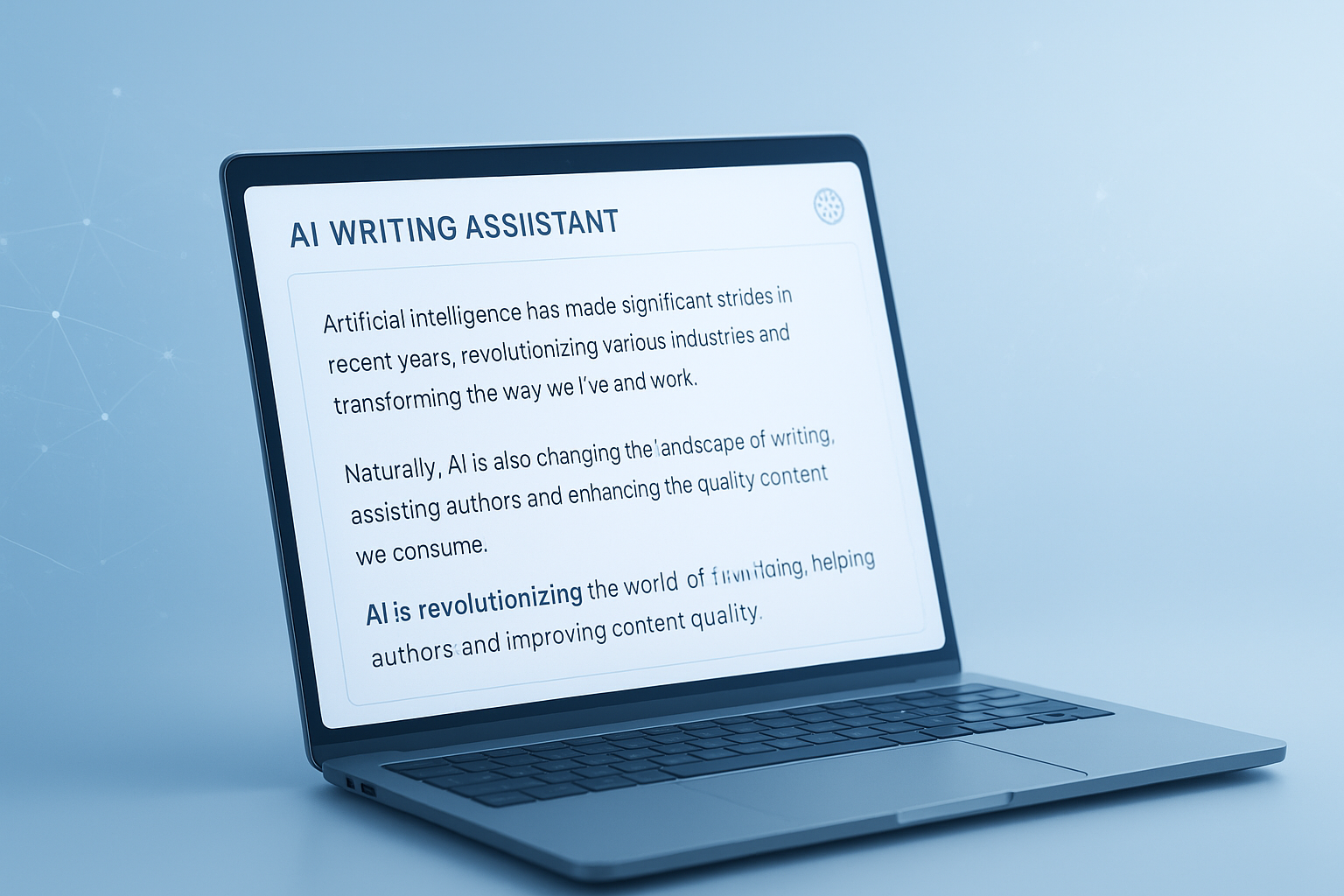
Suggested Image: Technology concept showing AI-assisted editing on a laptop screen with grammar highlights
What is AI article grammar correction?
AI article grammar correction is the use of artificial intelligence to review written content and suggest improvements for grammar, spelling, punctuation, clarity, sentence flow, and sometimes tone. It goes beyond a basic spellchecker by analyzing context and language patterns to recommend cleaner, more natural writing.
Most tools look for issues such as:
- Spelling mistakes
- Punctuation errors
- Subject-verb agreement problems
- Awkward or wordy phrasing
- Repeated words
- Inconsistent tone or tense
- Basic readability problems
Some platforms also combine grammar correction with rewriting, summarizing, and SEO drafting. If you’re already using AI to create content, related tools like an AI conversation generator can help with drafting ideas, while grammar correction helps refine the final version.
For writers, the real benefit is not just cleaner text. It’s faster revision. Instead of hunting line by line for small problems, you can focus more attention on structure, meaning, and audience fit.
Why writers rely on AI grammar tools now
AI article grammar correction has become popular because it solves a practical problem: writing and editing require different mental modes. Drafting needs momentum. Editing needs distance and precision. AI helps bridge that gap when time is tight.
Here’s why many writers now use AI proofreading in their workflow:
- It catches easy-to-miss mistakes in long drafts
- It speeds up self-editing before publishing or submitting
- It improves readability for non-native English writers
- It provides a quick second pass before human review
- It helps maintain cleaner writing across teams
That said, grammar tools are not replacements for judgment. According to Google’s helpful content guidance, content should be created for people first. Clean grammar helps, but usefulness, originality, and accuracy still matter more.
Writers handling multiple formats often pair editing with utility tools. For example, if you’re preparing downloadable content, a PDF word counter helps you check document length before final publication.
How AI article grammar correction works behind the scenes
Most grammar tools use language models and pattern recognition to compare your text against huge examples of correct usage. Instead of checking words in isolation, they evaluate nearby words, sentence structure, and expected meaning.
In simple terms, the system often asks questions like these:
- Does this sentence follow common grammar rules?
- Is this punctuation likely correct in context?
- Would a reader understand this more easily if phrased another way?
- Does the sentence sound unnatural or repetitive?
Modern AI grammar tools can also detect issues that rule-based systems often miss, such as:
- Confusing word choice
- Overly passive phrasing
- Redundant modifiers
- Shifts in voice or tense
- Clunky transitions between ideas
This is similar to how natural language systems discussed in Microsoft Learn’s language AI overview process meaning from human text rather than matching simple dictionary rules.
What AI grammar correction does well and where it struggles
This is where many people struggle. They expect AI to act like a perfect editor. It isn’t. It’s usually very good at surface-level cleanup and moderately good at clarity edits, but much weaker at intent, nuance, and original style.
| What AI usually does well | What still needs human review |
|---|---|
| Fixes spelling and punctuation | Protects brand voice and personality |
| Flags basic grammar mistakes | Checks factual accuracy |
| Shortens obvious wordiness | Evaluates argument strength and logic |
| Improves readability in many cases | Handles humor, irony, and subtle tone |
| Finds repeated words and phrasing | Decides what to keep for style effect |
Use AI correction for speed, not blind trust. As NIST AI resources consistently emphasize, human oversight matters whenever automated systems influence meaningful outputs.
Benefits of AI article grammar correction for different types of writers
The value of AI article grammar correction depends on what kind of writing you do. A novelist, blogger, marketer, student, and technical writer all need different kinds of support.
Blog writers
Bloggers often need help with speed, scannability, and consistency. AI can clean rough drafts quickly and help tighten introductions, subheadings, and long paragraphs. If you’re optimizing for discovery, a related tool like an keyword density checker can help you review keyword balance after editing.
Freelance writers
Freelancers benefit from faster turnaround and cleaner client submissions. AI can also reduce embarrassment from small grammar errors that slip through after deadline pressure.
Non-native English writers
For this group, AI can be especially useful. It often catches phrasing that is grammatically correct but unnatural in standard written English. That can improve confidence and readability.
Technical and business writers
These writers often need precision more than flair. AI helps spot ambiguity, inconsistent terminology, and sentences that are harder to follow than they need to be.
Creative writers
Creative work requires caution. AI can fix obvious mechanics, but it may flatten rhythm, dialogue, or intentional rule-breaking. Writers should review every change instead of accepting suggestions in bulk.
What to check before accepting AI corrections
Now comes the important part. Not every correction improves your article. Some suggestions make sentences technically cleaner while weakening tone, accuracy, or meaning. Good writers review edits with purpose.
Before accepting any suggestion, check these five things:
- Meaning: Did the sentence still say what you intended?
- Tone: Does it still sound like you or your brand?
- Precision: Did the tool replace a specific word with a vaguer one?
- Flow: Does the revised sentence connect naturally to the previous one?
- Fact integrity: Did the edit accidentally change a claim, number, or quote?
This matters even more for structured content. If your article includes technical examples, formulas, or code-like text, AI may “correct” elements that were already right. For formatting cleanup before republishing, a case converter can also help standardize headings, labels, or copied text without changing meaning.
A practical workflow for AI article grammar correction
The best workflow is simple: draft first, correct second, review third. Writers who try to let AI control the whole process usually end up spending more time fixing bland or distorted output.
- Write the first draft without over-editing. Focus on ideas and structure.
- Run the article through an AI grammar tool. Start with grammar, spelling, and punctuation fixes.
- Review clarity suggestions manually. Keep what improves readability. Reject what weakens your voice.
- Read the article aloud. This catches robotic phrasing and rough transitions.
- Do a fact check. Especially for names, numbers, quotes, and technical claims.
- Optimize formatting. Use short paragraphs, strong headings, and lists where useful.
- Run a final proofread after publication formatting. Some errors only appear once text is pasted into a CMS.
Suggested Screenshot: Editing workflow showing draft, AI suggestions, and final human review side by side
If you also revisit article structure and search optimization, tools like an meta description length checker can help you tighten SERP copy once the article itself is polished.
AI grammar correction vs traditional proofreading
Writers often ask whether AI editing replaces human proofreading. The short answer is no. It reduces the workload, but it does not fully replace a careful editor, especially for high-stakes work.
| AI grammar correction | Human proofreading |
|---|---|
| Fast and scalable | Slower but more nuanced |
| Great for obvious mistakes | Better for context and intent |
| Can suggest rewrites instantly | Can explain why a sentence fails |
| May flatten voice | Can preserve style intentionally |
| Low cost or built into tools | Often costs more but adds judgment |
For many writers, the smart approach is hybrid editing. Use AI for the first cleanup. Use human review for final quality control, especially for client work, academic content, legal language, or important public pages.
Common mistakes writers make with AI grammar tools
Here’s the problem. Most bad outcomes do not happen because the tool is terrible. They happen because the writer uses it carelessly. A few habits cause most of the damage.
- Accepting every suggestion
That often strips personality from the draft. - Using grammar fixes as fact validation
Grammar tools are not research tools. - Editing too early
Fixing every sentence while drafting slows momentum and harms structure. - Ignoring audience expectations
A correction may be grammatically proper but too formal for blog readers. - Trusting AI with specialized terminology
Industry terms, code, legal phrases, and product names are frequently mishandled. - Skipping the final read-through
Even good suggestions can create awkward rhythm when combined.
If you work with web content, it also helps to validate surrounding page elements. A clean article can still underperform if titles, snippets, and formatting are weak. For example, an slug generator can help shape cleaner URLs after you finish editing.
How to preserve your voice while using AI corrections
This small detail changes everything. The best use of AI article grammar correction is selective editing, not full surrender. Your voice is often what makes your content memorable. If AI removes that, the article may be cleaner but less effective.
Try these practical habits:
- Edit in batches: grammar first, clarity second, style last
- Reject rewrites that sound too formal or generic
- Keep intentional sentence fragments if they fit your style
- Maintain favorite phrasing patterns when they aid rhythm
- Read key sections aloud after editing
- Compare the corrected version with your original introduction and conclusion
Writers who publish regularly often build a mini style checklist with rules like:
- Use contractions where natural
- Prefer short paragraphs
- Avoid stiff transitions
- Keep examples practical
- Preserve direct reader language such as “you” and “your”
That kind of consistency matters to users and search systems alike. Google’s broader guidance in the SEO Starter Guide supports clarity and usefulness over mechanical optimization.
How AI article grammar correction supports SEO and AI search visibility
AI article grammar correction does not directly guarantee rankings, but it can improve several signals that support visibility. Clean writing is easier to read, easier to scan, and easier for search systems to interpret.
It can help SEO by improving:
- Readability and engagement
- Clear sentence structure for featured snippets
- Consistent terminology across the page
- Reduced ambiguity in headings and summaries
- Better user trust through polished presentation
Still, grammar alone won’t carry the page. Strong search performance usually also depends on:
- Good intent match
- Original insights
- Accurate information
- Useful formatting
- Internal linking
- Helpful page metadata
If you’re fine-tuning on-page details after editing, an keyword position checker can help you review where important terms appear in your content and headings.
Best practices for choosing an AI grammar correction tool
The answer depends on one thing: what kind of writing you do most often. Not every tool is designed for article editing. Some are better for short business messages. Others are stronger at long-form readability.
Look for these features when comparing tools:
- Context-aware grammar suggestions
- Readability and clarity feedback
- Tone adjustment controls
- Support for long-form documents
- Manual review options instead of auto-replace
- Privacy and data handling transparency
- Browser or editor integration that fits your workflow
Privacy deserves special attention, especially for unpublished client work, internal documents, or sensitive content. Review the provider’s policy and data retention terms before pasting confidential material into any system. For general security awareness, the FTC privacy and security guidance is a useful starting point.
Real-world example: from rough paragraph to polished article copy
Let’s break this down with a simple example. Good grammar correction should improve clarity without changing the writer’s core meaning.
Original draft: “Writers is using AI tools because it help them writing better and more faster, but sometimes the content become too much polished and lose the natural tone what make the article feel less trust.”
Overcorrected version: “Writers use artificial intelligence tools because they assist them in writing more effectively and efficiently; however, content may become excessively polished and lose the natural tone that makes articles feel trustworthy.”
Better edited version: “Writers use AI tools because they help them write faster and more clearly. But when editing goes too far, the article can lose its natural tone and feel less trustworthy.”
The third version works best for most blogs because it fixes grammar, keeps the message clear, and still sounds human. That is usually the goal.
If you’re repurposing long content into different formats, a text to list converter can also help turn dense sections into scannable bullets after your grammar edits are done.
Frequently asked questions
Is AI article grammar correction accurate enough for professional writing?
It is often accurate enough for a strong first or second editing pass, especially for grammar, spelling, punctuation, and basic clarity. It is not enough by itself for high-stakes professional writing where tone, factual precision, legal wording, or brand voice matter. For client work, sales pages, technical content, or published thought leadership, use AI as support and keep a final human review in the process.
Can AI grammar tools change the meaning of my article?
Yes, they can. This usually happens when the tool rewrites a sentence to improve fluency but removes a key nuance, softens a claim, or replaces a precise term with a broader word. That’s why writers should never accept every suggestion automatically. Review edits one by one in sections where accuracy and tone matter most, especially introductions, claims, and conclusions.
Are AI grammar correction tools useful for non-native English writers?
Yes, often very useful. They can help correct agreement issues, article usage, punctuation, and awkward phrasing that may be hard to notice on your own. They also provide learning value because repeated suggestions reveal patterns in your writing. Still, it helps to review whether the revision matches your meaning, since some tools favor generic phrasing over the wording you originally intended.
Does AI article grammar correction help with SEO?
Indirectly, yes. Cleaner writing can improve readability, structure, and user trust, which supports stronger content performance. It may also help search engines and AI systems understand your wording more clearly. But grammar correction alone is not an SEO strategy. Rankings usually depend on search intent match, original insights, page structure, topical depth, and overall usefulness.
What’s the difference between a spellchecker and AI grammar correction?
A spellchecker mainly identifies misspelled words and sometimes basic typos. AI grammar correction goes further by reviewing punctuation, sentence structure, clarity, repetition, tone, and contextual phrasing. In many cases, it can flag sentences that are technically correct but hard to read. That broader context is what makes AI tools more useful for article editing than traditional spellcheck alone.
Should I use AI correction while drafting or after finishing the first draft?
Most writers get better results when they wait until the first draft is complete. Editing too early can interrupt ideas and make writing slower. Draft first so you can think freely. Then use AI article grammar correction to clean the language, improve flow, and catch easy mistakes. After that, do a final human review to make sure the article still sounds natural and accurate.
Are free AI grammar tools good enough?
For casual writing and quick cleanup, free tools are often enough. They can catch many grammar and punctuation errors and help make rough drafts more readable. Paid tools tend to offer better contextual rewriting, more advanced tone suggestions, longer document support, and stronger integrations. Whether the upgrade is worth it depends on how often you write and how polished your work needs to be.
Is it safe to paste my article into an AI grammar tool?
That depends on the tool’s privacy policy and how sensitive your content is. If the article contains client material, unpublished work, private business information, or regulated content, review the provider’s data handling practices first. Avoid assuming all tools treat pasted text the same way. When confidentiality matters, use services with clear policies on storage, retention, and model training.
Final thoughts
AI article grammar correction is most useful when you treat it like an editing assistant, not a replacement for judgment. It can catch simple errors, improve clarity, and save time. But the strongest writing still comes from a writer who knows when to accept a fix and when to keep a sentence exactly as it is.
If you want better results, use a simple process: draft freely, correct carefully, review manually, and read the final version aloud. That combination protects both quality and voice.
As a next step, you might also review supporting content elements with tools like the meta description length checker, keyword density checker, slug generator, and text to list converter. They won’t replace good writing either, but they can help you turn a polished draft into a cleaner, more publish-ready article.



