
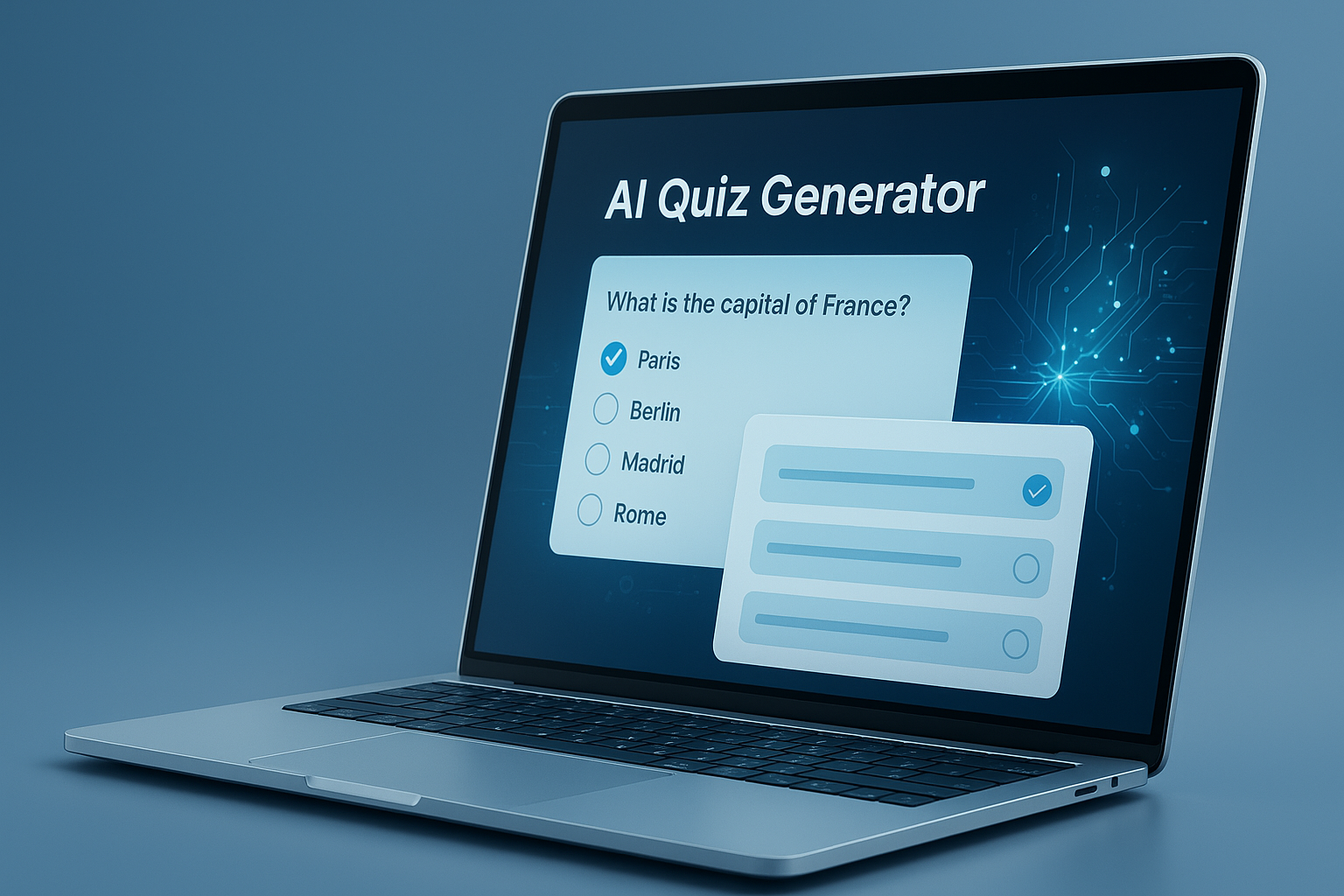
Need to build a quiz quickly without writing every question from scratch? That’s exactly where an AI quiz generator can save time. Instead of staring at a blank screen, you can turn a topic, paragraph, lesson outline, or document into a usable quiz in minutes.
For professionals, speed matters, but so does quality. A rushed quiz can be vague, too easy, factually wrong, or misaligned with the learning goal. The best tools help you move faster while still giving you control over tone, difficulty, format, and accuracy.
This guide explains how an AI quiz generator works, where it performs well, where it can fail, and how to use one intelligently in 2026. If you create training materials, lead workshops, teach learners, or publish educational content, this will help you make better quizzes with less friction.
Suggested Image: Technology concept showing AI turning text documents into quiz questions on a digital dashboard
What is an AI quiz generator?
An AI quiz generator is a tool that creates quiz questions automatically from a prompt, topic, article, notes, transcript, or uploaded file. It uses language models to identify key ideas, convert them into questions, and produce possible answers, often in formats like multiple choice, true/false, or short answer.
In practical terms, it acts like a fast first-draft assistant. You provide the source material, define the audience and difficulty, and the tool suggests a set of questions you can review and refine. If you also create other AI-assisted content, you may find it useful to compare quiz creation workflows with an AI paragraph generator to understand how prompt quality affects output.
- Creates questions from text or topics
- Saves time during quiz drafting
- Supports different question types
- Helps scale training or assessment content
- Still requires human review for quality and accuracy
How does an AI quiz generator work?
Most tools follow the same basic process: they read the input, identify important concepts, and turn those concepts into questions. What changes from tool to tool is how much control you have over style, level, format, and editing.
- You provide the source. This might be a topic, article, lesson summary, PDF, transcript, or product documentation.
- The AI extracts key points. It looks for definitions, facts, sequences, contrasts, and important details.
- It generates question types. Common outputs include multiple choice, true/false, fill-in-the-blank, and short answer.
- You review and edit. This is the step that determines whether the final quiz is actually useful.
- You export or publish. Some tools allow direct copying, downloading, or integration with learning systems.
If your source material is long, cleaning it first improves results. For image-based classroom scans or screenshots, a related workflow may involve tools like an image to text converter before generating questions.
What kinds of inputs usually work best?
AI performs best when the source content is clear, structured, and specific. A vague prompt such as “make a marketing quiz” often leads to generic questions. A much better prompt includes audience level, topic boundaries, and preferred format.
- Training manuals
- Lecture notes
- Study guides
- Policy documents
- Meeting summaries
- Product onboarding material
- Blog posts and internal knowledge base pages
Why professionals use AI quiz generators
Professionals use these tools because writing assessments manually is slow. An AI quiz generator can cut the first-draft workload dramatically, especially when you need multiple quizzes for training, onboarding, certification prep, or content marketing.
Here’s the real advantage: speed is only part of the value. The better benefit is consistency. If your team regularly produces educational material, AI can help standardize structure, tone, and formatting. For teams packaging learning content, this works well alongside an AI content detector when reviewing whether generated text sounds too mechanical before publishing.
| Use Case | How AI Helps |
|---|---|
| Employee training | Creates knowledge checks from SOPs, compliance guides, or onboarding docs |
| Education | Turns lesson summaries into quick formative assessments |
| Course creation | Speeds up quiz drafting for modules and lessons |
| Content marketing | Builds interactive quizzes from blog topics or lead magnets |
| Workshops and webinars | Generates pre-event and post-event knowledge checks |
Which quiz formats can AI generate?
Most AI quiz generators support several common formats. The right one depends on whether you want quick recall, deeper understanding, or fast grading. Choosing the wrong format is one of the easiest ways to weaken an otherwise good quiz.
Common question types
- Multiple choice: Best for quick scoring and broad coverage
- True/false: Useful for simple facts, but often too easy if overused
- Short answer: Better for recall and understanding, but harder to grade
- Fill in the blank: Good for terminology and definitions
- Matching: Useful for concepts, terms, and process pairs
- Scenario-based questions: Strong for training, decision-making, and job readiness
Here’s what experienced professionals do differently: they don’t default to multiple choice for everything. They choose formats that match the learning objective. If you are creating training materials that involve technical documentation or study sheets, converting source files with a PDF to Word tool can make editing and quiz generation easier.
Best format by goal
| Goal | Best Quiz Format |
|---|---|
| Fast knowledge check | Multiple choice, true/false |
| Terminology review | Fill in the blank, matching |
| Concept understanding | Short answer, scenario-based |
| Compliance training | Scenario-based, multiple choice with realistic distractors |
| Exam prep | Mixed-format quizzes |
What makes a good AI quiz generator?
A good tool does more than produce questions quickly. It should help you generate relevant, accurate, editable, appropriately difficult questions. If it only creates generic quiz items, it saves very little time because you end up rewriting everything.
- Input flexibility: Topic prompts, pasted text, documents, and long-form content
- Question variety: Multiple formats, not only multiple choice
- Difficulty controls: Beginner, intermediate, advanced
- Audience selection: Students, employees, technical teams, general readers
- Editability: Ability to revise wording, answers, and distractors
- Export options: Copy, download, or reuse in other systems
- Accuracy support: Outputs grounded in your source material
This small detail changes everything: the best tools let you generate from your own content, not just a broad topic prompt. That keeps the quiz aligned with the exact material people are meant to learn. If you later need supporting learning content, an AI essay writer can help expand study notes, summaries, or practice explanations around the same topic.
Benefits of using an AI quiz generator
The main benefit is speed, but speed only matters if the output is usable. A strong AI quiz generator reduces draft time, helps overcome blank-page friction, and gives you more room to focus on review, teaching quality, and learner experience.
- Faster production: Generate a first draft in minutes instead of hours
- Scalability: Create multiple quiz sets across modules or departments
- Idea expansion: Get question angles you may not have considered
- Consistency: Keep formatting and structure uniform across assessments
- Support for non-writers: Helpful for subject matter experts who are not instructional designers
- Rapid iteration: Adjust question type, level, and length quickly
For accessibility and readability, it also helps to keep source materials concise and structured. Guidance from the W3C Web Accessibility Initiative is valuable if your quizzes will be published online for broad audiences.
Limitations you should not ignore
AI-generated quizzes are useful, but they are not self-verifying. They can misunderstand context, oversimplify concepts, produce weak answer choices, or introduce factual mistakes. That’s why review is not optional, especially in professional, academic, legal, or regulated settings.
Now comes the important part. If you treat AI output as final copy, quality drops fast. If you treat it as a structured draft, it becomes much more valuable.
- Hallucinated facts: The tool may invent details not present in the source
- Shallow questions: Some outputs test recall without testing understanding
- Weak distractors: Obvious wrong answers make quizzes too easy
- Bias or ambiguity: Wording may be unclear or uneven across audiences
- Misaligned difficulty: Advanced learners may get beginner-level questions
- Privacy concerns: Sensitive materials should not be uploaded carelessly
Before using AI-generated assessments for published learning content, review relevant privacy and security guidance from your software provider. If the tool relies on cloud processing, understand your responsibilities around personal data. For organizations handling consumer information, the FTC privacy and security guidance is a helpful starting point.
How to get better results from an AI quiz generator
The quality of the output depends heavily on the quality of your input. Better prompts create better quizzes. The difference between a useful assessment and a generic one usually comes down to specificity.
A simple prompt framework
Use this structure when generating questions:
Create a 10-question quiz on [topic] for [audience]. Use [question type]. Set the difficulty to [level]. Base the questions only on the following material: [paste text]. Include an answer key and short explanations.
Practical tips that improve output
- Define the audience clearly. “For sales managers” works better than “for professionals.”
- State the learning goal. Ask whether the quiz should test recall, understanding, or application.
- Limit the scope. Narrower prompts produce more focused questions.
- Request realistic distractors. This improves multiple-choice quality.
- Ask for explanations. Great for learning review, not just assessment.
- Review every answer. Never assume accuracy, even on familiar topics.
If you need to polish the wording after generation, a clear rewrite process matters. Some editors use an AI text humanizer to soften stiff phrasing in explanations, instructions, or feedback lines before publishing.
Best use cases by profession
An AI quiz generator is not only for teachers. It’s useful anywhere people need to check understanding quickly. The strongest use cases usually involve repeated content creation, internal training, or audience education at scale.
Corporate training
Turn SOPs, onboarding guides, security awareness material, and policy updates into quick assessments. Scenario-based questions are especially effective here because they mirror real workplace decisions.
Education and tutoring
Teachers and tutors can convert reading passages, class notes, and unit summaries into quizzes for practice or review. For digital handouts or scanned materials, text extraction plus clean formatting can make generation much faster.
Course creators
Module-by-module quiz drafting becomes easier when each lesson has a structured summary. To keep materials lightweight and easier to share, creators often pair course assets with an Image Compressor for screenshots and visual handouts.
Marketing and audience engagement
Interactive quizzes can boost engagement in newsletters, landing pages, and lead magnets. They also help segment audiences by knowledge level or interest.
Technical and product teams
Internal knowledge checks can reinforce product updates, feature training, release notes, or support workflows. For published web-based interactive experiences, developers may also want to review the MDN Web Docs for front-end implementation guidance.
Suggested Screenshot: Example workflow showing a source document, generated questions, and edited final quiz
AI quiz generator vs manual quiz writing
Manual quiz writing gives you complete control, but it is slower. AI accelerates the first draft, yet still needs editorial review. For most professionals, the best approach is not AI versus manual. It is AI first, human refinement second.
| Factor | AI Quiz Generator | Manual Writing |
|---|---|---|
| Speed | Very fast first draft | Slower |
| Accuracy | Depends on source and review | Usually higher from the start |
| Creativity | Good for idea generation | Strong when written by experts |
| Scalability | High | Limited by time |
| Editing effort | Moderate | Lower if the writer is experienced |
Common mistakes that reduce quiz quality
Most poor results do not come from the AI alone. They come from weak source material, vague prompts, or skipped review. This is where many people struggle: they expect the first output to be publish-ready.
- Using prompts that are too broad
- Generating questions without a defined audience
- Accepting incorrect or weak answer keys
- Relying too heavily on true/false questions
- Ignoring cognitive difficulty and question balance
- Uploading sensitive internal documents without checking privacy policies
- Forgetting to test if the quiz actually measures the intended skill
For online discoverability of educational resources, it also helps to follow search quality guidance from Google Search Central’s documentation on helpful content. Clear, useful content often performs better both in search and in AI-generated summaries.
How to review AI-generated quizzes before publishing
A quick review is not enough. You need a repeatable quality check. The goal is to confirm that the quiz is accurate, fair, aligned with the source, and suitable for the audience.
- Check factual accuracy. Compare every answer against the source material.
- Test clarity. Remove vague wording and double meanings.
- Verify difficulty. Make sure the quiz fits the learner level.
- Improve distractors. Wrong answers should be plausible, not silly.
- Look for repetition. AI often rephrases the same concept several times.
- Review bias and assumptions. Keep language inclusive and context-aware.
- Run a pilot. Ask one or two learners or teammates to test it before launch.
For organizations building formal learning experiences, standards-based instructional design still matters. Resources from Edutopia and similar educational organizations can be useful for assessment quality, though your internal learning goals should guide final decisions.
Frequently asked questions
Is an AI quiz generator accurate enough for professional use?
It can be accurate enough for professional use if you treat it as a draft tool, not a final authority. The best results come when the quiz is generated from your own vetted source material and then reviewed by a human editor or subject matter expert. For internal training, education, and content marketing, this workflow is usually efficient and reliable. For compliance, regulated industries, or certification prep, a stricter review process is essential.
Can an AI quiz generator create quizzes from PDFs or documents?
Yes, many tools can work from pasted text or uploaded files. Results are usually better when the document is clean, readable, and well structured. Long or messy files may need editing first, especially if tables, images, or scan errors interrupt the text. A practical approach is to extract the important sections, remove irrelevant content, and then ask the tool to generate questions only from that selected material.
What is the best question type for training employees?
Scenario-based multiple-choice questions are often the strongest choice for employee training because they test judgment, not just memorization. They help learners apply policies or procedures to realistic situations. Simple recall questions still have value, especially for terminology or process steps, but they should not dominate the quiz. A mixed format usually works best when you need both fast scoring and meaningful learning checks.
Are AI-generated quizzes good for students?
They can be very useful for students when used for practice, revision, and self-testing. The main benefit is speed: students can turn notes or summaries into review questions quickly. The limitation is that AI may create shallow questions or occasional errors. Students should verify important facts and avoid relying on generated answer keys blindly, especially when studying for high-stakes exams or assessments based on strict curriculum standards.
Do I need to edit every question created by AI?
In most cases, yes. Not every question will need major revision, but every question should be checked. Look for factual accuracy, level of difficulty, wording clarity, and whether the wrong answers are plausible. If the quiz is short and low-risk, the review may be quick. If it will be used in a course, workplace training, or public educational content, a more careful edit is worth the time.
Are AI quiz generators safe for private or sensitive content?
The answer depends on the tool, its privacy policy, and the type of content you are uploading. Do not assume that all tools handle internal or personal data the same way. Before uploading proprietary documents, student records, or customer information, review how the provider stores, processes, and retains data. If the content is sensitive, anonymize it first or use approved systems that meet your organization’s security requirements.
Can an AI quiz generator help with SEO or audience engagement?
Yes, it can support engagement when used to create interactive content from educational blog posts, newsletters, or lead magnets. Quizzes can increase time on page, encourage return visits, and help segment users by interest or knowledge level. Still, the quiz needs to be genuinely helpful. A weak quiz may feel gimmicky. Strong topic relevance, good UX, and clear question design matter more than novelty.
How many questions should a good quiz include?
That depends on purpose. For a quick knowledge check, 5 to 10 questions is often enough. For lesson review, 10 to 15 questions may provide better coverage. For formal assessment, the number should reflect the breadth of the topic and the level of confidence you need in the result. More questions are not always better. A shorter, well-designed quiz usually outperforms a longer one full of repetitive or low-value items.
Final thoughts on using an AI quiz generator well
An AI quiz generator is most useful when you need to create quizzes faster without sacrificing structure and relevance. It shines at producing first drafts, generating question variety, and reducing repetitive work. But it still needs judgment, editing, and fact-checking to become a strong final assessment.
If you plan to use one, start with a narrow topic, provide clear source material, define the audience, and review every question before publishing. That approach gives you the speed of AI and the reliability of human oversight.
As a next step, you may also find these related FreeToolr resources helpful: the AI paragraph generator for study content, the PDF to Word tool for editable source files, the Image Compressor for course visuals, and the AI text humanizer for refining stiff AI-written explanations.



